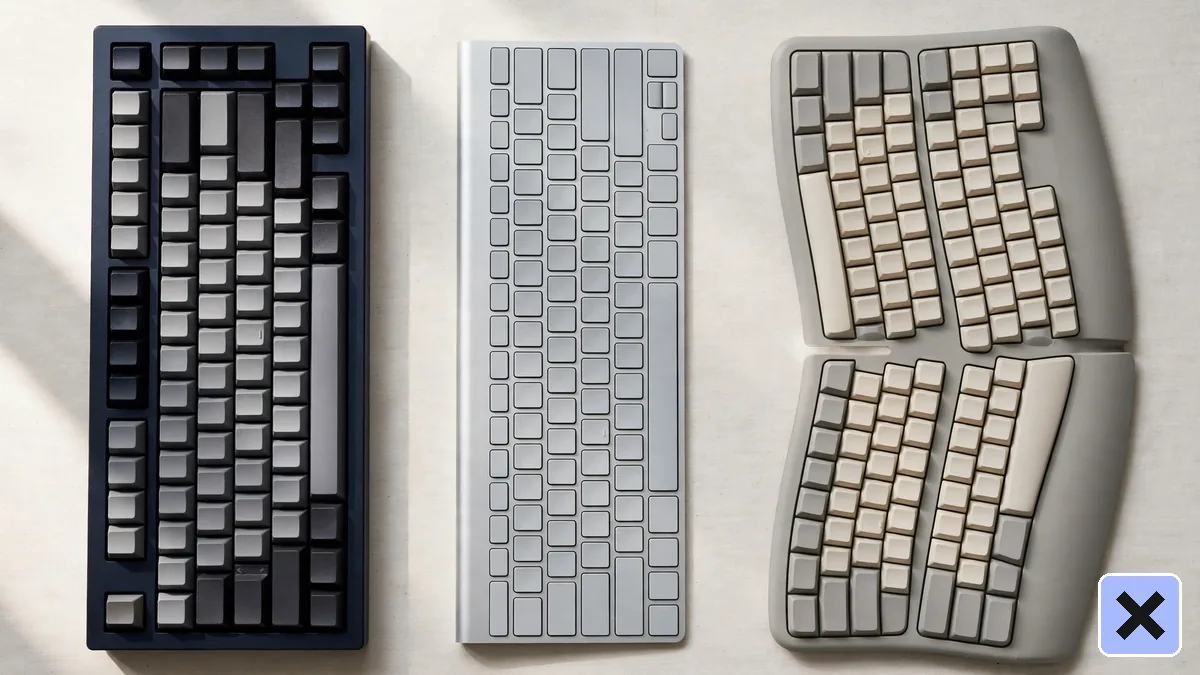
The best keyboards 2026 are not all the same, and that is exactly the point. A keyboard is the tool most of us touch for more hours a day than almost anything else we own, yet it is often the last thing people think about when they set up a desk. The best keyboards 2026 fix that oversight: they feel better, type quieter, connect more reliably, and suit the way you actually work, whether that means eight hours of writing, an evening of gaming, or a few emails from the sofa.
This guide looks at every kind of keyboard: slim low-profile boards for quiet offices, ergonomic boards for long days, compact boards for small desks and travel, and dependable all-rounders. Every pick was judged on typing feel, comfort, build quality, connectivity, battery life, and value.
Key Takeaways
- Match the keyboard to your day: writers need comfort, gamers need speed, travellers need compact size.
- Low-profile and membrane keyboards are the quietest choice for shared rooms and open offices.
- Ergonomic split designs really do help on long typing days, but give yourself a week to adjust.
- Multi-device Bluetooth that pairs with three devices saves more desk clutter than any other feature.
- Test the layout before you buy: a missing number pad or cramped arrow keys will annoy you daily.
How to Choose the Right Keyboard
A full-size board with a number pad is wonderful for spreadsheets, but it pushes your mouse further right and eats desk space. A compact 75 percent board keeps the function keys and arrows in a much smaller frame, and for most people that is the sweet spot. A tiny 60 percent board looks brilliant on a travel desk but loses keys you may miss.
Feel matters more than specifications. Some people love the soft, quiet press of a low-profile membrane board; others prefer the firm, springy feedback of a mechanical switch. The best keyboard is the one your fingers enjoy after four hours, not four minutes. If you can, try a board in a shop first, or buy from a seller with a fair returns policy.
The Main Types, Side by Side
Membrane and scissor-switch keyboards are the quiet, slim boards found in most offices and laptops: light, affordable, and easy to carry. Mechanical keyboards give each key its own switch, for a more consistent feel and longer life, but they are usually taller, heavier, and louder. Ergonomic keyboards split or curve the layout so your wrists stay straighter. Wireless boards cut the cable, while wired boards never need charging.
Think about noise as well. In a shared home or an open office, a quiet board is a kindness to everyone around you, and low-profile keys, dampened switches, and a solid case all help. Bright backlighting looks great in photographs but matters far less than a comfortable key shape and a layout you can type on without looking down.
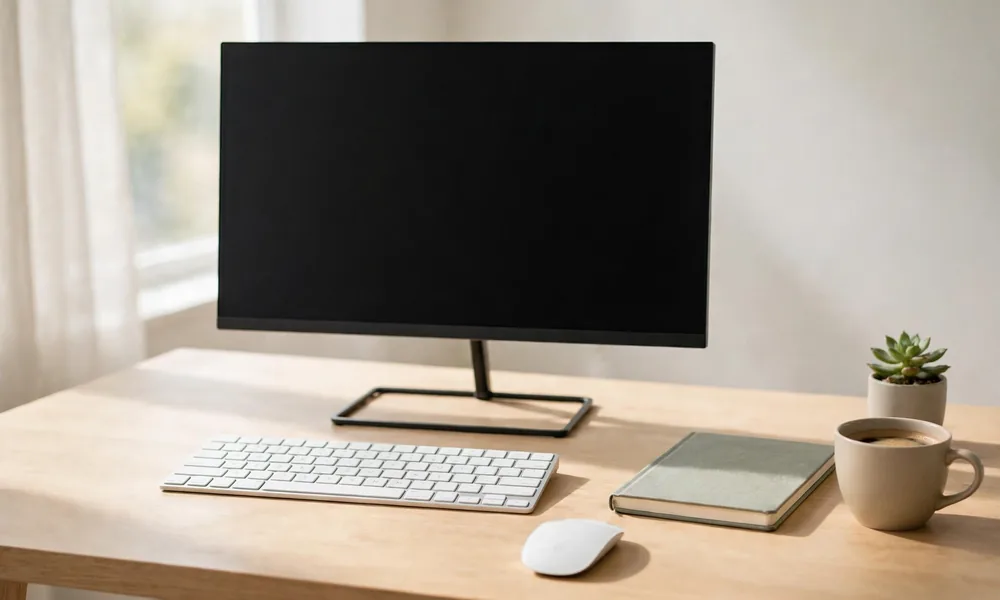
The Best Keyboards 2026 at a Glance
| Keyboard | Type | Layout | Connection | Battery | Best For |
|---|---|---|---|---|---|
| Logitech MX Keys S | Low-profile scissor | Full-size | Bluetooth, USB receiver | Up to 10 days backlit, months unlit | Best overall |
| Keychron K8 Pro | Mechanical | Tenkeyless | USB-C, Bluetooth, 2.4 GHz | Weeks with lighting off | Best all-rounder |
| Logitech Ergo K860 | Ergonomic membrane | Split full-size | Bluetooth, USB receiver | Up to 2 years | Best ergonomic |
| Apple Magic Keyboard | Low-profile scissor | Compact | Bluetooth, USB-C | About a month | Best for Mac |
| Logitech K380 | Compact membrane | Compact | Bluetooth | Up to 2 years | Best compact and travel |
| Microsoft Sculpt Ergonomic | Ergonomic membrane | Split full-size | USB receiver | Up to 1 year | Best value ergonomic |
Logitech MX Keys S: The Best Overall Keyboard
The Logitech MX Keys S is the keyboard to buy if you want one board that simply works, day after day, for almost anyone. It is a full-size, low-profile board with softly scooped keys that guide your fingers into place, a solid metal top plate that keeps it planted on the desk, and smart backlighting that brightens when your hands approach.
Typing on it feels calm and precise, and the full layout puts the number pad, arrows, and function keys where your muscle memory expects them. It pairs with up to three devices over Bluetooth or its USB receiver, so you can switch between a laptop, a desktop, and a tablet with one tap. It pairs naturally with a good mouse: our guide to the best wireless mice for laptops 2026 covers the partners that suit it best.
Keychron K8 Pro: The Best All-Rounder
The Keychron K8 Pro is the board for people who want a mechanical feel without giving up everyday practicality. It is a tenkeyless board, so it drops the number pad and gives your mouse more room, while keeping the function keys and arrows most people use daily. It connects over USB-C, Bluetooth, and 2.4 GHz, and works with both Windows and macOS.
What makes it stand out is flexibility. The switches are hot-swappable, so you can change the feel later without tools, and the gasket-mounted design gives it a softer, deeper sound than cheaper mechanical boards. If you want one keyboard for writing, work, and the occasional game, this is the most versatile pick on this list.
Logitech Ergo K860: The Best Ergonomic Keyboard
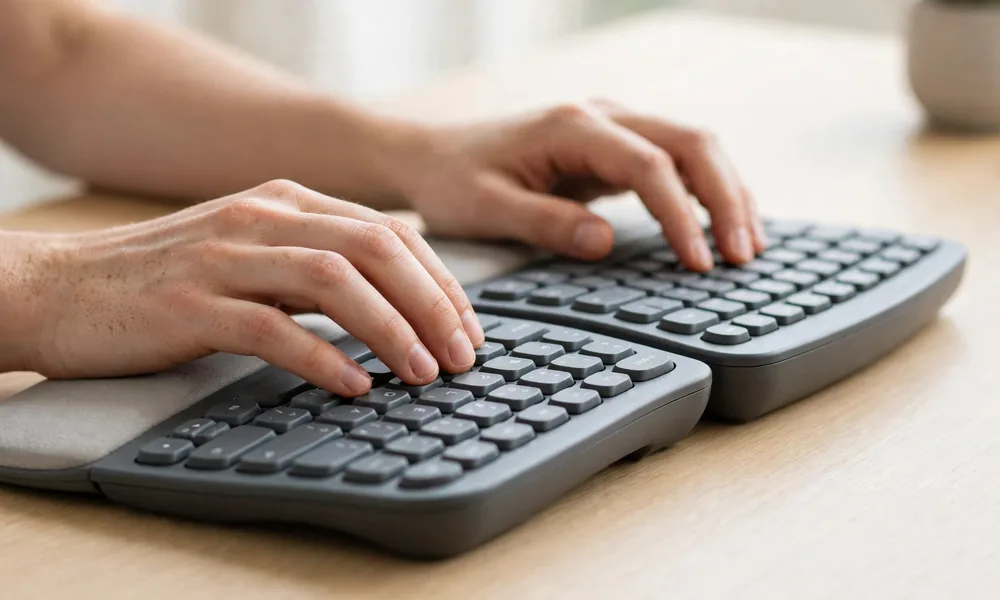
The Logitech Ergo K860 is built for people whose wrists and shoulders complain by the end of a long typing day. Its split, curved layout lets your hands rest at a more natural angle, and the built-in palm rest is cushioned rather than hard plastic. The keys are quiet and low-profile, so it suits shared rooms as well as private offices.
There is an adjustment period: for the first few days the split layout can feel strange and your typing speed may dip, but most people settle in within a week. Battery life is measured in years, and it pairs with three devices. If you type for a living, this is the most comfortable keyboard on this list, and it deserves a proper setup: our guide to the best desks 2026 will help you build a workspace that matches it.
Apple Magic Keyboard: The Best Keyboard for Mac
The Apple Magic Keyboard is the obvious, and genuinely good, choice for Mac users. It is slim, light, and beautifully made, with low-profile keys that feel crisp and quiet, and it pairs instantly with a Mac, iPad, or iPhone over Bluetooth. The whole board is small enough to slip into a bag.
It is not for everyone: no number pad, no backlighting, and no multi-device switching beyond standard Bluetooth pairing. But for Mac owners who want a keyboard that feels like part of the machine, with zero setup and a clean desk, it is the most pleasant daily typing experience Apple sells. It charges over USB-C and lasts about a month between charges.
Logitech K380: The Best Compact and Travel Keyboard
The Logitech K380 is a small, round-keyed board that proves a travel keyboard does not have to feel like a compromise. It is barely larger than a paperback, runs for up to two years on two AAA batteries, and pairs with three devices at once, so it can hop between a phone, a tablet, and a laptop while you work from a cafe or a hotel room.
The keys are quiet and surprisingly comfortable for such a small board. It is not for heavy spreadsheet work, as there is no number pad, and the compact layout takes a day to learn. But for students, travellers, and anyone with a small desk, it is the cheapest way to make a laptop or tablet feel like a proper workstation. Slip it in a bag with a laptop stand and you have a portable office: our guide to the best laptop stands 2026 shows the stands that pair best with it.
Microsoft Sculpt Ergonomic: The Best Value Ergonomic Keyboard
The Microsoft Sculpt Ergonomic is the budget-friendly way into a split keyboard. Its curved, separated layout and domed palm rest put your wrists in a far more natural position than a flat board, and the number pad is a separate unit, so you can place it on either side or leave it off the desk entirely.
Typing feels soft and quiet, and the keys are large and easy to hit without looking. It connects with a single USB receiver and runs for around a year on its batteries. It lacks Bluetooth and multi-device switching, but for the price it delivers most of the comfort of boards costing twice as much. If your wrists ache and your budget is tight, start here.

What to Avoid When Buying a Keyboard
The worst keyboard mistake is buying on looks alone. A board that photographs beautifully but has cramped arrow keys, a mushy spacebar, or a layout that fights your muscle memory will annoy you every day. Read the layout diagram before you buy, and check where the arrow keys, the Enter key, and the function row sit.
Do not pay for features you will never use. Macro keys, per-key RGB lighting, and a built-in display are wonderful for some people and pure clutter for others. Spend the money on feel, build quality, and comfort instead, and beware of ultra-cheap boards with no brand support: a keyboard that double-types or dies after six months is no bargain.
Keyboard Buying Checklist
- Pick the layout first: full-size, tenkeyless, 75 percent, or compact, based on your desk and your number-pad needs.
- Choose the feel: quiet low-profile for shared rooms, mechanical for feedback and longevity, ergonomic for long days.
- Check connectivity: Bluetooth for multiple devices, a USB receiver for reliability, wired for zero charging.
- Look at battery life and charging: months of life beats a board you must plug in every week.
- Test the arrow keys and Enter key position, because a cramped layout will frustrate you daily.
- Buy from a seller with a fair returns policy, and give an ergonomic board a full week before judging it.
Frequently Asked Questions
What is the best keyboard for typing all day?
Comfort beats everything else. A low-profile board such as the Logitech MX Keys S or an ergonomic board such as the Logitech Ergo K860 will keep your hands happier over eight hours than a tall, clicky board, because both reduce finger travel and keep your wrists straighter.
Are mechanical keyboards better than membrane keyboards?
Mechanical keyboards usually last longer and feel more consistent, because each key has its own switch. Membrane and scissor keyboards are quieter, slimmer, and cheaper, and the best ones feel excellent. The better choice depends on your noise tolerance, desk space, and budget.
Do I need a number pad?
If you work with spreadsheets or data entry, yes, a number pad saves real time. If you mostly write, browse, and email, a tenkeyless or 75 percent board gives your mouse more room and keeps your shoulders comfortable.
Is a wireless keyboard reliable enough for work?
Yes. Modern Bluetooth and 2.4 GHz wireless keyboards are reliable for everyday work, and most run for months on a charge. Choose a board with a USB receiver if you want the most dependable connection of all.
How long should a keyboard last?
A well-made keyboard should last five years or more of daily use, and mechanical boards often last longer because their switches are rated for tens of millions of presses. Replace a board when keys double-type, feel mushy, or stick, rather than on a fixed schedule.
Are ergonomic keyboards worth it?
For people who type for hours every day and feel wrist or shoulder strain, yes. A split layout keeps your wrists straighter, which reduces strain over time. Give yourself a week to adjust, and pair it with a chair and desk at the right height.
The Bottom Line
The best keyboards 2026 cover every kind of typist, and the right one depends on your day, not a spec sheet. For most people, the Logitech MX Keys S is the safest all-round buy: quiet, comfortable, and built for real desks. If you want a mechanical feel with everyday flexibility, the Keychron K8 Pro is the most versatile pick. And if your wrists ache after long days, the Logitech Ergo K860 is the comfort upgrade that pays for itself within a week.


