A keyboard is the tool your hands touch more than anything else on your desk, and it is the purchase most people think about least. We research laptops for weeks, compare monitors by the inch, and then grab whatever keyboard is cheapest or closest, only noticing the mistake when our fingers ache, our typing slows, or a key stops working mid-sentence. The best keyboards of 2026 earn their place quietly: every key lands where your fingers expect it, every press feels the same, and after eight hours your hands feel no worse than they did in the morning. The worst keyboards do the opposite. They look fine in a product photo, cost less than a takeaway dinner, and then punish you one keystroke at a time.
This comparison judges the whole keyboard category, not one corner of it. Mechanical boards are only one type among many here, and our separate look at the best and worst mechanical keyboards goes deep on switches and stabilisers for readers who have already chosen that path. Here we put membrane, scissor, low-profile, wireless, ergonomic and mechanical keyboards side by side, judged the way you would actually live with them: how they feel after a full day of typing, whether the layout helps or hinders you, whether the build will last, and whether the price is honest. A good keyboard disappears under your fingers. A bad one never lets you forget it.
Key Takeaways
- Typing feel decides everything: a keyboard that feels mushy, rattly or uneven will tire your hands within an hour, whatever it costs or however good it looks.
- Layout is a daily tax: a cramped board, tiny arrow keys or a missing number pad will annoy you every single day, long after the price is forgotten.
- Mechanical is one good option, not the only one: a well-made scissor or membrane board can be the right choice for quiet offices, travel and tight budgets.
- Wireless is only good when the connection holds: dropped keystrokes and flat batteries turn a tidy desk into a daily frustration.
- Test before you commit when you can: ten minutes of real typing tells you more than ten reviews, and a board that hurts your wrists on day one will not improve.
How We Judged the Best and the Worst
A keyboard earns its place on the best side by doing the basic job brilliantly: letting you type accurately and comfortably for hours without thinking about it. A keyboard lands on the worst side when it fails at that job, however good it looks in a product photo. We judged every type on the same six things. Typing feel comes first, because it is what your fingers notice within seconds: consistent travel, a clean bottoming out, and no wobble from key to key. Sound comes next, because a rattly board annoys you and everyone near you. Layout covers size and spacing. Build covers the case and keycaps. Connection and battery cover wireless stability and charge life. Value covers what you get for the price, because a cheap board that types well beats an expensive board that does not.
The Best Side: What Great Keyboards Do Right
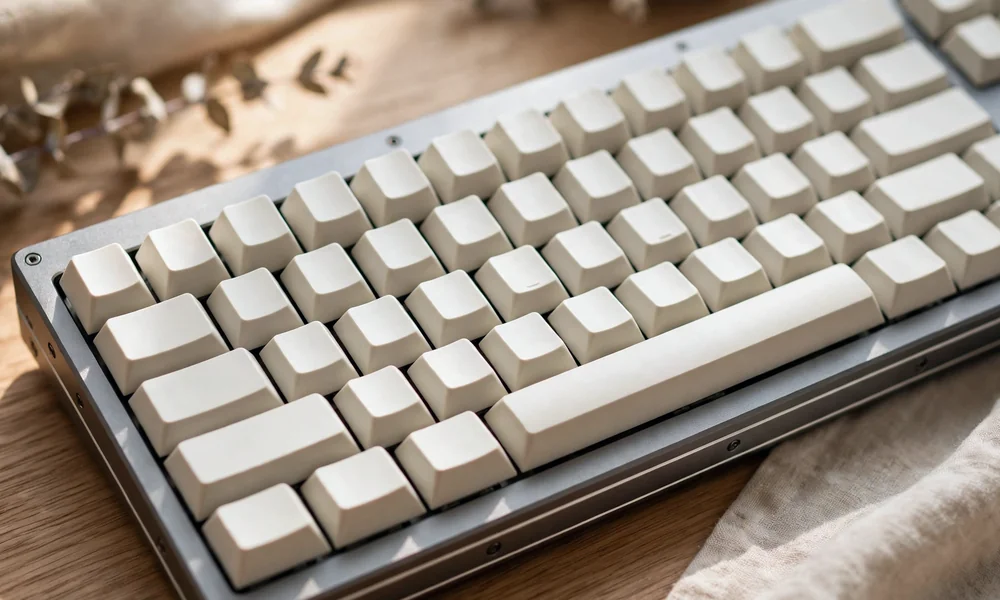
The best keyboards share qualities that show up the moment you start typing. The keys move smoothly, with no scratchiness or wobble, and each press feels consistent, from the space bar to the smallest key in the corner. The board stays put, thanks to a solid case and decent rubber feet, and it does not flex when you pick it up. The keycaps feel pleasant rather than slippery, and the legends stay readable after months of use. A good board also sounds right: a soft, muted thock or a quiet scissor tap, rather than a hollow rattle.
The Worst Side: Where Bad Keyboards Go Wrong
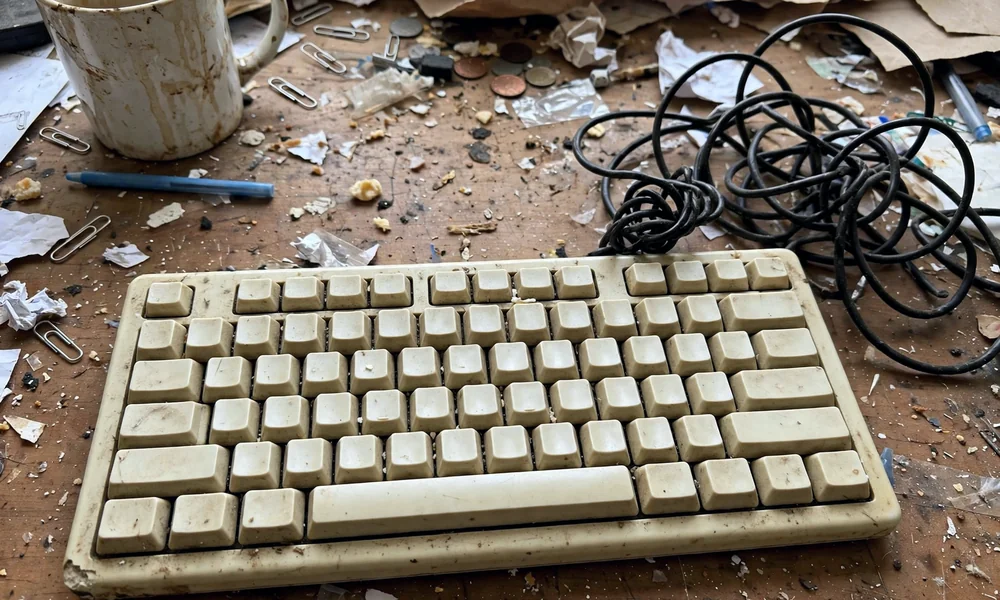
The worst keyboards fail in ways that are easy to miss in a shop and impossible to ignore at home. The most common failure is feel: rubber-dome boards that turn to mush, keys that need a hard press to register, and space bars that stick or rattle. A bad board makes you type harder to be sure each letter lands, and that extra effort tires your hands by lunchtime. The second failure is layout: cramped boards, a shrunken shift key, and keys moved where your fingers do not expect them. The third is build: a hollow case that flexes and legends that wear off the keys you use most.
Then there are the failures that only show up over time, which is why they catch so many buyers. A wireless board that drops its connection once an hour will cost you a sentence a day and your temper within a week. A board with a battery that lasts a fortnight instead of months becomes one more thing to charge and forget. A gaming-styled board can hide all of this behind bright lighting and a low price, and the lighting is often the best-made part of it.
Best vs Worst Keyboards at a Glance
| What matters | Best keyboards | Worst keyboards |
|---|---|---|
| Typing feel | Consistent, smooth, even across every key | Mushy, uneven, keys that need a hard press |
| Sound | Soft and muted, or quietly crisp | Rattly, pinging, loud enough to annoy a room |
| Layout | Full-size keys, sensible arrows, honest trade-offs | Cramped, shrunken shift, keys in the wrong place |
| Build | Solid case, grippy feet, durable keycaps | Hollow flexing case, shiny slipping caps |
| Connection | Stable wireless, wired fallback, months of battery | Dropped keystrokes, dead batteries, no wired mode |
| Value | Price matches the typing, not the packaging | Cheap to buy, expensive in frustration |
The Best Keyboards by Type
For most people, the best everyday keyboard is a good scissor-switch or low-profile board, the kind that types like a good laptop keyboard and stays quiet in a shared room. These boards are slim, they travel well, and their short key travel suits fast, light typing. Our guide to the best keyboards of 2026 covers the strongest all-rounders, and the pattern there holds here: the winners are the boards that feel the same on the first key as on the thousandth, with legends that do not fade and a case that does not creak. If you type all day for work, start here, and only move to a taller mechanical board if you miss the deeper travel.
Mechanical boards are the best choice when typing feel is the whole point. A good mechanical board gives you a clean, consistent press, a deep satisfying sound, and switches you can swap when your taste changes, and the best of them now arrive well tuned at modest prices. They suit writers, programmers and anyone who types for hours and notices the difference between a smooth press and a scratchy one. They are not the best choice for everyone: they are taller, heavier and often louder, and a clicky switch in a quiet office is a social decision as much as a typing one. Buy mechanical for the feel, not for the lighting, and try the switch type before you commit.
Wireless and Mac keyboards deserve their own judgement, because the best of them are genuinely freeing and the worst are genuinely maddening. A good wireless board pairs with several devices, wakes instantly, and runs for months on a charge, which is why so many people now keep one board for a laptop, a tablet and a desktop. For Apple users, the details matter more: Mac-specific keys, proper spacing for the command key, and a layout that does not make you relearn your shortcuts. Our round-up of the best wireless keyboards for Mac shows what good looks like, and the lesson travels: buy wireless for the connection quality first, and treat battery life and multi-device switching as features, not footnotes.
Ergonomic keyboards are the best choice for anyone whose wrists complain by the afternoon. A split or tented board keeps your wrists straighter and your shoulders wider, and the difference can be the difference between finishing the day comfortably and icing a wrist. The trade is real: they take a week or two to learn and more desk space. That learning curve is worth it if you type for a living and your hands hurt, and not worth it if you type for an hour a day and feel fine.

The Worst Traps to Avoid
The first trap is the bargain bundle board, the keyboard that arrives free with a computer or costs less than a cinema ticket. It will work on day one, and that is the best that can be said for it. The keys will feel uneven within weeks, the space bar will start to rattle, and the legends will wear off the letters you use most, which is a small daily insult that never goes away. If your budget is truly tiny, a second-hand board from a good maker will serve you better than a new board from a maker you have never heard of, because a good switch mechanism survives years while a cheap one barely survives months.
The second trap is buying for looks instead of feel. A board with bright lighting or a striking colour can be a good board, but the styling tells you nothing about the switches, and the boards that lean hardest on their looks often spent least on what is underneath. The third trap is the ultra-compact board bought for a full-size job: a sixty-percent board is a delight in a bag and a daily frustration where you need arrow keys and a number row. The fourth trap is the wireless board with no wired fallback and a battery measured in days.
Verdict: The Best Wins on Feel, Not Flash
The verdict is simple, and it is the same one this comparison keeps returning to: the best keyboards win on feel, not on flash. A board that types smoothly, holds its layout, stays connected and lasts for years is worth more than a board that photographs well and types badly, at any price. That does not mean you need to spend a lot. It means you should spend your money on the parts your fingers touch: the switches, the keycaps, the case and the stabilisers, and treat lighting, colour and packaging as the garnish they are. If you can only check one thing before you buy, check the feel. Press the keys. Type a paragraph. Your fingers will tell you in a minute what a specification sheet never will.
Who Each Side Is For
The best keyboards are for anyone who types for a living, or for pleasure, and wants the tool to disappear: writers, programmers, students, office workers and gamers who value feel over flash. The worst keyboards are for no one, though they end up with everyone who buys in a hurry, buys on price alone, or buys a photograph instead of a keyboard. If you recognise your own board on the worst side of this comparison, treat that as useful news rather than a scolding: a better keyboard is one of the cheapest upgrades a desk can get, and it pays for itself in comfort within a week. Choose by feel, check the layout, make sure the connection holds, and let the lighting be the last thing you think about, not the first.