The best wireless keyboards for Mac in 2026 do more than cut a cable. They speak macOS fluently, with Command and Option keys in the right places, media controls that match what is printed on the keys, and shortcuts for Mission Control, Spotlight and Launchpad that work the first time you press them. A keyboard built for Windows can be made to work on a Mac, but it never feels quite right.
We tested typing feel first, because a keyboard you do not enjoy typing on is a bad keyboard no matter how good its spec sheet looks. Then we weighed battery life, multi-device switching, build quality and value. Every keyboard here pairs cleanly with macOS and holds a charge for weeks or months.
This guide covers the full range: slim low-profile boards that match a MacBook, mechanical keyboards for writers and coders, ergonomic split designs for long days, and travel keyboards that disappear into a bag.
Key takeaways
- The Apple Magic Keyboard is the best wireless keyboard for Mac for most people, with perfect macOS integration.
- The Logitech MX Keys S for Mac is the best all-round alternative, with smart backlighting and three-device switching.
- Mechanical fans should start with the Keychron K2 Max, a hot-swappable 75% board with Mac keycaps and QMK support.
- Multi-device switching matters more than most buyers expect, so look for at least three Bluetooth channels.
- Budget buyers get the most for their money with the Logitech K380, which runs for up to two years on two AAA batteries.
How We Chose the Best Wireless Keyboards for Mac
A keyboard made for Mac is not just a Windows keyboard with a different label. The first test was the layout: Command and Option keys where your thumbs expect them, and function keys labelled for macOS. Typing feel came next, judged on consistent key travel, no wobble and no mushy spacebar. Battery life rounded out the scoring: weeks at minimum, months at best. If you want a broader view, our guide to the best Bluetooth keyboards covers the wider field.
The 9 Best Wireless Keyboards for Mac in 2026
These nine keyboards cover every kind of Mac user, from the minimalist who wants only Apple hardware on the desk to the tinkerer who wants to swap every switch.
1. Apple Magic Keyboard
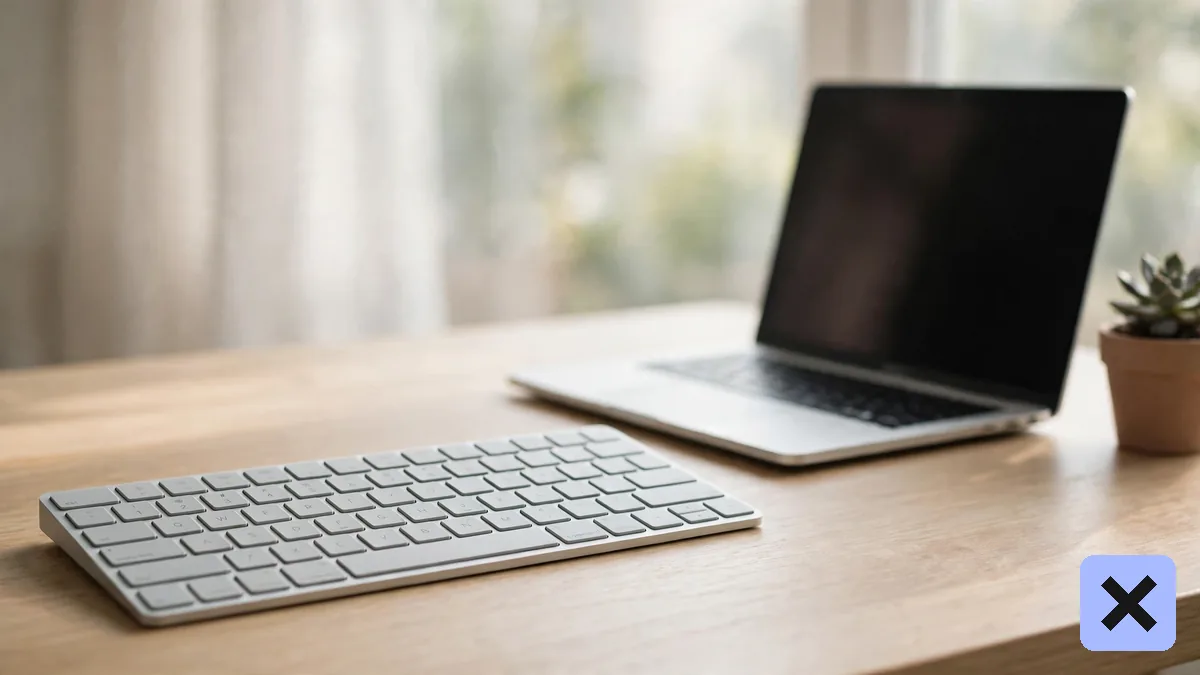
The Magic Keyboard is the default answer for a reason. It is the only keyboard here designed by the same company that made your Mac, and it shows: the key legends match macOS exactly, the scissor mechanism is quiet and precise, and the aluminium enclosure matches a MacBook so well that it looks like part of the machine. Pairing is instant and the battery lasts about a month per USB-C charge. There is no backlighting or multi-device switching, but for everyone else this is the most effortless wireless keyboard for Mac you can buy.
2. Logitech MX Keys S for Mac
The MX Keys S for Mac takes everything good about a laptop keyboard and refines it. The keys are low-profile, softly dished and beautifully stabilised, with a quiet, confident keystroke that suits long writing sessions. Smart backlighting brightens as your hands approach, and the board remembers three devices. It charges over USB-C and lasts up to five months with backlighting off.
3. Logitech MX Keys Mini for Mac
The MX Keys Mini for Mac is the compact version of the board above, with the same excellent keys and smart backlighting in a smaller footprint that leaves room for a mouse on a crowded desk. It keeps the three-device switching and the Mac-specific layout, and it is small enough to slip into a bag. You lose the numeric keypad, which most people never miss.
4. Keychron K2 Max
The Keychron K2 Max is the mechanical keyboard to buy if you have never owned one. It is a hot-swappable 75% board, so you can pull the switches out and replace them without soldering, and it ships with Mac keycaps in the box. A Mac and Windows mode switch makes the board behave correctly for your system, and QMK support lets you remap any key. Battery life is measured in months and Bluetooth 5.1 handles three devices.
5. Keychron K3 Max
The K3 Max is the low-profile sibling of the K2 Max, and it is the mechanical board for people who like the feel of switches but want the slim profile of a laptop keyboard. It is hot-swappable too, supports QMK remapping, and ships with the same keycap sets and system switch. It is thinner and lighter than the K2 Max, which makes it the better choice if you carry your keyboard around.
6. Logitech MX Mechanical Mini for Mac
The MX Mechanical Mini for Mac combines the best of both worlds: genuine mechanical switches in a slim, quiet, Mac-specific package. The low-profile Tactile Quiet switches give a clear bump without the clatter, the smart backlighting adapts to your hands, and the board switches between three devices at a keypress. Our roundup of the best mechanical keyboards goes deeper into switch types.
7. Logitech K380 Multi-Device
The K380 is the best budget wireless keyboard for Mac, and it is not close. It is small, light and cheerfully round, it pairs with three devices, and it runs for up to two years on two AAA batteries. The keys are scissor switches with a soft, quiet action, and the Mac layout is correct out of the box. There is no backlighting or USB-C charging, but for the price nothing else comes close.
8. Logitech Ergo K860
The Ergo K860 is a split, curved keyboard designed for people whose wrists ache after a long day. The split layout keeps your hands at a natural angle, the curved keyframe reduces wrist bending, and the cushioned palm rest is genuinely comfortable. It connects over Bluetooth or the included receiver, pairs with three devices, and lasts up to two years on two AAA batteries. It needs a deep desk, but if comfort is your priority this is the best ergonomic wireless keyboard for Mac.
9. Satechi Slim X3 Bluetooth Backlit Keyboard
The Satechi Slim X3 is the keyboard to buy if you want a full-size layout with a numeric keypad that still looks at home next to a Mac. Its aluminium body matches Apple hardware, the keys are quiet and low-profile, and the backlighting has adjustable brightness levels. It pairs with up to four devices, one more than most boards here manage. For number-heavy work, this is the best full-size wireless keyboard for Mac in this guide.

Best Wireless Keyboards for Mac Compared
Here is how the nine picks stack up at a glance. Use the table to narrow the field, then read the reviews above for the keyboards that fit your desk and your hands.
| Keyboard | Style | Multi-device | Battery life | Best for |
|---|---|---|---|---|
| Apple Magic Keyboard | Low-profile scissor | 1 device | About 1 month | Most Mac users |
| Logitech MX Keys S for Mac | Low-profile scissor | 3 devices | Up to 5 months | Best all-rounder |
| Logitech MX Keys Mini for Mac | Low-profile scissor | 3 devices | Up to 5 months | Small desks |
| Keychron K2 Max | Mechanical, hot-swappable | 3 devices | Months | Mechanical value |
| Keychron K3 Max | Low-profile mechanical | 3 devices | Months | Slim mechanical feel |
| Logitech MX Mechanical Mini | Low-profile mechanical | 3 devices | Up to 15 days lit | Premium mechanical |
| Logitech K380 | Low-profile scissor | 3 devices | Up to 2 years | Budget and travel |
| Logitech Ergo K860 | Split ergonomic | 3 devices | Up to 2 years | Wrist comfort |
| Satechi Slim X3 | Low-profile, full-size | 4 devices | Weeks | Number-pad work |
What Makes a Keyboard Good for Mac
Not every wireless keyboard treats a Mac well. Here is what to check before you buy.
Mac-Specific Layout
Look for Command and Option keys in the right places, a Globe key, and function keys labelled for macOS. Keyboards that ship with a Mac mode switch and Mac keycaps, like the Keychron boards here, are a good sign.
Typing Feel
Typing feel is personal, but the range here covers it: quiet scissor switches for fast, light typing, and mechanical switches for a deeper, more deliberate keystroke. If you can, try a board before you buy.
Battery Life and Charging
Look for weeks or months between charges, and a USB-C port for the boards that do need topping up. The K380 and Ergo K860 run for up to two years on disposable batteries, while the rechargeable boards here last from ten days to five months.
Multi-Device Switching
If you use a Mac, an iPad and an iPhone, a keyboard that remembers three devices is worth paying for. One keypress moves your typing from your Mac to your iPad.
Mechanical vs Low-Profile: Which Suits You
Low-profile keyboards, like the Magic Keyboard and the MX Keys S, are slim, quiet and fast. Their short key travel suits touch typists and anyone who works in a shared space. Mechanical keyboards, like the Keychron K2 Max, have longer travel and a more tactile keystroke that many writers and programmers prefer. The middle ground is the low-profile mechanical board, such as the Keychron K3 Max and the MX Mechanical Mini. If you are unsure, start low-profile. Pair your new keyboard with a matching pointer from our guide to the best wireless mice and your desk setup is complete.
Travel Keyboards for Mac
A good travel keyboard is light, slim and tough enough to survive a bag. The K380 is the obvious pick: it weighs very little, runs for two years on two AAA batteries, and pairs with your Mac, iPad and phone. The MX Keys Mini is the premium alternative, with better keys and backlighting.
Buying Checklist: 6 Things to Check Before You Buy
- Confirm the layout is Mac-specific, with Command and Option keys and macOS function labels.
- Check how many devices it pairs with, and make sure it covers your Mac plus your iPad or iPhone.
- Decide between low-profile scissor switches and mechanical switches, and try the feel first if you can.
- Check battery life with backlighting on, not just the headline figure.
- Measure your desk: split ergonomic boards and full-size layouts need more space than compact boards.
- Make sure it charges over USB-C or runs on standard AAA batteries.
Frequently Asked Questions
Do I need a Mac-specific keyboard?
Not strictly, but it makes daily life easier. A Mac-specific keyboard has Command and Option keys in the right places and function keys that match macOS.
Can I use a Windows keyboard with a Mac?
Yes, any Bluetooth or USB keyboard will work with a Mac, and macOS lets you remap the modifier keys in System Settings.
How long do wireless keyboards for Mac last on a charge?
Rechargeable boards last from ten days with backlighting on to five months with it off, while battery-powered boards like the K380 and Ergo K860 run for up to two years on two AAA batteries.
Are mechanical keyboards good for Mac?
Yes, as long as they are Mac-compatible. Boards like the Keychron K2 Max and K3 Max ship with Mac keycaps and a Mac mode switch, so every key works as expected.
What is the best wireless keyboard for Mac for typing all day?
For most people, the Logitech MX Keys S for Mac, with its quiet, stable keys and smart backlighting. If your wrists ache, the Ergo K860 is the better choice, and if you love mechanical switches, the K2 Max is hard to beat.
Do wireless keyboards for Mac work with iPad?
Yes. Any Bluetooth keyboard that works with a Mac will pair with an iPad too, and boards with multi-device switching make it easy to move between the two.
The Bottom Line
The best wireless keyboard for Mac in 2026 is the Apple Magic Keyboard for most people, the Logitech MX Keys S for Mac for anyone who wants more, and the Keychron K2 Max for mechanical fans. Pick the board that matches how you type and how many devices you use, and your Mac will feel faster, quieter and more comfortable every day.


