The best Bluetooth keyboards in 2026 do far more than cut a cable. They switch between a laptop, a tablet and a phone with a single keypress, they last for months on a charge, and the good ones feel genuinely pleasant to type on all day. Whether you write for a living or just want a tidier desk, a wireless keyboard is one of the cheapest upgrades you can make.
We looked at typing feel first, because a keyboard you do not enjoy typing on is a bad keyboard no matter what else it does. Then we weighed battery life, multi-device switching, build quality and value for money.
This guide covers full-size and compact layouts, low-profile and mechanical switches, ergonomic split designs, and budget picks that punch well above their price.
Key takeaways
- The Logitech MX Keys S is the best Bluetooth keyboard for most people, with excellent low-profile keys, smart backlighting and three-device switching.
- Mechanical fans should start with the Keychron K2 Max, a hot-swappable 75% board with QMK support and months of battery life.
- For travel, the Logitech Keys-to-Go 2 weighs just 222 grams and slips into almost any bag.
- Multi-device switching matters more than most buyers expect — look for at least three Bluetooth channels.
- Budget buyers get the most for their money with the Logitech K380, a compact keyboard that runs for up to two years on two AAA batteries.
How We Chose the Best Bluetooth Keyboards
Typing feel came first. We favour keyboards with stable keys, a consistent actuation point and no wobble or rattle. Low-profile scissor switches suit fast, quiet typing, while mechanical switches suit people who want a more tactile keystroke. Both styles appear on this list.
Battery life came second. The picks here last from several weeks to two years between charges, depending on backlighting. Rechargeable boards charge over USB-C and keep working while plugged in.
We also tested multi-device pairing. Switching between a laptop and a tablet should take one keypress, not a trip into Bluetooth settings. Every keyboard here pairs with at least two devices, and most handle three.
The Best Bluetooth Keyboards 2026 at a Glance
| Keyboard | Best for | Layout | Devices | Battery |
|---|---|---|---|---|
| Logitech MX Keys S | Most people | Full-size, low-profile | 3 | Up to 5 months |
| Keychron K2 Max | Mechanical typing | 75%, hot-swappable | 3 | Up to 225 hours |
| Apple Magic Keyboard | Mac users | Compact, low-profile | 1 | About a month |
| Logitech K380 | Budget buyers | Compact | 3 | Up to 2 years |
| Logitech Ergo K860 | Comfort | Split ergonomic | 3 | Up to 2 years |
| Logitech Keys-to-Go 2 | Travel | Ultra-compact | 3 | Up to 36 months |
| Keychron K3 Max | Low-profile mechanical | 75%, hot-swappable | 3 | Up to 110 hours |
| Lofree Flow | Design and feel | 75%, low-profile | 3 | Up to 40 hours |
| Logitech K780 | Multi-device desks | Full-size | 3 | Up to 2 years |
The 9 Best Bluetooth Keyboards of 2026
1. Logitech MX Keys S — Best Overall
The MX Keys S is the safest recommendation on this list, and it earns that position on typing feel alone. Its low-profile keys are spherically dished to cradle your fingertips, the keystroke is short and precise, and the board stays stable thanks to a solid metal plate. Smart backlighting brightens as your hands approach and dims when you step away, stretching the battery to around ten days with the backlight on and up to five months with it off.
It pairs with up to three devices over Bluetooth or the Logi Bolt receiver, charges over USB-C, and keeps working while plugged in. Pair it with one of the best wireless mice and your whole desk goes cable-free.
2. Keychron K2 Max — Best Mechanical
The Keychron K2 Max is the mechanical keyboard to buy if you want the tactile feel of real switches without the bulk of a full-size board. This 75% layout keeps the function row and arrow keys while dropping the number pad, leaving more room for your mouse hand. The switches are hot-swappable, so you can change them without soldering, and the board ships with smooth, quiet Gateron Jupiter switches.
It connects over Bluetooth 5.1 to three devices, plus 2.4 GHz and USB-C, and QMK and VIA support mean every key can be remapped. The 4,000 mAh battery lasts for weeks. For more options, see our roundup of the best mechanical keyboards.

3. Apple Magic Keyboard — Best for Mac
If you use a Mac, nothing integrates quite like the Magic Keyboard. It pairs instantly, matches the scissor-switch feel of a MacBook keyboard, and the current version charges over USB-C. Typing is quiet, precise and consistent, and the slim, light board looks right next to any Mac.
The trade-off is flexibility: it pairs with one device at a time, has no backlighting, and costs more than most third-party boards. The Touch ID version adds fingerprint unlock and Apple Pay authentication on Apple silicon Macs.
4. Logitech K380 — Best Budget
The K380 is the best cheap Bluetooth keyboard you can buy, and it has held that title for years. It is compact enough to carry in a bag, pairs with three devices, and runs for up to two years on two AAA batteries. The round keys look unusual at first, but they are comfortable and accurate once you adjust, and the board is quiet enough for shared rooms.
There is no backlighting and no number pad, but nothing else offers this mix of portability, battery life and reliable multi-device switching at the price. It is the ideal second keyboard for a tablet or travel bag.
5. Logitech Ergo K860 — Best Ergonomic
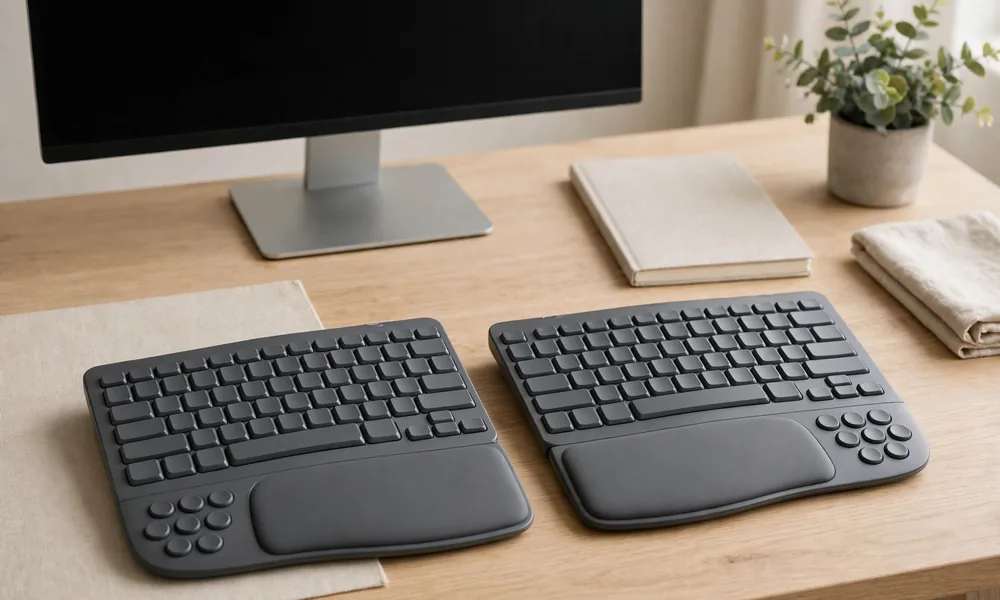
The Ergo K860 is built for people who type all day and feel it in their wrists. Its split, curved layout keeps your hands in a more natural position, the built-in wrist rest is cushioned and comfortable, and the keys are quiet and well spaced. It connects over Bluetooth to three devices or the Logi Bolt receiver, and two AAA batteries last up to two years.
The split design takes a few days to get used to, and the board is large. But for long typing sessions it is noticeably more comfortable than a flat keyboard.
6. Logitech Keys-to-Go 2 — Best for Travel
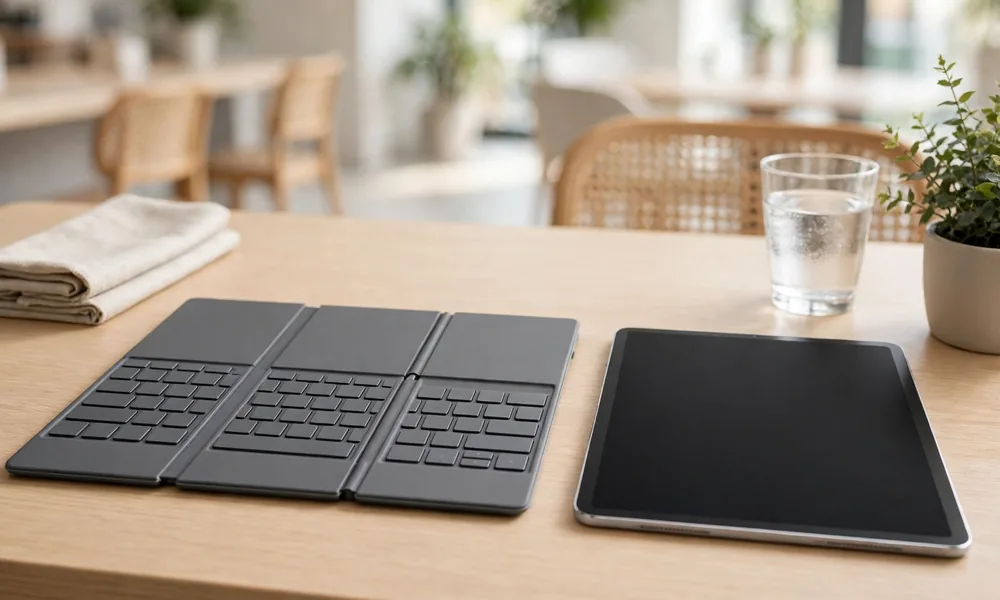
The Keys-to-Go 2 is the keyboard for people who type on the move. It weighs just 222 grams, measures a few millimetres thin, and has a spill-resistant sealed cover that shrugs off coffee and rain. It pairs with three devices, and battery life is rated at up to 36 months on a single coin cell, so charging is something you simply forget about.
The keys are small and flat, so this is not the board for long writing sessions. But for emails on a train or notes in a meeting, it is unmatched for portability — especially with the best Bluetooth headphones for focused work in noisy places.
7. Keychron K3 Max — Best Low-Profile Mechanical
The K3 Max combines the slim feel of a laptop keyboard with the tactile satisfaction of mechanical switches. It is a 75% board with hot-swappable low-profile switches, so you get shorter key travel and a quieter sound than a full-size mechanical board. QMK and VIA support allow full remapping, and it connects over Bluetooth to three devices as well as 2.4 GHz and USB-C.
Battery life is rated at up to 110 hours with the backlight off, and the aluminium frame feels solid and premium. If you like mechanical keyboards but find full-height switches too tall or too loud for an office, this is the board to buy.
8. Lofree Flow — Best Design
The Lofree Flow is the prettiest keyboard on this list, and it types far better than a design-led product has any right to. Its low-profile mechanical switches are smooth and tactile, and the whole board has a warm, retro character that stands out on a desk full of black plastic. It connects to three devices over Bluetooth, supports hot-swappable switches, and the 4,000 mAh battery lasts for weeks.
It costs more than the budget picks, but for a home office where the keyboard is always on show, the Flow is the one guests ask about.
9. Logitech K780 — Best for Multi-Device Desks
The K780 is the full-size answer to multi-device typing. It pairs with three devices and has a built-in cradle that holds a phone or tablet upright at a comfortable reading angle. The keys are quiet and comfortable, the board is solid and stable, and two AAA batteries last up to two years.
There is no backlighting, and the cradle adds bulk, but for a desk where a computer, tablet and phone all need typing, nothing is more practical.
How to Choose a Bluetooth Keyboard
Layout and size
Full-size boards include a number pad and suit desks where space is not an issue. Compact 75% and 65% layouts drop it to save space and keep your mouse closer. If you type numbers all day, keep the number pad; if you travel, go compact.
Switches and typing feel
Scissor switches are quiet, low and fast, and they suit most people. Mechanical switches are taller, more tactile and louder, and they suit writers who like feedback from every keystroke. Low-profile mechanical switches split the difference.
Battery life and charging
Rechargeable boards charge over USB-C and last weeks to months per charge, while battery-powered boards can last one to two years. Backlighting is the biggest drain, so turn the brightness down if you want months between charges. Always check whether the keyboard works while charging.
Multi-device switching
Three Bluetooth channels is the standard to look for. One keypress should move the keyboard between your laptop, tablet and phone. Some boards also offer a 2.4 GHz receiver for a desktop. Check that the keyboard supports your operating systems before buying, especially if you mix Mac and Windows.
Bluetooth Keyboard Checklist
- Check the layout: full-size, 75% or compact, and whether you need a number pad.
- Confirm it pairs with at least three devices over Bluetooth.
- Test the typing feel if you can, or buy from a retailer with easy returns.
- Check battery life with the backlight on, not just the headline figure.
- Make sure it supports your operating system, especially for Mac-specific keys.
- Confirm it charges over USB-C and works while plugged in.
Frequently Asked Questions
Are Bluetooth keyboards good for gaming?
Bluetooth keyboards work for casual gaming, but competitive players should use a wired connection or a 2.4 GHz receiver, which has lower latency. For strategy games and everyday play, Bluetooth is fine.
Can a Bluetooth keyboard connect to multiple devices?
Yes. Most modern Bluetooth keyboards pair with two or three devices at once and switch between them with a dedicated key.
How long does a Bluetooth keyboard battery last?
It depends on the model and whether the backlight is on. Rechargeable boards usually last weeks to months per charge, while battery-powered models can run for one to two years.
Do Bluetooth keyboards work with tablets and phones?
Yes. Bluetooth keyboards pair with iPads, Android tablets, iPhones and Android phones, and they turn a tablet into a lightweight laptop.
What is the difference between Bluetooth and 2.4 GHz wireless?
Bluetooth connects directly without a dongle and supports multiple devices, while 2.4 GHz uses a small USB receiver and usually offers slightly lower latency. Many keyboards offer both.
Is a mechanical Bluetooth keyboard worth it?
If you type a lot and enjoy tactile feedback, yes. Mechanical keyboards last longer, feel better to type on, and let you change switches. If you value silence and slimness above all, a good scissor-switch board is better.
The Bottom Line
The best Bluetooth keyboard for most people in 2026 is the Logitech MX Keys S, thanks to its excellent typing feel, smart backlighting and effortless three-device switching. Mechanical fans should choose the Keychron K2 Max, travellers should take the Keys-to-Go 2, and budget buyers will be happy with the K380.