
Top Smart Plugs for an Easier Home in 2026
The best smart plug in 2026 is the small device that makes the home you already own behave like a smarter one. It sits between an ordinary wall socket and an ordinary lamp, fan, or coffee maker, and it gives that appliance a schedule, a voice command, and an off switch you can reach from anywhere. No rewiring and no new appliances: a smart plug costs less than a takeaway dinner.
If a plug that turns the lamp off at midnight and the coffee maker on at seven makes your mornings easier, the rest of the smart home will follow. If it feels like a chore, you have spent very little to learn it. This guide compares the smart plugs worth buying in 2026 by reliability, app quality, and energy monitoring.
Key Takeaways
- Buy a plug rated for at least 15 amps and 1,800 watts, because an underrated plug on a heater or kettle is a safety risk, not a bargain.
- Wi-Fi plugs need no hub and work straight out of the box, while Zigbee and Thread plugs need a hub but keep your Wi-Fi network clear.
- Energy monitoring is worth paying for on anything that runs for hours, such as a heater or dehumidifier, and pointless on a lamp.
- A plug that blocks the second socket costs you an outlet every time you use it, so slim mini plugs are the right default for most rooms.
- Voice control matters less than the app and the schedule: the best plug is the one that runs its routine without you thinking about it.
Smart Plugs 2026 at a Glance
| Plug type | Best for | Needs a hub? | Typical price | Energy monitoring |
|---|---|---|---|---|
| Wi-Fi mini plug | Lamps, fans, chargers | No | $10 to $16 | Sometimes |
| Wi-Fi plug with energy monitoring | Heaters, fridges, dehumidifiers | No | $15 to $25 | Yes |
| Zigbee or Thread plug | Large smart homes | Yes | $14 to $22 | Sometimes |
| Outdoor plug | Garden lights, fountains | No | $18 to $30 | Rarely |
| Dimmer plug | Dimmable lamps | No | $20 to $30 | Rarely |
What a Smart Plug Actually Does
A smart plug is a remote-controlled switch that lives in your wall socket. Plug it in, plug an appliance into it, and the appliance can now be turned on and off from an app, on a schedule, or with a voice command. The appliance itself does not change. A lamp with a mechanical switch stays on at the lamp and the plug does the switching, which is why smart plugs suit simple devices with a physical switch that stays on.
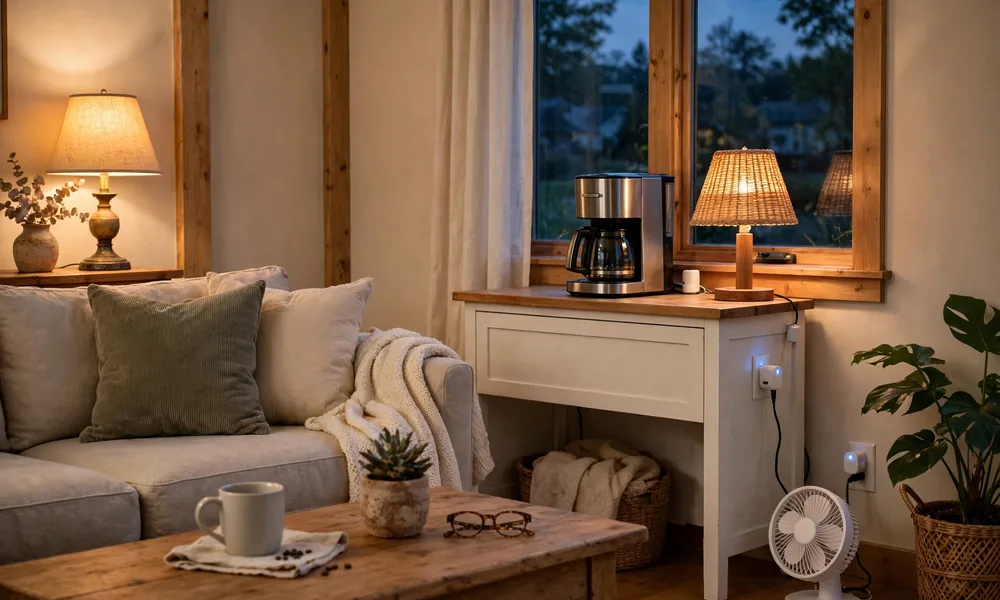
The schedule is where the value hides. A lamp that turns on at dusk and off at midnight makes a home look lived in while you are away. A coffee maker that starts at seven means the kitchen is already working when you walk in. None of this is dramatic, and that is the point: the best smart home upgrades are the ones you stop noticing. If you are building a wider system, our comparison of the best and worst smart home hubs explains how plugs, lights, and sensors fit together under one controller.
The Types Worth Knowing
Mini Wi-Fi plugs
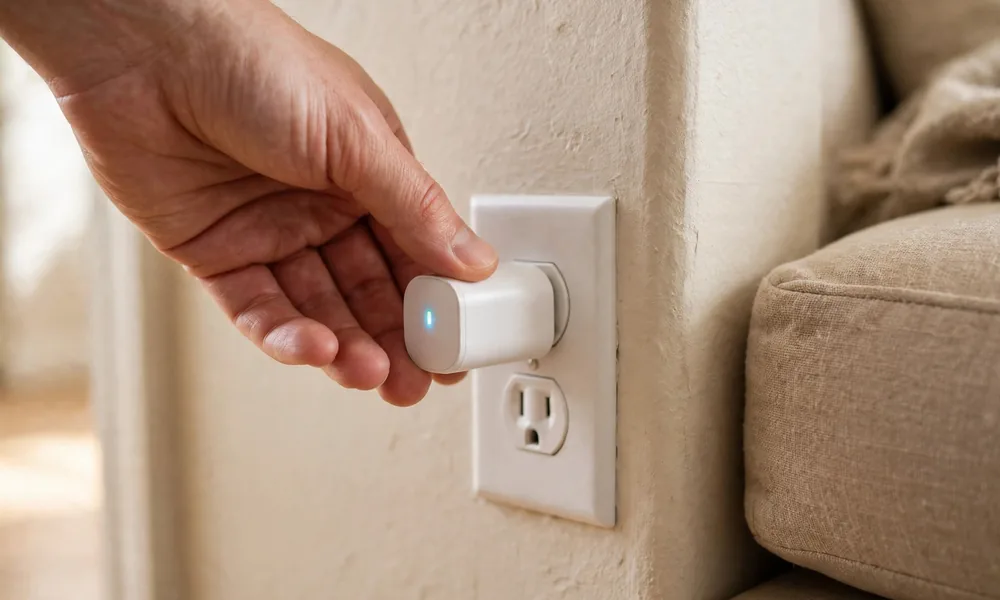
The mini plug is the default choice, and for most homes it is the only choice needed. It connects directly to your home Wi-Fi on the 2.4 GHz band, needs no hub, and costs little enough that you can buy four and experiment. Its one job is to disappear: a good mini plug is slim enough that the socket above or beside it stays usable. In a large house with dozens of connected devices, Zigbee or Thread plugs, which talk to a hub on their own low-power network, are worth considering.
Energy-monitoring plugs
An energy-monitoring plug measures how much electricity passes through it and reports the number in the app, usually as watts right now and kilowatt-hours over the month. On a lamp the numbers are trivial. On a space heater, a dehumidifier, or an ageing second fridge, they are genuinely useful: a heater that draws 1,500 watts for six hours a day costs roughly $25 a month at typical US electricity prices, and seeing that number is often what finally gets the heater onto a schedule. The best use of the data is comparison: which of your two heaters costs more to run.
Outdoor and dimmer plugs
Outdoor plugs are built for weather, with sealed housings, weatherproof covers, and usually two individually controlled outlets in one unit. They suit garden lights, fountains, and holiday decorations, and they are the only plug type where buying cheap is a genuine mistake: a weatherproof rating is the difference between a plug that survives a rainstorm and one that does not. A dimmer plug varies a lamp’s brightness instead of just switching it on or off, but it only works with dimmable bulbs.
How We Picked the Best Smart Plugs
We judged every plug on reliability first, because a switch that misses its schedule is worse than no switch at all. A plug that turns the lamp on at dusk nine days out of ten is not 90 percent good; it is a plug you cannot trust, and trust is the whole product. We tested connection stability over weeks, and checked what happened after a power cut: the best plugs reconnect within a minute. App quality came second: we favoured fast apps that set up a plug in under two minutes and do not demand a subscription for basic features. We also checked whether the plug blocks the neighbouring socket and whether it remembers its last state after a power cut.
What to Check Before You Buy
Wi-Fi band and router distance
Almost every smart plug uses the 2.4 GHz Wi-Fi band, . If your router sits at one end of the house and the plug will live in a garden room at the other, check the signal there with your phone first: one bar of Wi-Fi on your phone means a flaky plug. A mesh system or extender solves this, but it is cheaper to know before you buy.
Load rating and safety
Check the rating printed on the plug and match it to the appliance. Most quality plugs are rated for 15 amps resistive load, which covers lamps, fans, televisions, and coffee makers comfortably. Heaters, kettles, and air conditioners draw more, and they draw it for longer, so they need a plug rated for the job . For anything that guards expensive electronics, our guide to the best surge protectors explains the protection a smart plug does not provide.
Voice assistants and Matter
Most plugs work with Alexa and Google Home out of the box, and a growing number support Apple HomeKit and the newer Matter standard. Matter matters most if you mix brands: a Matter plug can join an Alexa, Google, or Apple home without a brand-specific workaround. If you already live in one ecosystem, buy for it; if you are not sure where you will end up, a Matter-certified plug is the safest bet for 2026. Also check the width against your outlets: some brands sell a slim mini version and a wider energy-monitoring version, and you will probably want both.
Smart Plugs vs Power Strips
Smart plugs and power strips solve different problems, and most homes end up using both. A power strip gives you more sockets in one place; a smart plug gives one socket a brain. A strip behind the television is the right tool for six devices that all need power at once, while a smart plug on the lamp beside the sofa is the right tool for a light that should follow the sunset. The two can combine well: a smart plug feeding a power strip switches everything on that strip at once, which is handy for a desk setup that should power down completely at night. Just watch the total load, because everything on the strip draws through the one plug. Our guide to power strips that protect your gear covers what to look for when the strip itself needs surge protection and sensible spacing.
Setting Up Your First Smart Plug
Setup takes about five minutes when it goes well, and the most common mistake is rushing it. Plug the device in near the router first, connect it in the app, update its firmware, and only then move it to its final room. Give the plug a clear name in the app the moment it connects: “living room lamp” is a name a voice assistant understands, while “Plug 3” is a name nobody remembers. Build one routine before you buy a second plug.
Energy Monitoring: Is It Worth Paying For?
Energy monitoring adds roughly $5 to $10 to the price of a plug, and the honest answer is that it pays for itself on exactly one kind of device: the one that runs for hours without you noticing. The dehumidifier in the basement, the heater in the spare room, the old fridge in the garage, the towel warmer that nobody ever switches off. On those, a month of data usually reveals one surprise, and one surprise usually pays for the plug. Buy monitoring plugs for the heavy, quiet consumers and plain plugs for everything else, and you will spend less overall than buying monitoring everywhere.
Smart Plug Checklist
- Check the load rating against the appliance, and never exceed 15 amps or 1,800 watts on a standard plug.
- Confirm the plug fits your socket without blocking the outlet beside it.
- Make sure your Wi-Fi reaches the spot, remembering that plugs use the 2.4 GHz band.
- Pick plugs that work with your voice assistant, or choose Matter-certified plugs if you mix brands.
- Decide whether energy monitoring is worth it for that specific appliance before paying extra.
- Name each plug clearly in the app and test its schedule for a week before adding more.

Frequently Asked Questions
Do smart plugs work without Wi-Fi?
A smart plug needs a network connection for app control, schedules, and voice commands. Most plugs store a simple on-off schedule locally, so a basic timer keeps working if the Wi-Fi drops, .
Do smart plugs use electricity when idle?
Yes, but very little. A typical smart plug draws between 0.5 and 1.5 watts while waiting for a command, which adds up to roughly $1 to $2 a year. That is far less than the energy a plug saves by switching off devices that would otherwise idle all night.
Can I use a smart plug with a heater or air conditioner?
Only with a plug rated for the load, and only if the appliance has a mechanical switch that stays on. Never use a smart plug on a heater that lacks tip-over and overheat protection.
Will a smart plug work in another country?
Plugs are region-specific: the shape, the voltage, and the certification all differ. A US plug will not fit a European socket, and using a travel adapter to force it is unsafe. Buy plugs certified for the country where they will be used.
Are smart plugs a security risk?
Any connected device is a small risk, and the sensible precautions are simple: buy from established brands with a track record of firmware updates, set a strong unique password on the app account, enable two-factor authentication where it is offered.
How many smart plugs do I need?
Most homes settle at between four and eight.
The Bottom Line
The best smart plug for an easier home in 2026 is a slim, reliable Wi-Fi plug with a fast app and a schedule you set once and forget. Start with the lamps and the coffee maker, give every plug a clear name, and let one good routine prove the idea before you expand. The plug in the wall is the cheapest place to begin.


