
A television on a stand is furniture. A television on the wall is part of the room. That is the simplest way to explain why the right TV mount changes a living room in 2026: it lifts the screen off the furniture, hides the cables, and puts the picture where your eyes already are. A good mount makes even an ordinary set look considered and expensive. A bad one turns a good television into a daily annoyance, or worse, a safety risk.
Mounts cost a small fraction of the televisions they hold, yet buyers spend far less time choosing them. A mount is a piece of engineering that holds a heavy, expensive, fragile object above the place your family sits. It deserves ten minutes of thought before you buy it, and this guide is those ten minutes.
Key Takeaways
- Fixed mounts are cheapest and flattest, tilt mounts suit sets above eye level, and full-motion mounts suit watching from more than one seat.
- Three numbers must match: your television’s screen size, its weight, and its VESA pattern — a mount that fails on any one of them is the wrong mount.
- Stud walls, brick and concrete all hold a mount well; plasterboard alone never holds a television safely.
- The centre of the screen should sit at eye level from your usual seat, roughly 42 to 46 inches from the floor — above a fireplace is almost always too high.
- Plan the cables before you drill, or wires will dangle down the wall — which defeats half the point of mounting.
Why Mounting Changes the Room
The first change is space. A television on a stand needs a unit at least as wide as the screen, which in a small living room can be the largest piece of furniture in it. Mounting the set frees that surface entirely: the unit underneath can be smaller, lower, or gone altogether.
The second change is comfort and safety. A mounted set can be placed at exactly the right height and angle, rather than wherever the stand happens to put it, which matters for necks and eyes over years of evening viewing. It also cannot be pulled over, knocked off a stand, or grabbed by a climbing toddler.
The Four Mount Types
Fixed mounts are the simplest and cheapest. They hold the television flat against the wall, a couple of centimetres out, with no movement at all. They look clean and cost little, but you cannot adjust anything afterwards, and reaching the cables means lifting the set off the bracket.
Tilt mounts add one movement: the screen tips forward and back by a few degrees. That matters when the set sits above eye level. Full-motion mounts, also called articulating mounts, add arms that pull the screen away from the wall, swing it left and right, and tilt it. They are the only choice for a corner, an open-plan room, or a household that watches from a sofa and a dining table. They cost the most and need the strongest fixing. Ceiling mounts hang the set from above on a pole, for rooms with no suitable wall, and need a solid ceiling joist.
| Mount type | Best for | Movement | Watch out for |
|---|---|---|---|
| Fixed | One sofa, straight on | None | No adjustment; cables hard to reach |
| Tilt | Sets above eye level | Tips up and down | Sits slightly further from the wall |
| Full-motion | Corners, open-plan rooms | Swings, pulls out, tilts | Needs the strongest fixing |
| Ceiling | No suitable wall | Height and tilt | Needs a solid ceiling joist |
What Your Wall Is Made Of
The wall decides the fixings, and the fixings decide whether the mount stays up. Solid brick, block and concrete are the best: drill, plug and bolt. Stud walls — timber frames with plasterboard — are also fine, but only if the mount is bolted into the wooden studs themselves, not into the plasterboard between them. A stud finder is the most important purchase in this project; without it you are guessing.
Plasterboard alone, with no stud behind it, never holds a television safely, whatever the fixing packet claims. Specialist plasterboard fixings can hold a small picture, but a 20-kilo screen that gets pulled and tilted puts a different kind of load on them: the board crumbles, the mount sags, and one day the set comes down. If there is no stud where you need the mount, move the mount to the studs, or fit a plywood board screwed into several studs and mount to that. Metal stud walls need specialist fixings and are best left to a professional.
Size, Weight and VESA: The Three Numbers That Must Match
Every mount lists three numbers, and all three must match your television. The first is screen size, given as a range such as 32 to 65 inches — a guide, not a guarantee. The second is the weight limit, and it is the one that matters most. Weigh your set — the weight is in the manual and on the maker’s website — and choose a mount rated for comfortably more. Choose a mount rated for comfortably more than your set weighs.
The third number is VESA, the pattern of four bolt holes on the back of the television, measured in millimetres between the holes. A common pattern is 400 by 400, but smaller sets use 200 by 200, and larger sets use 600 by 400. The pattern is in the manual and on the maker’s website. If the patterns do not match, the mount cannot be attached at all — check all three numbers before you order, and again when the box arrives. If you are buying the television and the mount together, our guide to buying a TV in 2026 without the jargon explains the set itself — choose the mount to match it, not the other way round.

Height: The Eye-Level Rule and the Fireplace Mistake
The most common mounting mistake is height. The centre of the screen should sit at eye level from your usual seat — for most sofas, that means the centre of the television roughly 42 to 46 inches from the floor. A set mounted higher forces you to look up for hours, which strains the neck, and it also worsens the picture: most panels lose contrast and colour when viewed from below.
The fireplace is where this rule gets broken most often. Mounting above a fireplace looks natural in photographs, but in practice it puts the screen far above eye level — often 60 inches or more — and directly above a heat source. If the fireplace is the only wall available, use a tilt mount or a pull-down mount that brings the screen to eye level when in use
Cables: Hiding Them Before You Drill
A mounted television with cables dangling down the wall looks unfinished, and it is the detail that separates a good installation from a bad one. Plan the cables before you drill, not after. The cleanest option is to run them inside the wall, through a pair of brush plates — one behind the television, one near the floor — If that is not practical, paintable cable trunking running straight down is the next best thing.
Count the cables first. Most setups need power, one or two HDMI cables, and possibly an aerial or network cable. Buy cables longer than you think you need, because a mounted set cannot be pulled forward to plug something in. A soundbar mounted beneath the set keeps the sound close to the picture; our guide to the best soundbars 2026 covers which ones mount well and which are better left on a unit.
Doing It Yourself or Hiring Someone
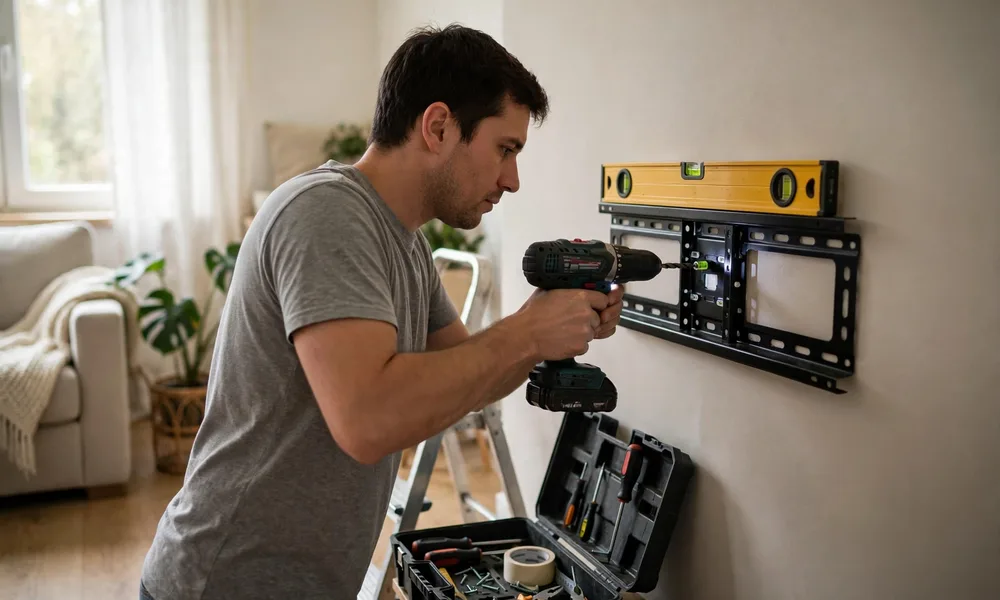
Fitting a mount is a manageable job for a confident DIYer with a drill, a level, a stud finder and a second pair of hands — the second person is not optional, because one person cannot hold the set and bolt it at the same time. The parts that go wrong are the ones that look minor: drilling into a pipe or cable, using the wrong fixings for the wall, or tightening bolts into the television too far and cracking the panel.
Hire a professional if any of these apply: the wall is metal stud, the set is large and heavy, the cables need to run inside a brick wall, or you are not confident drilling into your wall at all. A professional installer also carries insurance, which matters if something goes wrong, and will usually finish the job in under an hour, including the cable hiding. The cost of an installer is a small fraction of the cost of the television it protects.
Before You Drill: A Six-Point Checklist
- Confirm the mount fits your set: screen size range, weight limit with a comfortable margin, and the exact VESA pattern.
- Find what the wall is made of and where the studs or solid sections are; never mount into plasterboard alone.
- Mark the height first: the centre of the screen at eye level from your usual seat, roughly 42 to 46 inches from the floor.
- Plan the cables before drilling, with cables longer than you think you need.
- Check what is behind the wall: pipes, cables and vents, and keep the drill away from them.
- Have a second person ready for the lift, and test the mount with a firm pull first.
Frequently Asked Questions
Can I mount a TV on plasterboard?
Only if the mount is bolted into the wooden studs behind the plasterboard, or into a plywood board fixed across several studs. Plasterboard alone cannot safely hold a television, whatever the fixing packet claims
What size mount do I need for a 65-inch TV?
One rated for 65 inches or more, with a weight limit comfortably above your set’s weight and a VESA pattern that matches your television exactly. Check all three numbers: size, weight and VESA.
How high should I mount my TV?
The centre of the screen should sit at eye level from your usual seat, roughly 42 to 46 inches from the floor for a typical sofa. Higher strains your neck and worsens the picture.
Is a full-motion mount worth the extra money?
Yes, if you watch from more than one place — a sofa and a dining table, or a corner room — because it is the only type that swings and tilts to face you. From one sofa straight on, a fixed or tilt mount does the same job for less.
Can I hide the cables completely?
Yes, in most walls. In a stud wall, run them inside the wall through brush plates behind the set and near the floor. In brick, you can chase a channel or use paintable trunking. Plan it before you drill.
Should I hire someone to fit the mount?
Hire a professional if the wall is metal stud, the set is large and heavy, cables need to run inside a brick wall, or you are not confident drilling. The cost is a small fraction of the television’s price
The Bottom Line
The right TV mount is the cheapest upgrade a living room can have. It costs a fraction of the television, takes an hour to fit, and changes the room more than any new piece of furniture: the screen sits at eye level, the cables disappear, the surface underneath is free, and the set is safe from knocks and small hands. Get the three numbers right — size, weight and VESA — fix it into something solid, put it at eye level, and plan the cables first. Do those four things and the mount disappears into the room. The arm that holds a computer screen works on the same principles — our comparison of the best vs worst monitor arms 2026 covers what holds and what sags.


