
The best WiFi extenders in 2026 do one job well: they take the signal your router already produces and carry it into the rooms where it currently dies. If your video calls freeze in the back bedroom, the garden office drops off every afternoon, or the smart speaker in the kitchen keeps going silent, a plug-in WiFi extender is the cheapest fix that actually works. You do not need a new router, new wiring, or a weekend of drilling holes.
A dead zone rarely means your broadband is slow. More often the router is fine and the signal simply cannot get through two brick walls, a tiled bathroom, and a metal fridge. An extender sits halfway between the router and the dead room, catches the signal while it is still strong, and rebroadcasts it onward. Setup takes about ten minutes.
Key Takeaways
- A plug-in WiFi extender is the cheapest fix for one or two dead rooms, and it works with the router you already own.
- Place the extender halfway between the router and the dead zone, where the signal is still strong, never inside the dead zone itself.
- Dual-band Wi-Fi 6 extenders hold their speed far better than old single-band models.
- Expect roughly half your router speed in the extended room; an extender repeats the signal, it does not create bandwidth.
- For three or more dead rooms, a mesh system is usually the better buy than several extenders.
How a WiFi Extender Actually Works
An extender is a small radio with two jobs. First it connects to your router as a client, exactly like your phone does. Then it creates a second wireless network, usually with the same name as your router, and passes traffic back and forth. Your phone connects to whichever signal is stronger as you move around the house. The delay added is a few milliseconds, which you will never notice on a call or a stream.
The catch is that a basic single-band extender can only talk to one device at a time: it listens to the router, then talks to your phone, then listens again. That halving of airtime is why old extenders earned a bad name. Modern dual-band models avoid the worst of it by using one band for the router and the other for your devices.
Extender vs Mesh vs a New Router
These three fixes solve different problems, and picking the wrong one wastes money. A WiFi extender suits one or two dead rooms in an otherwise well-covered home. It costs little, plugs into a socket, and leaves your network untouched. It is the right answer when the router is good and only the far bedroom or the garden room struggles.
A mesh system replaces your router with two or three nodes that talk to each other and blanket the whole home in one network. It is the better buy when the whole house has weak spots, when you have more than 30 devices, or when you want seamless roaming from room to room. Our guide to the best mesh Wi-Fi systems of 2026 compares the leading kits. A new router only helps when the router itself is the weak point: an old single-band box, or one that cannot handle your broadband speed. Our guide to the best Wi-Fi routers for home in 2026 covers that case.
Best WiFi Extenders 2026 at a Glance
| Extender | Wi-Fi | Best For | Speed | Price Band |
|---|---|---|---|---|
| TP-Link RE715X | Wi-Fi 6 | Most homes | AX3000 | $70–$90 |
| Netgear EAX15 | Wi-Fi 6 | Simple setup | AX1800 | $60–$80 |
| TP-Link RE605X | Wi-Fi 6 | Budget pick | AX1800 | $40–$55 |
| Netgear EX6150 | Wi-Fi 5 | Ethernet devices | AC1200 | $45–$65 |
| Linksys RE7310 | Wi-Fi 5 | Large flats | AC1200 | $50–$70 |
| TP-Link RE700X | Wi-Fi 6 | Heavy use | AX3000 | $80–$100 |
Prices move often; speed figures are combined maxima across both bands, so treat them as a rough ranking, not a promise.
The 6 Best WiFi Extenders in 2026
1. TP-Link RE715X — Best WiFi Extender for Most Homes
The RE715X is the extender we would buy first in 2026. This dual-band Wi-Fi 6 unit reaches AX3000 speeds, covers up to 1,500 square feet beyond your router, and has a gigabit Ethernet port for a wired TV or console. Setup runs through the Tether app in about ten minutes. For a typical three-bedroom home with one dead room, it balances speed, coverage, and price better than anything else here.
2. Netgear EAX15 — Best WiFi Extender for Simple Setup
The EAX15 is the easiest extender here to install. Plug it in, press the WPS button on your router, press the button on the extender, and it copies your network name and password automatically. Its AX1800 speeds are fine for streaming, browsing, and calls. If you want the fix done in five minutes with no app at all, this is the one.
3. TP-Link RE605X — Best Budget WiFi Extender
The RE605X proves that a cheap extender does not have to be a slow one. It is a dual-band Wi-Fi 6 model at AX1800 speeds with a gigabit Ethernet port, and it regularly sells for under fifty dollars. It suits a flat or a small house better than a large one. For a single dead bedroom on a tight budget, it is hard to beat.
4. Netgear EX6150 — Best WiFi Extender for Wired Devices
The EX6150 is an older Wi-Fi 5 design, but it earns its place with a gigabit Ethernet port and a pass-through socket, so it does not steal the wall outlet it plugs into. Its AC1200 speeds suit a smart TV, console, or desktop, and the wired link avoids wireless congestion. Buy it when the device in the dead room has an Ethernet port and you want the most stable link possible.
5. Linksys RE7310 — Best WiFi Extender for Large Flats
The RE7310 is a slim wall-plug extender with a useful trick: it can work as an access point when connected by Ethernet, which makes it handy in flats that already have a wired port in the far room. Its setup app walks you through finding the best socket. It is a solid pick for renters who cannot run cables or replace the router.
6. TP-Link RE700X — Best WiFi Extender for Heavy Use
The RE700X is the most powerful plug-in extender here. Its AX3000 Wi-Fi 6 radios and gigabit port handle several 4K streams and a video call at the same time, and it supports OneMesh, so it can join a compatible TP-Link router as part of one seamless network. It costs more and it is bigger, but for a home office where two people work all day, the headroom is worth it.

How to Choose the Best WiFi Extender in 2026
Match the extender to your router first. A Wi-Fi 6 extender paired with a Wi-Fi 6 router gives the best results; paired with an old Wi-Fi 5 router it still works, but it cannot go faster than the router allows. Dual-band is the minimum worth buying in 2026, and Wi-Fi 6 is worth the small premium if your household streams, games, and works from home at once. Coverage figures assume open space, not three brick walls.
Then look at the practical details. An Ethernet port matters if a TV, console, or desktop sits in the dead room. A pass-through socket matters if outlets are scarce. External antennas usually mean better range, but they also make the unit bulkier on the wall. Finally, check it supports WPA2 at minimum and that its app or web setup suits you. A strong signal light that shows whether the placement is good will save more frustration than any speed figure.
Where to Put a WiFi Extender
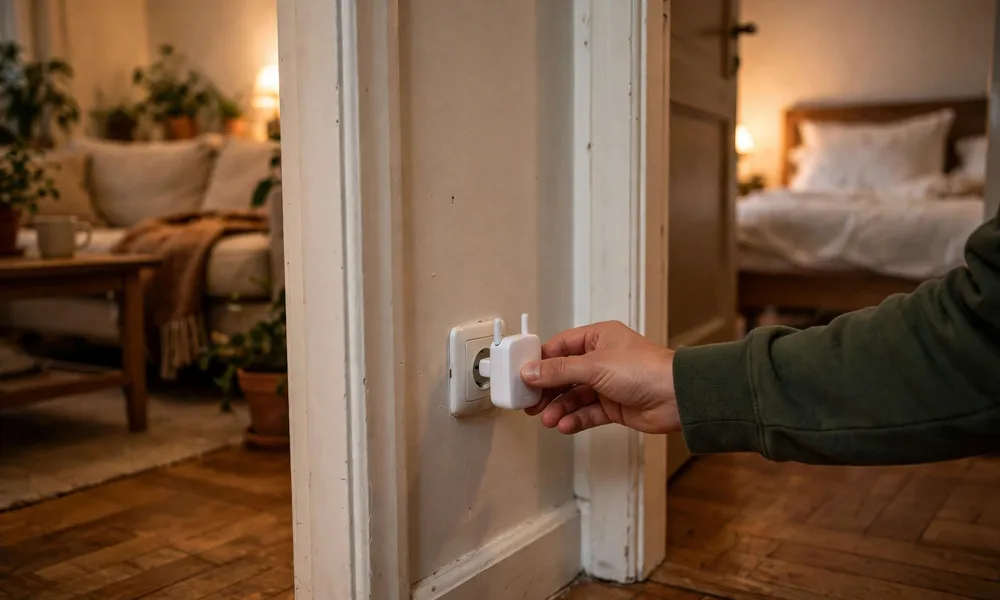
Placement decides whether an extender works or disappoints, and most failures are placement failures. Put the extender about halfway between the router and the dead room, in a spot where it still gets a strong signal from the router. Look for a socket where your phone still shows three bars of Wi-Fi. If the extender sits inside the dead zone, it has nothing worth repeating and will only repeat a weak, slow signal.
Keep it out in the open, at waist height or higher, away from thick walls, metal appliances, fish tanks, and mirrors, all of which block or reflect radio waves. Avoid plugging it into a power strip behind the TV, and do not hide it inside a cabinet. Once placed, run a speed test in the dead room: expect a clear jump, even if the number is lower than next to the router. If the gain is small, move the extender one socket closer to the router and test again.
Common Mistakes When Buying a WiFi Extender
The first mistake is buying the fastest extender on the shelf and expecting router-beating speeds. An extender can only repeat what it receives, so a unit placed too far from the router will be slow whatever it cost. The second mistake is buying a single-band extender in 2026 to save a few dollars; the halved airtime shows up the moment two people use the extended network at once. The third mistake is stacking two or three extenders in a chain, each repeating the last, which multiplies the slowdown. One well-placed extender beats two badly placed ones, and if you need three, you need mesh instead. Once the connection is stable, a smart speaker in that room will finally stay connected, and our guide to the best smart speakers of 2026 is worth a look.
WiFi Extender Buying Checklist
- Confirm the dead zone is a coverage problem by testing speed next to the router first.
- Choose dual-band Wi-Fi 6, and match it to your router’s generation where you can.
- Pick a socket halfway between the router and the dead room, where your phone still shows a strong signal.
- Make sure it has an Ethernet port if a TV, console, or desktop will use the extended network.
- Check for a signal-strength light or app reading that confirms the placement is good.
- Run a speed test in the dead room after setup, and move the extender one socket closer to the router if the gain is small.
Frequently Asked Questions
Do WiFi extenders really work?
Yes, when they are placed well. An extender that receives a strong signal delivers a fast, stable connection in the room it serves. One placed inside the dead zone will only repeat that weak signal.
Will a WiFi extender slow down my internet?
It will not slow your broadband, but the extended network is usually around half the speed of the main one, because the extender repeats the signal. For streaming, calls, and browsing that is rarely noticeable.
Is a WiFi extender better than a mesh system?
For one or two dead rooms, yes: it is cheaper, simpler, and works with your current router. For a whole home with weak coverage in many rooms, a mesh system is better.
Can I use two WiFi extenders?
You can, but each one should connect back to the router, not to the other extender. Chaining them multiplies the slowdown.
Do WiFi extenders work with any router?
Almost any modern router, yes. Extenders use standard Wi-Fi, so they work across brands. A Wi-Fi 6 extender with a Wi-Fi 5 router works at Wi-Fi 5 speeds.
Where should I not put a WiFi extender?
Not inside the dead zone, not inside a cabinet, not behind a TV or a fridge, and not on a crowded power strip. It needs open air and a strong signal from the router.
The Bottom Line
The best WiFi extenders in 2026 kill dead zones for the price of a takeaway, and the TP-Link RE715X is the safest first buy for most homes. Place it halfway to the dead room, give it a strong signal to repeat, and test the result before you move on. If one room is the problem, an extender is the answer; if the whole house is the problem, look at mesh instead.


