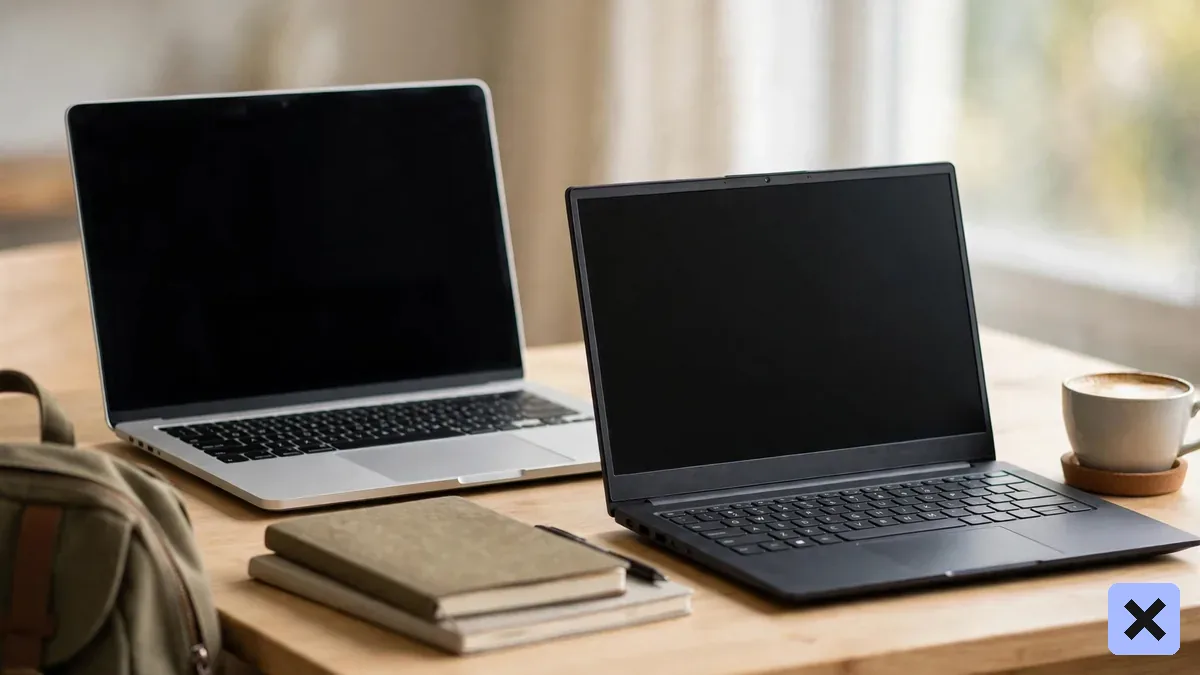
The worst budget laptops for students are easy to buy and hard to live with. They look like a bargain in the shop, with a bright screen and a low price, but they fail at the basic jobs a student needs every day: opening quickly, running a browser full of tabs, handling essays and video calls, and lasting through a library session.
A student laptop is not a spare device. It is the main tool for notes, research, assignments, and exams, and it travels everywhere. It is opened and closed dozens of times a day and used on desks, beds, and lecture benches. That heavy use exposes weak points fast, and the cheapest machines are usually the first to show them.
This guide explains what goes wrong, which types of cheap laptop cause the most trouble, and how to spot the warning signs before you buy.
Key takeaways
- Slow storage and too little memory cause more student frustration than a plain screen or a plastic body.
- A laptop with 4GB of RAM and a spinning hard drive will struggle with everyday student work.
- Battery life on the box is rarely battery life in a lecture hall, so check real-world tests first.
- A flimsy hinge, a poor keyboard, and a dim screen become daily annoyances no update can fix.
- The cheapest laptop is the most expensive one if it needs replacing halfway through the year.
Why Budget Laptops Fail Students First
The worst budget laptops are built to hit a price, not to survive student life. Corners are cut where they are hardest to see: the storage drive, the memory, the Wi-Fi chip, the hinge, and the battery. The parts that decide whether the laptop still works well in month six are the parts nobody shows you.
Many students also buy in a rush before term starts, with a strict budget and little time to compare. A student who buys in a hurry is more likely to accept a slow machine or a short battery life, and only discovers the cost when the work piles up.
The Specs That Look Fine on Paper
A specification sheet can make a weak laptop sound capable. A familiar processor name and a promise of fast storage can hide the details that matter. A recent processor can still be a low-power chip designed for light use, and a laptop advertised with a solid-state drive can have a very small, very slow one. The headline numbers are true, but they are not the whole story.
Memory is the clearest example. A laptop with 4GB of RAM can open a browser and a document, but it struggles once you add a video call and a few research tabs. The machine slows down, tabs reload, and typing lags. A 64GB or 128GB drive fills quickly too, updates fail, and students spend time deleting files instead of studying.
The First-Semester Test
The first semester is the real test. In the first weeks the work is light and the machine feels fine. By mid-term the browser has more tabs and the deadlines are closer, and a weak laptop starts to show its limits. Those small delays add up to real lost time.
Battery life is often the first disappointment. A laptop that promised ten hours may last four or five in real use, especially with video calls. Heat and noise follow: a cheap laptop with poor cooling gets hot and loud, and slows down to protect itself.
The Worst Kinds of Budget Laptops for Students
Not every cheap laptop is bad, but some types fail students again and again. They save money on the parts that affect daily use and spend it on the parts that look good in a photo.
1. The Laptop With 4GB of RAM and a Spinning Hard Drive
This is the classic trap. A traditional hard drive takes far longer to start, open apps, and save files than a solid-state drive, and 4GB of RAM makes the machine slow in every direction. If a laptop still uses a spinning hard drive, it is not a bargain.
2. The Ultra-Cheap Laptop With a Tiny, Dim Screen
A small, dim screen might sound acceptable for note-taking, but it becomes a problem within days. Students read for hours and watch lecture recordings. A screen that is hard to read in daylight or strains the eyes makes all of that harder, and a low-resolution screen shows less text at once, so you scroll more and lose your place.
3. The Laptop With a Great Processor and Nothing Else
Some budget laptops boast a decent processor and then cut everything else to the bone: minimal memory, small storage, weak Wi-Fi, and a poor battery. A fast chip with too little memory still stalls, and a fast chip with a slow drive still waits for files to load. A balanced laptop with a modest processor, enough memory, and fast storage will feel quicker in daily use.
4. The Flimsy Laptop That Cannot Survive a Bag
A laptop that lives in a bag needs a solid body, a strong hinge, and a keyboard that can take daily use. The worst budget laptops use thin plastic, loose hinges, and keyboards that flex under normal typing. In real student life they creak, wobble, and break, and a broken hinge can crack the screen.
5. The Laptop With a Battery That Fades in Months
Some cheap laptops start with acceptable battery life and lose it fast. After a few months of daily charging, the battery holds far less charge, and the laptop needs a plug for even short sessions. Look for models where users report stable battery life after months of use, not just good numbers on day one.
How the Worst Budget Laptops Compare
The table sums up the five problem types. If a laptop matches two or more rows, treat that as a warning. A single weakness can be worked around, but two or three together make the laptop a daily obstacle.
| Problem type | Main weakness | How it affects students |
|---|---|---|
| 4GB RAM and hard drive | Very slow storage and memory | Slow starts, lagging apps, lost time |
| Tiny, dim screen | Poor readability and resolution | Eye strain, harder reading and research |
| Strong chip, weak everything else | Unbalanced specification | Stalls despite the processor name |
| Flimsy body and hinge | Weak build quality | Breaks, wobbles, and costly repairs |
| Fading battery | Low-quality battery cell | Short sessions, constant plug hunting |
What Actually Matters in a Student Laptop
Once you know what to avoid, the positive checklist is simpler than most buying guides suggest. Students do not need a gaming machine or a workstation. They need a reliable, balanced machine that starts quickly, stays cool and quiet, lasts through a study session, and survives being carried every day.
Memory and storage come first. Aim for at least 8GB of RAM and a solid-state drive with enough space for the system, your apps, and a year of coursework. Battery life comes next, judged on real use rather than the box: look for independent reviews that test browsing and video calls.
Keyboard and trackpad quality are easy to overlook and hard to live without. You will type thousands of words on this machine, so the keys should feel firm and reliable, and the trackpad should be smooth and accurate. Ten minutes of typing in a shop will tell you more than a specification sheet ever will.
It also helps to think about the whole device. The worst tablets for work and reading show a similar pattern, where a portable device turns out to be a poor fit for long documents and serious study. Reading our guide to the worst tablets for work and reading is a useful reminder that portability alone does not make a device good for study.
Red Flags to Check Before You Buy
A few quick checks can save you from most bad budget laptops. Look for the deal-breakers: less than 8GB of RAM, a spinning hard drive, or a very small solid-state drive. If any of those appear, the laptop is already a risk.
Next, read reviews from students and long-term users, not just launch reviews. Student reviews tell you what happens after a term of real use, and they are far more likely to mention battery fade, hinge problems, and slowdowns. If several reviewers mention the same fault, believe them.
Finally, check whether the laptop can be upgraded later. Some budget laptops let you add memory or storage, while others solder everything in place. An upgradeable laptop can grow with you, as our look at the worst laptop upgrades for the price explains, because a machine that is hard to improve can also be expensive to fix.
Checklist: Avoiding the Worst Budget Laptops for Students
Use this checklist when comparing models. If a laptop fails more than one item, keep looking.
- At least 8GB of RAM, so the browser, documents, and video calls can run together without lag.
- A solid-state drive with enough space for the system, apps, and a full year of coursework.
- Real-world battery life of at least six hours for browsing, notes, and video calls.
- A bright, clear screen that is easy to read for hours and usable in daylight.
- A firm keyboard and a smooth trackpad that feel reliable after ten minutes of typing.
- A solid body and hinge with no flex or creaking, and a warranty you can actually use.
Frequently Asked Questions
Are all cheap laptops bad for students?
No. Some budget laptops are well balanced, with enough memory, fast storage, and a decent screen. A cheap laptop can work well if it passes the basic checks for memory, storage, battery, screen, and build quality.
How much RAM does a student laptop really need?
At least 8GB for everyday student work. That covers a browser with several tabs, a word processor, and a video call at the same time. A laptop with 4GB will feel slow in normal use.
Is a hard drive really that bad in a student laptop?
Yes, for most students. A spinning hard drive makes everything slower, from starting the laptop to opening files. A solid-state drive is one of the biggest improvements you can buy.
Should students buy a laptop with a small screen to save money?
A smaller screen can be fine if it is bright, clear, and high enough resolution for comfortable reading. The problem is a small, dim, low-resolution screen that strains the eyes. Check brightness and resolution, not just the diagonal measurement.
How important is battery life for a student laptop?
Very important. Students work in lectures, libraries, and cafes where sockets are not always available. A laptop that lasts six real hours is far more useful than one that promises more and delivers less.
What should I do if I already bought one of the worst budget laptops?
Start with the cheapest fixes: free up storage, close unused tabs and apps, and keep the software updated. If the laptop has a hard drive, replacing it with a solid-state drive can help, but check the cost first. Weak batteries are a familiar problem across student devices, as our guide to the worst smartphones for battery life shows, so do not ignore early signs of fading power.
The Bottom Line
The worst budget laptops for students are not the cheapest machines in absolute terms. They are the machines that look like a bargain and then fail at the basic jobs students need every day: starting quickly, running several apps at once, lasting through a study session, and surviving life in a bag.
Choose balance over headlines. Look for enough memory, fast storage, real battery life, a clear screen, a reliable keyboard, and a solid build, and check reviews from people who have used the laptop for a term, not just a weekend. A well-chosen budget laptop can carry you through your studies without drama.