
The worst smart TVs for ads turn the thing you bought to relax into a billboard that never switches off. You press the power button expecting your shows, and instead you meet sponsored tiles, auto-playing trailers and banners pushing products you never asked about. The television is no longer a quiet screen in the corner. It is a shop window that plays films in between the selling.
This is not a small annoyance tucked away in a settings menu. On the worst models, advertising shapes the whole experience: the home screen is mostly ads, the remote has buttons that sell subscriptions, and the set collects viewing data so the next ad can be aimed at you. What looks like a bargain keeps charging you in attention, time and patience.
This guide explains how to spot the worst smart TVs for ads before you buy one, what the advertising costs you in everyday use, and which settings genuinely help. It names no single villain, because the problem is an industry pattern, not one bad model. The sets that treat you worst share the same habits, and once you know them, you can avoid them whatever brand is on the box.
Key takeaways
- The worst smart TVs for ads fill the home screen with sponsored tiles, so finding your own apps takes longer than watching anything.
- Cheap televisions are often cheap because advertising subsidises the price, and the ads keep coming for the whole life of the set.
- Ads that interrupt viewing, auto-play with sound, or cannot be dismissed show a set that puts advertisers first.
- Viewing data and app usage are routinely used to target ads, and the privacy settings that limit this are often buried.
- You can reduce the problem with a streaming stick, strict privacy settings and a short checklist, but you cannot fully fix a set designed around ads.
Why Ads Took Over the Television
Television advertising is older than the smart TV, and most viewers accepted commercial breaks as the price of programming. The smart TV changed the deal. Ads are no longer confined to the breaks: they now live on the home screen, in the menus, on the remote and even in the screensaver.
The shift happened because the economics of television changed. A decade ago, a manufacturer made most of its money when you bought the set. Today the hardware margin on a budget television is thin, sometimes almost nothing. The money comes afterwards, from subscription sign-ups, sponsored placements, and selling viewing data.
The Cheap TV Bargain
A suspiciously cheap large television is rarely a miracle of manufacturing. It is usually a sign that someone else is paying part of the cost, and that someone is an advertiser. The maker can sell the panel at close to cost because the home screen is rented out, tile by tile, to whoever pays most.
None of this is disclosed clearly at the point of sale. The box mentions a smart platform and a voice assistant, not the number of ad slots on the home screen. Buyers discover the bargain only after the set is on the wall, when the first evening is interrupted by a trailer they did not ask for.
What the Worst Offenders Have in Common
The worst smart TVs for ads do not share a logo or a price point. They share design choices that put advertising ahead of the person who bought the set. Learn to recognise these choices and you can judge any television in a shop or a review, without memorising a list of models that will be out of date within a year.
Ads on the Home Screen
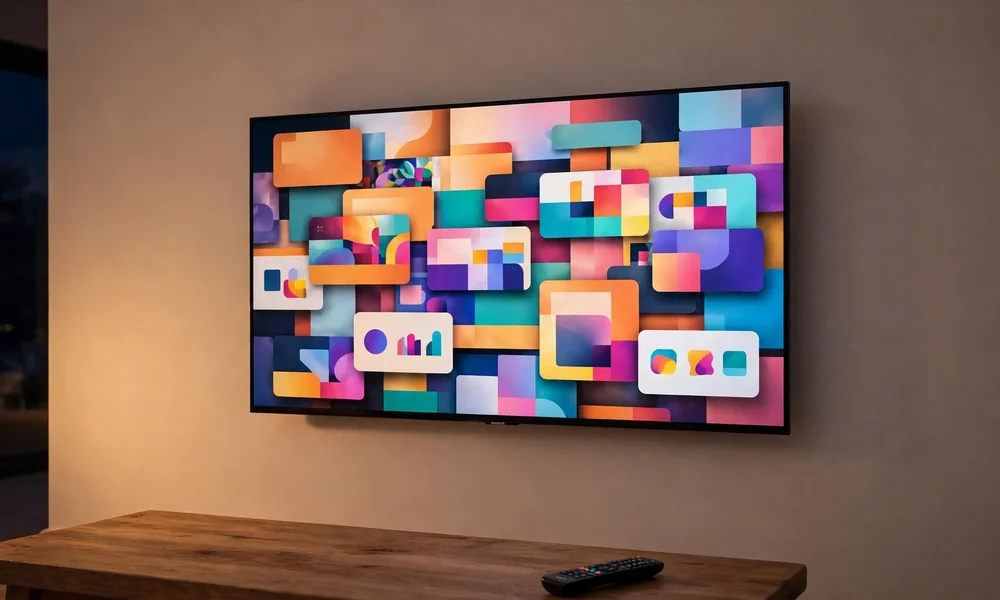
The first sign is the home screen itself. On a good television, it is mostly your apps, your continue-watching row and your settings. On the worst sets, the top half belongs to a rotating banner, the middle is filled with sponsored rows, and your own apps are pushed to a narrow strip at the bottom.
Sponsored rows are designed to look like recommendations, using the same size, fonts and artwork style as the genuine rows. The difference is motive: a genuine recommendation is based on what you have watched, while a sponsored tile is there because someone paid for the space.
Ads That Interrupt Viewing
The second sign is interruption. Some televisions show full-screen ads when you pause a programme, switch inputs, or wake the set from sleep. Others play video ads with sound on the home screen before you have pressed anything. Each is a small violation of the basic deal: you chose to watch something, and the television decided you should watch something else first.
Interruption is worse than clutter because it cannot be ignored. A banner can be scrolled past, but a video that plays with sound demands your attention and stops you doing anything else. It breaks the rhythm of the room: a conversation pauses, a child asks what the advert is selling, and the evening bends around a message nobody requested.
Ads You Cannot Turn Off
The third sign is the absence of an off switch. On a respectful television, advertising can be limited in settings that are easy to find. On the worst sets, the toggles are buried three menus deep, labelled with euphemisms such as personalised recommendations, or they reset after a software update.
The Worst Behaviours, Ranked by Annoyance
Not all television advertising is equally bad. A small sponsored row at the bottom of the home screen is a minor irritation. A full-screen video ad that plays when you pause a film is a different matter entirely. The table below ranks the most common ad behaviours, so you can decide which ones are deal-breakers for you.
| Ad behaviour | When it appears | How disruptive it is | Can you stop it? |
|---|---|---|---|
| Full-screen video ads with sound | On wake, on pause, on input switch | Very high | Rarely, and never fully |
| Auto-playing trailers on the home screen | Whenever the home screen loads | High | Sometimes, in settings |
| Sponsored rows disguised as recommendations | Every time you browse | High | Usually not |
| Ads in the screensaver | When the set is idle | Medium | Sometimes, by disabling the screensaver |
| Branded buttons on the remote | Every time you pick up the remote | Medium | No, they are physical buttons |
| Banner ads along the edge of menus | While navigating settings and apps | Low to medium | Often, in privacy settings |
The pattern is clear. The behaviours at the top interrupt what you are doing, while the ones at the bottom merely decorate it.
How Ads Change the Everyday Experience
The cost of television advertising is not measured in money. It is measured in friction, the small delays that accumulate every time you use the set. A clean television shows your apps within seconds. An ad-built one takes noticeably longer, because the home screen must load sponsored content and video previews first. The set feels slow because the software is busy serving someone else.
There is a privacy cost as well, and it is the part manufacturers discuss least. To target ads, a smart television watches what you watch: which apps you open, how long you stay, and what you search for. This is the same data collection that makes smart speakers that trade privacy for convenience so controversial, and it is happening on a screen in the middle of your living room.
What to Check Before You Buy
The best time to deal with television advertising is before the set is mounted on your wall. A few minutes of checking in the shop, or in the first days of the return window, will tell you more than any specification sheet. Use the checklist below as a routine, and treat any television that fails most of it as a set that will keep selling your attention for years.
- Turn the set on and count the sponsored tiles and banners on the home screen before your own apps appear.
- Open the settings and time how long it takes to find the advertising and privacy controls, if they exist.
- Pause a programme and wait thirty seconds to see whether a full-screen ad or overlay appears.
- Check whether the home screen auto-plays video or sound without you pressing anything.
- Look at the remote and count the branded buttons that sell subscriptions rather than help you navigate.
- Search for the model name plus the word ads and read what owners say after months of use.
If a television fails this check, the simplest fix is often not a setting but a separate device. A streaming stick from a platform with a cleaner interface can bypass most of the built-in advertising, because you spend your time in its menus instead of the television’s. It costs extra and does not stop the television collecting data, but it is the cheapest way to escape software that grows more ad-heavy with each update, just like streaming services that already charge too much for too little.
Frequently Asked Questions
Can I remove ads from a smart TV completely?
On most sets, no. You can reduce them with privacy settings and a streaming stick, but the sponsored rows on the worst sets are built into the software and cannot be fully disabled. If an ad-free experience matters to you, choose a television with minimal smart features before you buy.
Why are some smart TVs so much cheaper than others?
The price gap usually reflects the business model, not just the panel. Cheaper sets earn money after the sale through advertising and viewing data, which lets the manufacturer sell the hardware at a lower margin. A set from a maker that earns from hardware alone will usually show fewer ads.
Do smart TVs track what I watch?
Many of them track what you watch, which apps you open and what you search for, using automatic content recognition. You can usually limit it in the privacy settings, though the option is often buried. The pattern is familiar from smart home devices that cause more problems than they solve, where convenience and surveillance arrive together.
Are ads on the home screen the same as ads in programmes?
No, and the difference matters. Ads inside a programme are the price of the content, and they are usually disclosed and expected. Ads on the home screen and remote appear before you have chosen anything, promote services rather than supporting a show, and exist because the manufacturer sold the space.
Will a streaming stick fix an ad-heavy TV?
Mostly, yes, for everyday viewing. A streaming stick replaces the television’s home screen with its own interface, so you spend far less time looking at sponsored tiles. It does not remove ads entirely or stop data collection, but it is the most effective fix without replacing the hardware.
Should I buy a television without smart features at all?
For some households, that is the best answer. A commercial display or simple monitor paired with a streaming stick gives you a large screen with almost no built-in advertising, and the smart part can be replaced cheaply when it ages. The trade-off is convenience: you lose the built-in tuner and the single remote.
The Bottom Line
The worst smart TVs for ads are not the ones with the worst pictures. They are the ones that treat your living room as advertising space, filling the home screen with sponsored tiles, interrupting your viewing, and tracking what you watch to sell the next ad. The cheap price is real, but so is the cost, paid in small daily doses of friction and lost patience.
Choose a set that respects the person who bought it. Check the home screen, find the privacy settings, count the branded buttons, and read what owners say after months of use. A television should disappear into the evening and let the show take over. If it keeps demanding your attention for itself, it has failed at the one job it was bought to do.


