
Top Console Stands That Keep Your Games Console Cool and Steady in 2026
The top console stands in 2026 do a job most gamers never think about until it goes wrong: they hold a games console upright, steady, and cool while it works. A console stood on its edge without a stand is a fall waiting to happen. One bump from a pet, one tug on a cable, and a tall, heavy box topples onto a hard floor. A good stand fixes that for a few pounds, and the best ones do more besides: they lift the console clear of dust, give its fans room to breathe, and gather the controllers and headset into one tidy place.
That distinction matters, because the names sound alike. A TV stand is the low piece of furniture a television sits on, and a console table is a narrow hallway table for keys and a lamp. Neither one holds a games console upright. Our guide to the best TV stands of 2026 covers the furniture, and this guide covers the stand that clips, screws, or slots onto the console itself.
Key Takeaways
- Buy the stand made for your exact console model, because a stand that fits one generation rarely fits the next.
- A wide, weighted base matters more than any extra feature, since a tall console on a narrow base is a fall waiting to happen.
- Airflow is the stand’s real job: the console needs clear vents and a gap underneath it, or it will run hot and loud.
- Cooling fans help only when they are quiet and aimed at the vents; a noisy fan you switch off is dead weight.
- Multi-function stands earn their place by gathering controllers and a headset, not by adding features you never use.
Console Stands at a Glance
| Pick | Best For | Cooling | Standout Strength |
|---|---|---|---|
| Best Overall Vertical Stand | Most households | Passive vents | Rock-steady base, exact fit, small footprint |
| Best Cooling Stand | Long sessions | Built-in fans | Moves hot air away from the vents |
| Best Multi-Function Stand | Busy TV stands | Passive vents | Holds the console, controllers, and headset |
| Best Budget Stand | Small shelves | Passive vents | Simple, sturdy, and cheap |
| Best Switch Dock Stand | Switch players | Passive vents | Steadies the dock and frees the controllers |
How to Judge a Console Stand
A console stand is judged by the worst day it will ever have, not the best. The test is simple: push the shelf gently, tug a cable, let a dog brush past. A good stand holds the console upright through all of it. That takes a base wider than the console itself, real weight in the base, and rubber feet that grip the shelf. Screw-in stands beat clip-on ones for the same reason: a screw holds, a clip slips.
Fit is the second test, and it is exact. Consoles change shape between generations, and even between the disc and digital versions of the same console. A stand made for one model may grip another loosely, or not at all, and a loose stand is worse than no stand, because it gives a false sense of safety. Read the model name on the back of your console and match it exactly to the stand’s box.
Airflow is the third test, and it is the one that decides how long your console lasts. A console cools itself by pulling air in through vents and pushing hot air out, and a stand that blocks those vents makes the fans work harder and louder. The best stands leave every vent clear and lift the console a few millimetres off the shelf, so air can move underneath it too.

The Main Types of Console Stand
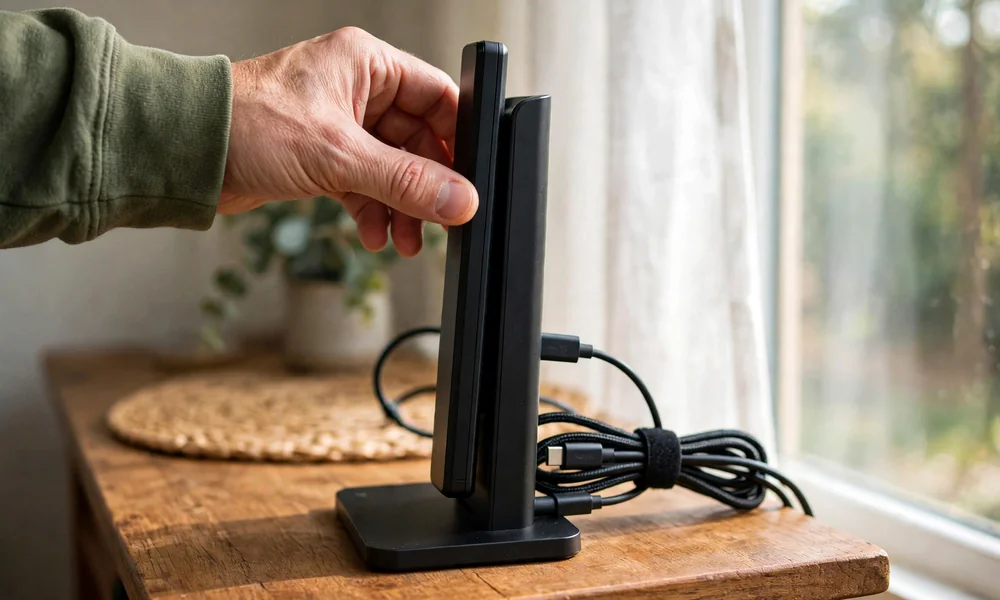
Vertical stands are the default, and for most homes they are the right choice. A simple cradle or screw-in base holds the console on its edge, taking up far less shelf space than laying it flat. The best vertical stands are little more than a weighted base and a shaped grip, and that simplicity is their strength: nothing to break, nothing to plug in, nothing to go wrong.
Cooling stands add fans to the base, usually two or three, aimed at the console’s intake vents. On a long session in a warm room, they genuinely help: the console’s own fans spin slower, the noise drops, and the box stays cooler to the touch. The catch is noise of a different kind. Cheap cooling fans whine, rattle, or hum, and a fan you switch off for the noise is dead weight under the console.
Multi-function stands try to organise the whole setup at once. The commonest version holds the console upright, charges two controllers on the side, and hangs a headset on a hook at the back. When the extras match what you own, this is the tidiest option in this guide: one footprint, one cable, everything in its place. If your controllers already have a home, our guide to the best controller chargers of 2026 is the better buy, and a plain vertical stand will serve the console itself just as well.
Compatibility: The Check You Cannot Skip
Compatibility is where console stand purchases go wrong, and the mistake is almost always the same: buying for the wrong model. A PlayStation 5 stand does not fit a PlayStation 4, an Xbox Series X stand does not fit an Xbox One, and the disc and digital editions of the same console often need different cradles. Match the model name on the back of your console exactly to the stand’s box.
Cooling and Airflow in Practice
Cooling is the stand’s real job, and it is mostly about not getting in the way. A console’s fans are designed to move a set amount of air, and the stand’s part is to leave the vents clear and give the hot air somewhere to go. That means a gap behind the console, a gap above it, and no closed cabinet door trapping the heat. A console in a closed cupboard will overheat whatever stand it sits on.

Placement on the TV Stand
Where the console sits decides how well the stand works. The best spot is an open shelf beside the television, with clear air on at least two sides and a gap above the console for hot air to rise. A console squeezed between books, or pushed hard against a wall, will run hot no matter how good its stand is. Give it room: a hand’s width on each side, and nothing stacked on top of it. Our guide to the best TV consoles of 2026 covers the furniture itself, and the same rule applies there: keep the console on an open shelf, never sealed behind a solid door.
The Five Picks in Brief
Best Overall Vertical Stand. The one that disappears into the setup. A weighted base, a shaped grip that matches the console exactly, rubber feet, and every vent left clear. It holds the console upright through a nudge, a cable tug, and a pet brushing past, and it takes up less shelf space than laying the console flat. It needs no power, so there is nothing to forget.
Best Cooling Stand. For long sessions in warm rooms. Two or three quiet fans in the base push air toward the console’s intake vents, so the console’s own fans spin slower and quieter. The best ones have a speed switch and draw power from the console, so they run only while you play. The check before buying is noise: a cooling stand that whines is worse than no cooling stand at all.
Best Multi-Function Stand. The tidiest option for a busy TV stand. It holds the console upright, charges two controllers on the side, and hangs a headset on a hook, all on one footprint with one cable. It earns its place when you use at least two of its jobs. If you only use the console slot, the plain vertical stand is cheaper, smaller, and just as steady.
Best Budget Stand. Does one thing and does it honestly. A simple weighted base and a shaped grip, no fans, no charging, no hooks, and a price low enough that buying it is an easy decision. It fits small shelves a multi-function stand cannot, and its simplicity is its strength: nothing to break, nothing to plug in. Buy it when the console is all you need to hold up, and spend the saving on a game.
Best Switch Dock Stand. The Switch is a different shape from a PlayStation or Xbox, and its stand is really a dock stand: it steadies the dock the Switch slides into, keeps the dock’s vents clear, and frees the controllers to charge beside it. The best ones lift the dock slightly for airflow and add a small tray for the controllers. Check the fit against your dock, because the original Switch and the OLED model have different dock shapes.
Mistakes to Avoid
The commonest mistake is buying a stand for the wrong console model, which is a paperweight, not a bargain. The second is choosing a narrow base because it looks neat, and then watching a tall console lean a little more every month. The third is blocking the vents, either with a solid base plate or by pushing the console hard against a wall. The fourth is putting the console in a closed cabinet and blaming the stand when it overheats.
Your Console Stand Checklist
- Confirm the stand matches your exact console model and version before you buy.
- Choose a wide, weighted base with rubber feet so the console stays upright.
- Check that every vent is clear and the console sits a few millimetres off the shelf.
- If the stand has fans, make sure they are quiet and have a speed switch.
- Route cables behind the furniture with slack at the console end.
- Dust the vents and the stand once a month with a dry cloth.
Frequently Asked Questions
Is it better to stand a console upright or lay it flat?
Either works if the vents are clear, but upright saves shelf space and keeps the console out of dust. The stand is what makes upright safe: without one, a tall console is easy to knock over.
Do cooling stands actually help?
Yes, in warm rooms and long sessions, by pushing air toward the intake vents so the console’s own fans spin slower. They help far less than clear vents and open air, which cost nothing.
Will a stand fit my console if it has a skin on it?
Often not. A skin adds a millimetre or two, which is enough to stop a tight cradle from seating. Check the fit with the skin on, or choose a stand with an adjustable grip.
Can I use a PlayStation stand for an Xbox?
No. The shapes, weights, and vent positions are different, and a stand made for one will not hold the other safely. Buy the stand made for your exact console.
Is a wall mount better than a vertical stand?
It is better for a wall-mounted television with no TV stand, because it frees the whole shelf. It needs a solid wall and careful fixing, so a vertical stand is the safer choice if you rent.
How do I stop my console overheating on its stand?
Give it air: an open shelf, clear vents, a gap behind and above it, and doors left open while you play. Dust the vents monthly, and do not stack anything on top of the console.
Bottom Line
The top console stand is the one you never have to think about: a wide, weighted base made for your exact console, with every vent clear and room for air to move. Buy the plain vertical stand unless you play long sessions in a warm room, in which case the quiet cooling stand earns its keep. Match the model exactly, leave the vents clear, and give the console air.


