
Best Controller Chargers That Keep Your Gamepads Ready in 2026
The best controller chargers in 2026 solve a small problem that ruins more evenings than most gamers admit: picking up a gamepad, pressing the button, and seeing nothing happen. A flat controller at the start of a session means a cable hunt, a tethered hour on the sofa, or a game night that starts twenty minutes late. A good charger turns that routine into nothing at all. You finish playing, you set the controller down in its dock, and the next time you reach for it, the battery is full.
Key Takeaways
- Match the charger to your exact controller first, because a PlayStation dock will not charge an Xbox gamepad, and a Switch dock fits neither.
- A dual dock earns its place in most homes, since two controllers charging at once covers a second player and a spare without extra cables.
- Clear indicator lights matter more than fast charging, because a light you can read from the sofa tells you at a glance whether a controller is ready.
- A weighted base and a firm slot keep the controller upright, while a light dock tips over the moment a cable or a pet brushes past it.
- Slow, steady charging protects the battery, so a dock that trickles overnight is kinder to your gamepad than one that rushes to full in an hour.
Controller Chargers at a Glance
| Pick | Best For | Slots | Standout Strength |
|---|---|---|---|
| Best Overall Dual Dock | Most households | 2 | Two controllers always full, one tidy base |
| Best PlayStation Dock | PlayStation players | 2 | Click-in cradle made for the DualSense shape |
| Best Xbox Dock | Xbox players | 2 | Rechargeable packs that swap in seconds |
| Best Budget Single Dock | One-player homes | 1 | Small footprint, honest charging, low price |
| Best Multi-Device Stand | Busy TV stands | 2 | Charges controllers and holds a headset too |
How to Judge a Controller Charger
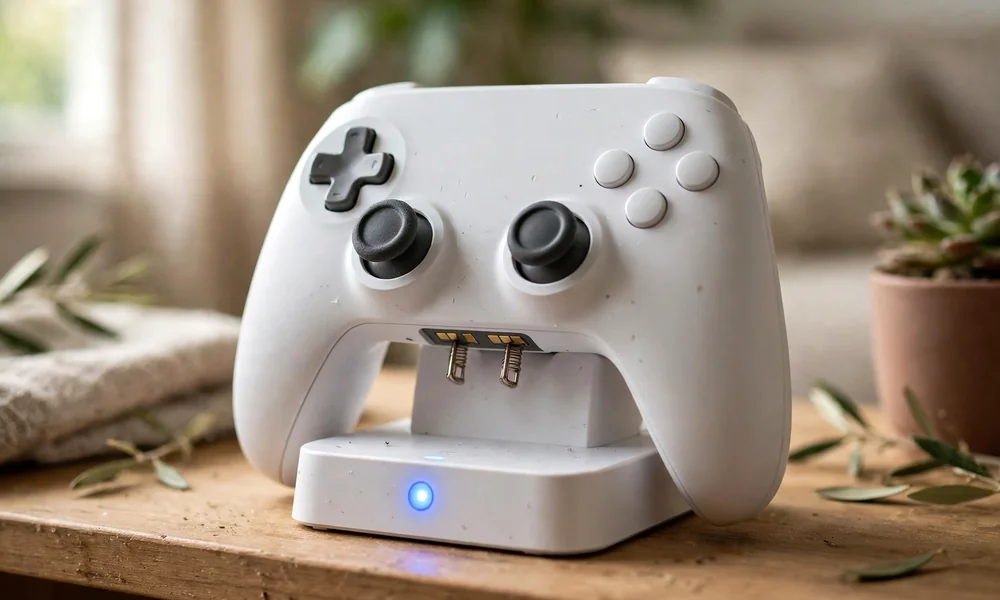
A controller charger is judged by the moment you use it least: the second you put the controller down. The dock should accept the gamepad without a fiddle. The controller should drop in, settle with a small click, and sit upright without wobbling. The best docks guide the controller home with a shaped cradle, so even a tired player dropping the pad in the dark gets it right first time.
Charging speed is the second test, and slower is often better than it sounds. A controller battery holds only a modest charge, so even a gentle dock fills it in two to three hours. A dock that promises a full charge in under an hour is pushing current hard, and that heat shortens battery life over months. Look for a dock that charges steadily and then stops, with one light colour while charging and another when full.
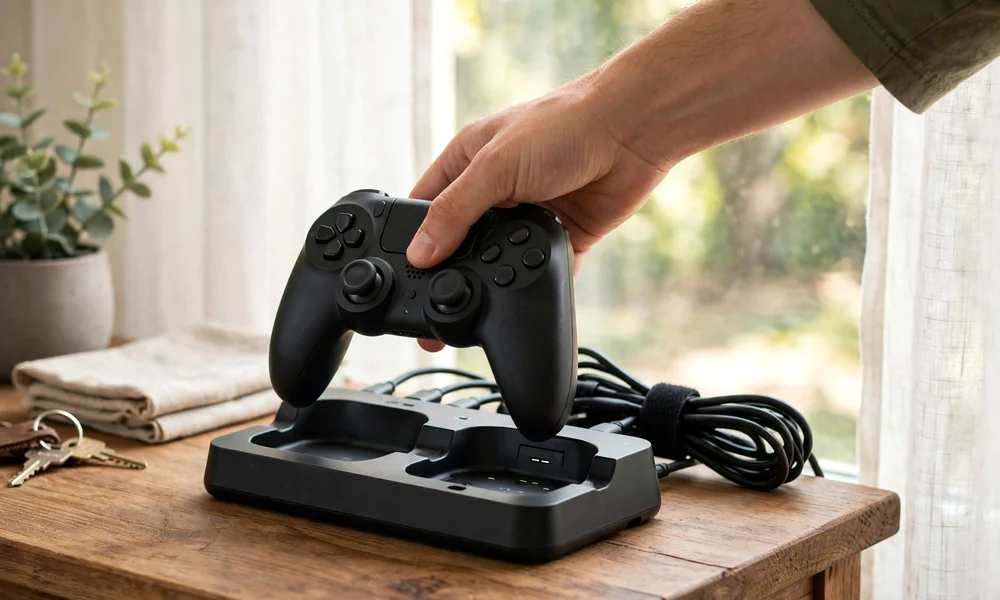
Stability comes third, and it is the quality people notice only after a dock fails it. A dual dock with two controllers on top is top-heavy by nature, so the base needs weight, a wide footprint, and rubber feet that grip the shelf. A good dock stays put when a cable is brushed or a child reaches past it for a remote.
The Main Types of Controller Charger
Dual docks are the default choice, and for most homes they are the right one. Two slots cover the controller in use and the spare, so a second player never waits and a flat battery never ends the evening. The dock sits beside the console, one cable runs to the wall or the console itself, and the whole setup looks deliberate rather than improvised. The only real drawback is size, so measure the TV stand before you buy.
Single docks suit one-player households and small shelves. They do one job well, take up little room, and cost less than a dual dock. Their weakness is obvious the first time a friend comes round: one controller charges while the other waits. If you play alone and your shelf is tight, a single dock is the sensible buy.
Charging stands with extras add a headset hook and a slot for game cases or a spare battery pack, turning the dock into a small station for everything gaming. They work well when the extras match what you own: a headset hook is useful only if you own a headset. Our guide to the best gaming headsets of 2026 is worth a look first, because the headset you own decides whether the hook earns its keep.
Compatibility: The Check You Cannot Skip
Compatibility is where controller charger purchases go wrong most often, and the mistake is almost always the same: buying a dock for the wrong generation. A PlayStation 5 controller and a PlayStation 4 controller look similar at a glance, but their charging contacts sit in different places, and a dock made for one will not seat the other. Xbox controllers have changed shape across generations too. Before you buy, read the model name on the back of your controller and match it exactly to the dock’s box.
Third-party controllers add a second layer of care. Many look like the official gamepad but charge through a USB port in a slightly different spot, or sit a millimetre taller in the cradle. A dock that relies on precise contact pins may not reach one at all, while a dock with a short USB cable adapter will work with almost anything. If your household mixes official and third-party controllers, choose the adapter style.
Power source is the quiet part of compatibility. Some docks draw power from the console’s USB port, which means they only charge while the console is on or in rest mode. Others plug into the wall, so they charge whether the console is awake or not. Wall power is the better choice for most homes, because controllers charge between sessions, when the console is off. Our guide to the best battery chargers of 2026 covers the same lesson for household batteries: a charger that only works when something else is switched on is a charger you cannot rely on.
Charging Speed and Battery Health
Most controller batteries hold between 1,000 and 1,500 milliamp-hours, which is small beside a phone battery, so charging times are short whatever dock you buy. A typical dual dock fills a flat controller in about two to three hours, and a half-full one in about an hour. That is fast enough for any real routine: an evening’s play, a night on the dock, a full controller in the morning.

Placement, Cables, and the Living Room
Where the dock sits decides how often it gets used, and the answer is almost always the same: beside the console, at arm’s reach from the sofa, where the controller lands naturally when play ends. A dock hidden in a cupboard gets forgotten, and a dock on a high shelf gets used once and then ignored. Put it on the same shelf as the console, and keep its one cable routed behind the furniture.
The Five Picks in Brief
Best Overall Dual Dock. The one that disappears into the routine. It holds two controllers upright, charges both at a steady pace, shows a clear light for each slot, and stays planted on the shelf. Its cradle is shaped so the controller drops in without a look. It draws power from the wall, so it charges overnight while the console sleeps, and it stops cleanly at full.
Best PlayStation Dock. Built around the DualSense shape, with a cradle that matches its curves and contacts that meet the controller’s charging port without an adapter. It charges two controllers at once, shows a separate light for each, and sits low enough to fit under a TV stand shelf. Its strength is fit: a controller made for this dock seats first time, every time.
Best Xbox Dock. Works with rechargeable battery packs, because Xbox controllers do not charge through a built-in battery the way PlayStation ones do. The dock holds two controllers with their packs fitted and usually ships with two packs, so one pair charges while the other plays. That swap system is its real advantage: a flat controller is back in play in seconds. Check that the dock’s packs fit your exact controller model before buying.
Best Budget Single Dock. Does one thing and does it honestly. It holds one controller, charges it at a steady pace, shows a clear light, and costs little enough that buying it is an easy decision. Its base is smaller than a dual dock, so it fits shelves a dual dock cannot. What it gives up is the second slot, so it suits a one-player household or a second room where only one controller ever lives.
Best Multi-Device Stand. A dock that also organises the rest of the setup. It charges two controllers, hangs a headset on a hook, and sometimes holds game cases or a spare battery pack in a slot at the back. It suits a crowded TV stand. The test is whether you use the extras. Our guide to the best smartwatch chargers of 2026 makes the same point for a different room: a charger that also organises the thing it charges is worth more than one that only charges.
Mistakes to Avoid
The commonest mistake is buying on price alone and ending up with a dock that does not fit the controller. A cheap dock for the wrong generation is not a bargain, it is a paperweight. The second mistake is trusting a dock with no indicator light, because the first time a controller fails to seat properly, you will not know until the next session starts flat. The third is putting the dock where it looks tidy rather than where it gets used.
Your Controller Charger Checklist
- Confirm the dock matches your exact controller model and generation before you buy.
- Choose two slots if a second player ever joins, even occasionally.
- Check for a clear charging light and a separate full light for each slot.
- Pick a weighted base with rubber feet so the dock stays put on the shelf.
- Prefer wall power so the dock charges while the console is off.
- Give the dock air and wipe its charging contacts once a month.
Frequently Asked Questions
Do controller chargers work with any controller?
No. Most docks are made for one console family and one generation, because the charging contacts and the cradle shape differ. Check the model name on the back of your controller before you buy.
How long does a controller take to charge on a dock?
About two to three hours from flat, and about an hour from half full. A dock that claims far faster times is charging harder than the battery enjoys.
Can I leave my controller on the charger overnight?
Yes, on a good dock. A dock that stops cleanly at full will not keep pushing current into the battery. Take it off if you will not play for a while.
Is a dual dock worth it for one player?
Usually yes, if you own a spare controller. The second slot keeps the spare full, so a flat controller is a ten-second swap.
Why is my controller not charging on the dock?
Most often it is not seated properly, or the contacts are dusty. Lift it out, wipe the contacts with a dry cloth, and set it down again until the light changes. If it still fails, try the other slot.
Do Xbox controller chargers need battery packs?
Yes, in most cases. Xbox controllers run on removable batteries, so their docks charge through rechargeable packs that fit inside the controller. Most docks ship with two packs included.
Bottom Line
The best controller charger is the one you never have to think about: a dual dock that fits your exact controllers, charges them steadily overnight, and shows you clearly when they are ready. Buy the dual dock if a second player ever joins in, match the model exactly before you order, and put the dock beside the console.


