A tablet is the most personal screen in a home. It lives on the sofa, in a bag, on a plane and in bed, and it is the device you reach for when you want to read, watch, draw, write or just unwind for half an hour. The best tablets in 2026 understand that job completely. They are bright and sharp enough for hours of reading, their batteries last through a long day, their speakers sound good without headphones, and their software has the apps you actually use. The worst tablets look almost identical in the shop and fall apart the moment you take them home: dim screens that wash out in daylight, batteries that fade by lunchtime, software that stutters on the simplest tasks, and storage that fills up before you have installed the apps you need.
This guide puts the two sides next to each other, honestly and in detail. On the best side are the tablets that genuinely replace a laptop for many people, with fast chips, beautiful screens, stylus and keyboard support, and years of software updates. On the worst side are the tablets that promise the same thing for a fraction of the price and deliver a sluggish, frustrating experience that makes you reach for your phone instead. We compare screens, speed, battery, speakers, software, accessories and value, and we finish with a verdict on who should buy what, and what to avoid entirely.
Key takeaways: match the tablet to the job, because reading and streaming need far less power than drawing or video editing. Screen quality and battery life matter more than raw speed for most tablet buyers. Check stylus and keyboard support before you buy if you plan to write or draw. Storage of 128GB is the sensible minimum in 2026, because 64GB fills up fast. Buy the ecosystem you already live in, so your apps, photos and subscriptions carry over. The worst tablets fail in the same ways every year: dim screens, weak chips, tiny storage and software that is abandoned within months.
What Separates the Best Tablets From the Worst
The best tablets start with the screen, because the screen is the whole device. A good tablet has a bright, sharp display with accurate colours, wide viewing angles and a coating that keeps reflections under control. You can read on it for an hour without your eyes getting tired, watch a film in a bright room without squinting, and draw on it with a stylus that feels like a pen on paper rather than a stick on glass. A bad tablet has a dim screen that washes out the moment sunlight hits it, colours that look either dull or cartoonish, and a viewing angle so narrow that the picture fades if you tilt it slightly. If you have ever tried to watch a video on a cheap tablet outdoors, you already know how quickly a bad screen ruins the whole experience.
Speed is the second dividing line, and it shows up in the smallest moments. A good tablet opens apps instantly, switches between a browser, a notes app and a video without reloading anything, and never stutters when you scroll through a long page. A bad tablet makes you wait for everything: apps take ten seconds to open, the keyboard lags behind your fingers, and a simple web page judders as you scroll. That lag is not a minor annoyance. It changes how you use the device, because you stop trying new things and start avoiding the apps that are slow. Within a few months, a slow tablet is a tablet you only use for one thing, and then for nothing at all.
The Best Side: Tablets That Earn Their Place
Screens and Speakers That Make Hours Feel Easy
A good tablet screen is bright enough for a sunny room, sharp enough that text looks like print, and smooth enough that scrolling feels like sliding paper. The best screens also have a high refresh rate, which makes handwriting feel instant and animations feel natural instead of jerky. Speakers matter more than people expect, because a tablet is often used without headphones, in a kitchen or a bedroom. The best tablets have stereo speakers that sound full and clear, with dialogue you can follow without turning the volume up to maximum. Listen to the same film on a good tablet and a bad one, and the difference is obvious within a minute. The good one pulls you in. The bad one makes you reach for your phone instead.
Speed, Battery and Storage That Keep Up
The best tablets have chips fast enough for video editing, drawing and multitasking, and enough memory that apps stay open in the background instead of reloading every time you switch back. Their batteries genuinely last a full day of mixed use, and often into a second day, because the screen and the chip are efficient rather than just big. Storage is generous too, with 128GB as the sensible starting point and room to grow, so you are not constantly deleting photos to make space for an update. A good tablet also charges quickly and holds its battery health over years, which is what separates a device you keep from a device you replace. If you are comparing the whole field, our guide to the best tablets of 2026 covers the strongest models at every budget, from affordable family tablets to premium creative powerhouses.

Stylus, Keyboard and Software That Work Together
A tablet becomes a real work tool when the accessories work properly. The best tablets have a stylus that feels natural, with pressure sensitivity that makes drawing and handwriting feel like the real thing, and a keyboard that is comfortable for long typing sessions rather than a cramped afterthought. Their software is built for a big screen, with apps that use the space well, split-screen multitasking that actually works, and a notes app that turns handwriting into searchable text. The best tablets also have a proper app store full of apps designed for tablets, not phone apps stretched to fit a bigger screen. That difference matters every day, because an app built for a tablet is faster, clearer and easier to use than one that was never meant to be there.
The Worst Side: Tablets That Waste Your Money
Dim Screens and Weak Speakers That Ruin the Experience
The most common failure in bad tablets is a screen that was built to a price rather than a standard. It is dim, so you cannot use it near a window. Its colours are washed out, so photos look flat and films look grey. Its touch response is slow, so taps sometimes register twice and sometimes not at all, which makes typing a chore. The speakers are just as bad: thin, tinny sound that distorts at half volume, with no bass and dialogue that gets lost under music. Manufacturers often hide this in the shop by showing a bright demo video under perfect lighting, but at home, in a real room with real light, the screen fades and the sound thins out. If a tablet makes you squint and reach for headphones just to hear a video clearly, it has failed at its most basic job.
Slow Chips, Tiny Storage and Dead Software
A tablet that cannot keep up is worse than no tablet at all, because it wastes your time every time you pick it up. The worst models have chips that were old when they shipped, with so little memory that opening a second app closes the first. Their storage is often just 32GB or 64GB, of which the operating system takes a large share, leaving almost nothing for your apps, photos and videos. Their software is the final insult: an old version of the operating system, full of apps you cannot remove, with no updates coming and no guarantee that the apps you want will even run. Some of them are filled with advertising on the lock screen, which is a miserable experience on a device you paid good money for. A tablet that needs constant deleting, restarting and waiting is not a useful device. It is a chore with a screen.

Best vs Worst Tablets Head to Head
There is one area where the gap is smaller than people expect, and it is worth saying plainly. A cheap tablet from a good brand can be genuinely excellent for reading, streaming and browsing, and an expensive tablet from a bad brand can be genuinely terrible for anything more demanding. Price is a clue, not a guarantee. The brand matters less than the record: does this company update its tablets, does it make a stylus and keyboard that actually work, and does it offer enough storage for real use? If the answer to any of those is no, walk away, whatever the price tag says. The same judgement applies when a tablet has to stand in for a computer, and our guide to the best vs worst laptops shows how the same traps appear when the device has a keyboard attached.
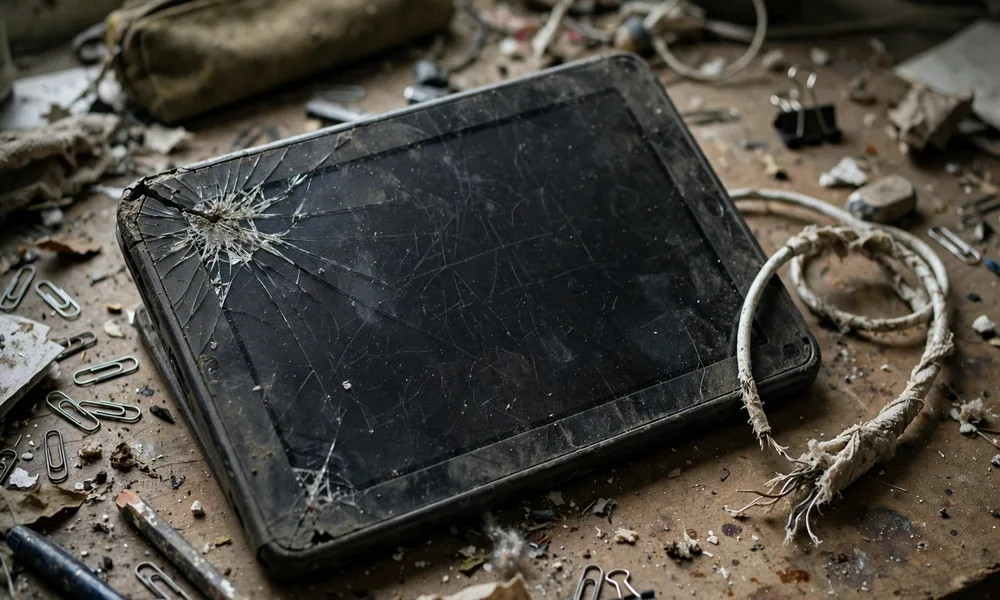
The Verdict
The verdict is simple: buy the best tablet you can afford from a brand with a record of long software support, and buy it for the job you will actually use it for. For most people, that means a well-built mid-range tablet with a bright screen, all-day battery, at least 128GB of storage and a stylus that works properly, rather than the biggest flagship on the shelf. A good tablet with a keyboard will replace a laptop for most everyday tasks, and a good tablet without one will still be the best reading and streaming device in the house. Spend your money on the screen, the battery and the software support, not on a specification sheet, and check before you buy that the tablet works with the apps and the ecosystem you already use.
Who Each Side Is For
The best tablets are for anyone who wants a screen that fits their life without getting in the way. They suit readers who want a light device that lasts for hours, students who need a notebook that never runs out of pages, artists who want a sketchbook that fits in a bag, and families who want one device that can be a television, a reader and a homework helper. They also suit people who travel, because a good tablet is the lightest way to carry books, films and work in one small package. If you already live in one ecosystem, buy the tablet that belongs to that world, so your notes, photos and subscriptions move with you. For readers and writers in particular, our guide to the best note-taking apps shows how the right software turns a good tablet into a proper notebook.
The worst tablets, frankly, are for nobody, and that is the honest answer. They sometimes appeal to bargain hunters and to people buying a first tablet as a gift, because the box looks impressive and the price looks kind. But a gift that frustrates the person who receives it is not a kind gift, and a bargain that ends up in a drawer is not a bargain. If your budget is tight, buy a smaller tablet from a good brand, or buy one good tablet instead of two bad ones. Your eyes, your patience and your bag will all be better for it, and the tablet you buy will still be earning its place on the sofa years from now, instead of gathering dust next to the other gadgets that promised too much.