The best webcams in 2026 can change how you come across on every video call, stream and online lesson you join. A good webcam makes you look sharp, well lit and easy to follow, while a poor one leaves you soft, shadowy and hard to hear. The difference is rarely about price alone. What matters most is the sensor, the lens and the autofocus.
Most laptops still ship with a basic built-in camera, and for many people that is the weakest link in their whole setup. The best webcams 2026 buyers can choose from fix that in one step: a bigger sensor for cleaner low-light images, a sharper lens for real detail, and autofocus that keeps your face crisp even when you lean in or sit back. For anyone on video all day, it is one of the cheapest upgrades you can make.
This guide compares the strongest webcam types for 2026, from affordable 1080p workhorses to 4K creator cameras, with honest advice on resolution, frame rate, microphones, privacy and setup.
Key Takeaways
- Resolution matters, but the sensor and lens matter more: a good 1080p webcam beats a cheap 4K one.
- For work calls, 1080p at 30 frames per second is enough; for streaming and recording, aim for 60 frames per second or 4K.
- Autofocus and auto light correction make the biggest visible difference day to day.
- A built-in privacy shutter is worth having, and a separate microphone almost always sounds better than a webcam mic.
- Test the camera in your real room light before judging it, because shop lighting flatters every camera.
How to Choose the Best Webcam in 2026
Buying a webcam is simpler than it looks once you know which numbers actually matter. Manufacturers love to print big figures on the box, but only a few of them change what the people on the other end of the call actually see. Start with how you will use the camera, then match the specs to that job.
Resolution: 1080p, 1440p or 4K
A 1080p webcam with a good sensor produces a clean, detailed picture that looks great on a laptop screen or a video call window. A 1440p camera adds sharpness and room to crop in editing. A 4K webcam captures the most detail of all, and it is the right choice if you stream, teach or record content where viewers watch full screen. A cheap 4K sensor can still look worse than a good 1080p one, because the lens and sensor decide the real detail. For most video calls, 1080p is plenty, and for creators, 4K is worth the step up.
Frame Rate: 30fps vs 60fps
Frame rate controls how smooth movement looks. At 30 frames per second, a normal video call looks perfectly natural, and your voice and gestures stay in sync. At 60 frames per second, movement becomes noticeably smoother, which matters if you gesture a lot, move around while you talk, or stream fast-moving content. Streamers should look for 60fps at 1080p. For office calls and online lessons, 30fps is fine.
Autofocus, Field of View and Low-Light Performance
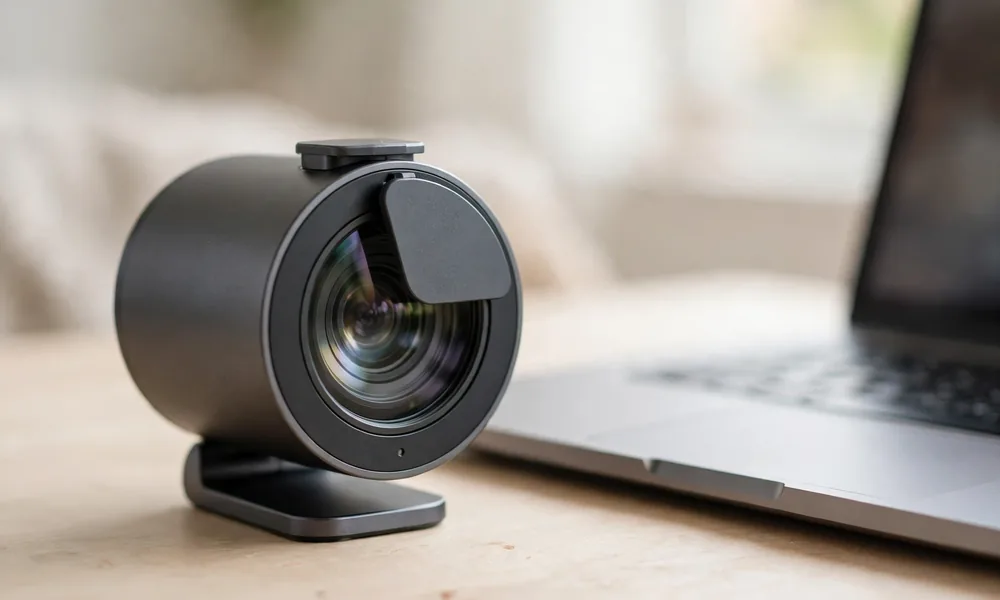
Autofocus is the feature that separates good webcams from frustrating ones. A fixed-focus camera is set to one distance, so you go soft the moment you lean forward to read a note or sit back in your chair. An autofocus camera adjusts continuously and keeps your face sharp wherever you sit. Field of view matters too: a narrow 65-degree view frames one person tightly, which is ideal for calls, while a wide 90-degree view fits two or three people around a desk. A larger sensor also gathers more light, so your picture stays bright in a dim room instead of turning grainy.
Microphones and Privacy
Almost every webcam in 2026 has a built-in microphone, and almost none of them sound great. A dual-microphone array with noise reduction is good enough for everyday calls in a quiet room. But if you present, teach or record, a separate USB microphone or a headset will sound dramatically better, with less echo and less room noise. For privacy, look for a physical shutter that slides over the lens, or a lens cap in the box.
Best Webcams for Work Video Calls in 2026
For office workers and remote teams, the best webcam is the one you forget about. It should switch on, focus fast, handle a bright window behind you without turning you into a silhouette, and stay reliable through eight hours of meetings. A 1080p camera with autofocus, auto light correction and a 78-degree field of view hits the sweet spot: wide enough to look natural, narrow enough to keep the focus on you. If your whole workspace needs an upgrade, our guide to the best laptop stands of 2026 shows how raising your screen to eye level improves both your posture and your camera angle.
Best Webcams for Streaming and Content Creation
Streamers and creators need more from a webcam than office workers do. The camera is part of the show, so it has to deliver a crisp, colourful picture at 60 frames per second, handle changing light as you move, and keep up with fast gestures and gameplay reactions. A 4K camera with a large sensor is the usual choice here, because it gives you the detail to crop, zoom and reframe in editing without the picture falling apart. Manual exposure and focus controls help too, by stopping the picture shifting as you move.
Best Budget Webcams in 2026
You do not need to spend a fortune to look good on camera. The best budget webcams in 2026 deliver a clean 1080p picture, decent autofocus and acceptable low-light performance for the price of a few takeaway meals. What you give up at the budget end is usually the finer detail: colours are a little flatter, the picture gets grainy faster in dim rooms, and the microphone is basic. The trap to avoid is the ultra-cheap camera that claims 4K on the box but uses a tiny sensor and a plastic lens. It will look worse than a good 1080p camera in the same light. Spend a little more on a well-made 1080p model from a seller with an easy return policy.
Best 4K Webcams for Creators and Teachers
For teachers, presenters and anyone who records video for an audience, a 4K webcam is a genuine upgrade. The extra detail makes text on a whiteboard or a shared document readable, keeps your face sharp on a large screen, and gives you the freedom to crop in during editing without losing quality. The catch is bandwidth and processing: 4K video uses more of both, so make sure your computer and your internet connection can handle it, and check that your video app actually supports 4K input. Many calls are capped at 1080p anyway, so the real benefit of 4K shows up in recordings and streams.
Best Webcams Compared
| Webcam Type | Resolution | Best For | Typical Price | Why It Wins |
|---|---|---|---|---|
| 1080p workhorse | 1080p, 30fps | Office calls, remote work | Budget-friendly | Reliable, sharp enough, great value |
| 1440p all-rounder | 1440p, 30fps | Calls plus recording | Mid-range | Extra detail with room to crop |
| 4K creator camera | 4K, 30fps | Streaming, teaching, recording | Premium | Maximum detail and clean low light |
| 60fps streaming camera | 1080p, 60fps | Live streaming, gaming | Mid-range | Buttery-smooth motion on camera |
| Wide-angle meeting camera | 1080p, 30fps | Small rooms, group calls | Mid-range | Fits two or three people in frame |
| Budget 1080p camera | 1080p, 30fps | Occasional calls, students | Lowest | Big upgrade over a laptop camera |
Setting Up Your Webcam for the Best Picture
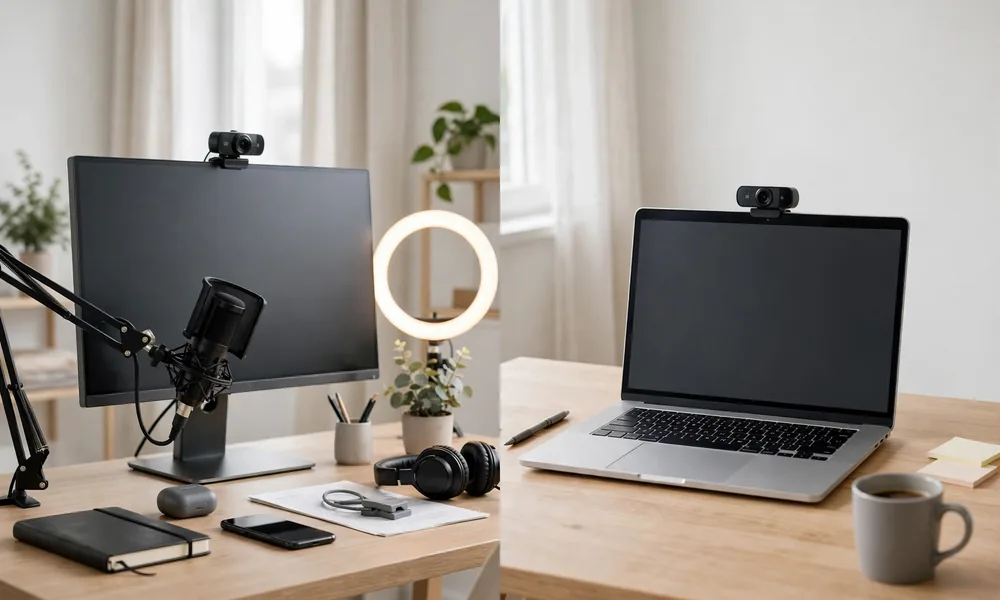
Even the best webcam in the world looks bad in a bad setup, and the good news is that the fixes are free. Put the camera at eye level, or just above it, so you are looking straight into the lens instead of up your own nose. Then fix the light: the main light source should be in front of you, not behind you. A window in front of you is ideal, and a simple desk lamp aimed at your face works nearly as well. Light from behind turns you into a silhouette, and no webcam can fix that. If your work setup is a laptop on a kitchen table, our guide to the tablet versus laptop for remote work helps you decide which device deserves the webcam upgrade first.

Sound Matters as Much as Picture
People forgive a slightly soft picture far more easily than bad sound. If your voice is echoey or distant, listeners switch off, no matter how sharp the video is. A headset or a USB microphone is the simplest fix. For a full audio upgrade, our roundup of the best wireless headphones of 2026 covers the models that sound best on long calls.
Webcam Buying Checklist
- Decide your main use first: office calls, streaming, teaching or recording.
- Choose 1080p for calls, 1440p for all-round use, or 4K for creators and teachers.
- Make sure it has autofocus and a glass lens, not fixed focus and plastic.
- Check the field of view: 65 to 78 degrees for one person, 90 degrees for groups.
- Look for a physical privacy shutter and a solid clip mount.
- Test it in your real room light and return it if it looks grainy or dark.
Frequently Asked Questions
What is the best webcam for video calls in 2026?
For most people, a good 1080p webcam with autofocus and auto light correction is the best choice for video calls. It looks sharp on any screen, works with every major video app, and costs far less than a 4K camera.
Is a 4K webcam worth it?
A 4K webcam is worth it if you stream, record videos or teach online, because the extra detail shows on large screens and gives you room to crop in editing. For ordinary office calls, most apps cap the video at 1080p anyway, so a good 1080p camera gives you the same result for less money.
Do I need a separate microphone with a webcam?
Not for short calls, but yes if you present, teach or record. A webcam microphone is fine in a quiet room, but a headset or a USB microphone sounds clearer, picks up less room echo, and makes you much easier to follow over a long session.
Why does my webcam look dark or grainy?
The most common cause is light behind you instead of in front of you. Move a lamp or a window to face you, and the picture will brighten instantly.
What field of view should I choose?
Choose 65 to 78 degrees if you call alone, because it frames your face tightly and keeps the background out of shot. Choose 90 degrees if two or three people share the camera, or if you want to show your desk and your hands while you present.
Can I use a webcam with a tablet or a phone?
Many modern webcams work with tablets and phones over USB, but support varies by device and app, so check compatibility before you buy.
The Bottom Line
The best webcams in 2026 are the ones that match your real life: a reliable 1080p camera with autofocus for daily work calls, a smooth 60fps camera for streaming, or a detailed 4K camera for teaching and recording. Spend your money on a good sensor, a glass lens and autofocus rather than on the biggest number on the box, then set the camera at eye level with the light in front of you. Do that, and you will look and sound better than almost everyone else on the call, without spending a fortune to get there.