A gaming keyboard is the one piece of kit your hands never leave, and it is the one most players buy in a hurry and regret the longest. A good one disappears under your fingers: the keys land where you expect them, the switches feel the same on the thousandth press as they did on the first, and nothing about it distracts you from the game. A bad one fights you in small ways that add up over an evening: keys that stick or double-press, a layout that puts the wrong key under your pinky, or a board so loud your teammates hear every keystroke through your microphone. The best gaming keyboards of 2026 are not the ones with the most lights or the highest price. They are the boards that get the fundamentals right first and treat the extras as a bonus.

What Makes a Gaming Keyboard Good
The first thing to judge is the switch, the mechanism under each key. Most gaming boards use mechanical switches, and the feel of a switch decides how the whole board plays. Linear switches travel straight down with no bump, which suits fast, repeated presses in shooters. Tactile switches give a small bump as the key registers, which helps you feel each press without bottoming out hard. Clicky switches add a sharp sound to that bump, which some typists love and most teammates do not.
The second thing is consistency. A quality board feels the same across every key, from the spacebar to the function row. Cheap boards often feel fine on the letter keys and mushy or rattly on the big keys, because the stabilisers under the spacebar, enter and shift keys are where manufacturers save money. Press each of those long keys slowly and listen: a good stabiliser sounds like a single clean thock, while a bad one rattles like loose change.
The third thing is the layout. Full-size boards keep the number pad, which suits players who also use the board for work or spreadsheets, but they push the mouse further from your body and eat desk space. Tenkeyless boards drop the number pad and bring the mouse closer, which most competitive players prefer. Compact 65% and 60% boards go further, dropping the function row and navigation keys, which frees even more room for wide mouse sweeps but asks you to learn layer shortcuts for the missing keys. The best layout is the smallest one you can use without missing a key mid-game, and our guide to the best keyboards of 2026 covers the general-purpose boards many gamers start from.
Switches Explained Without the Jargon
Switches are sold on three numbers: actuation force, travel distance and lifespan. Actuation force is how hard you press before the key registers, usually between 40 and 60 grams. Lighter switches feel faster and tire your fingers less over a long session, but they are easier to press by accident. Heavier switches resist accidental presses and feel more deliberate, but they can wear you out in a fast game.
Travel distance is how far the key moves before it registers, usually around 2 millimetres for gaming switches, with a total travel of about 4 millimetres to the bottom. Shorter actuation means the key registers sooner, which can shave milliseconds off a reaction, but the difference is smaller than the marketing suggests. What matters more is that the actuation point is consistent from key to key, so your muscle memory can trust it.
Lifespan is measured in key presses, usually 50 to 100 million per switch, which is far beyond what most players will ever reach. The number matters less than the build around it: a hot-swappable board lets you pull a switch out and push a new one in without soldering, which means a single dead switch is a two-minute fix instead of a dead board.
Layouts, Sizes and What Fits Your Desk
Desk space decides more than most buyers admit. A full-size board is about 45 centimetres wide, which leaves little room for a mouse on a standard desk, and in a low-sensitivity shooter that room is the difference between a comfortable flick and a mouse sliding off the mat. Tenkeyless boards save about 8 centimetres, which is often enough. Compact boards save more, but they move keys around: the delete key may live on a layer, the arrow keys may share space with other keys, and the first week with a 60% board is a week of pressing the wrong key at the wrong moment.
That learning curve is real, but it passes. What does not pass is a board that is physically wrong for your hands. Players with large hands often find compact boards cramped, with keys too close together for comfortable reaching. Players with small hands often find full-size boards a stretch, with the far keys a long reach. If you can, try the layout in a shop before you buy, even for five minutes. Your hands will tell you more in five minutes than a week of reading reviews.
Connectivity is the other practical choice. Wired boards are simple, cheap and never need charging, and a detachable USB-C cable means a broken cable is a cheap replacement rather than a dead keyboard. Wireless boards have become genuinely good, with 2.4 GHz connections that match wired boards for latency, but they add charging to your routine and usually cost more. Bluetooth is convenient for switching between devices, but it is the slowest option and best kept for typing rather than competitive play.
The Best Gaming Keyboards of 2026 at a Glance
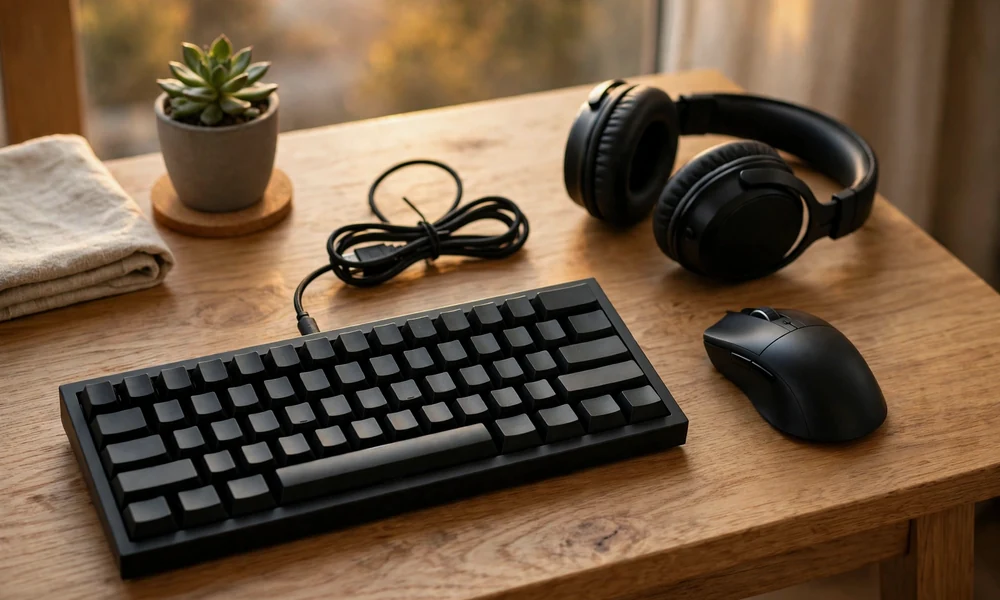
Six boards stood out in 2026, each for a different kind of player. The best overall is a tenkeyless board with smooth linear switches, a solid aluminium frame and hot-swappable sockets, the kind of board that feels expensive because it is built properly. The best budget pick costs about half as much and gives up the metal frame but keeps the good switches and the clean layout, which is the right trade for a first gaming board. The best compact pick is a 65% board that keeps the arrow keys and deletes everything else, ideal for small desks and big mouse movements.
The best wireless pick runs for weeks on a charge, connects over 2.4 GHz with no perceptible lag, and switches to Bluetooth for a laptop or tablet when the game is over. The best quiet pick uses silent tactile switches and a foam-damped case, so late-night sessions do not wake the house or bleed into voice chat. The best premium pick is a heavy, gasket-mounted board with lubricated switches, the board you buy when you already know exactly what you like and want the best version of it.
Best Overall: The Tenkeyless All-Rounder
The best overall gaming keyboard of 2026 is a tenkeyless board that does nothing badly. Its linear switches are smooth from the first press, with no scratchiness and no spring ping, and the factory lubrication is even enough that you would not know it was there except by the absence of noise. The aluminium frame gives it a reassuring weight: it does not slide around the desk during an intense round, and it does not flex when you press hard on the spacebar.
What sets it apart is how little it asks of you. It works the moment you plug it in, with no software required for the essentials, and the optional software is genuinely optional rather than a hoop to jump through. The backlighting is bright and even, with per-key control if you want it and a simple off switch if you do not. It is not the cheapest board here, and it is not the flashiest, but it is the one we would buy with our own money for a desk that has to do everything.
Best Budget: The First Gaming Board
The best budget gaming keyboard proves that you do not need to spend a fortune to get a good switch. Its linear switches are not quite as smooth as the premium picks, but they are consistent, fast and pleasant, and the board around them is solid plastic rather than creaky hollow plastic. The layout is a sensible tenkeyless, the cable is detachable, and the keycaps are the standard size, which means you can replace them later.
The compromises are honest ones. There is no hot-swappable socket, so a dead switch means a repair or a replacement, and the stabilisers are louder than the best boards. The lighting is single-colour rather than per-key RGB, which some players will miss and most will never notice. For a first gaming board, or a second board for a spare desk, those are fair trades.
Best Compact and Best Wireless
The best compact board is a 65% layout that keeps the arrow keys and drops the rest, and it is the right choice when desk space is the limiting factor. It takes a week to learn the layers, but after that the missing keys stop mattering, and your mouse gains the space it needs. The switches are hot-swappable, the case is solid, and the board is small enough to throw in a bag for a LAN night without a second thought.
The best wireless board is the one that makes you forget it is wireless. Its 2.4 GHz connection is indistinguishable from wired in play, the battery lasts for weeks of normal use, and it charges over the same USB-C cable you already own. It pairs with a laptop over Bluetooth when you travel, and it remembers both connections without fuss. The only real cost is the price, which sits above the wired boards, and the habit of plugging it in once a week.

What to Avoid
The most common mistake is buying on looks alone. A board covered in lights and aggressive angles can hide mushy switches, rattly stabilisers and a hollow case, and none of that shows in a product photo. Read the switch specification before the lighting specification, and be suspicious of any board that will not tell you which switches it uses.
Sound is the other thing buyers forget to check. A loud clicky board sounds satisfying alone in a room and terrible on a voice call, and your teammates will tell you so. If you play with others, test the board on a call before the return window closes, or choose a quieter switch from the start. Our guide to the best gaming headsets of 2026 covers the headsets that pair well with these boards, including the microphone quality that decides whether your team hears you or your keyboard.
The Verdict
For most players, the tenkeyless all-rounder is the right buy: good switches, a solid frame, a layout that fits a normal desk, and nothing that gets in the way. Players on a budget should take the budget pick and spend the saving elsewhere in the setup. Small desks belong to the compact board, cable-haters to the wireless pick, and night owls to the quiet one. A comfortable chair matters just as much over a long session, and our guide to the best gaming chairs of 2026 covers the seats that keep you comfortable through those same long evenings. Whichever board you choose, judge it by the switches first, the layout second and the lights last, and buy the board your hands like, not the one the box shouts about loudest.