
The best wired mice of 2026 are not a throwback. They are the deliberate choice of people who have tried wireless, liked it, and still came back to the cable. A wired mouse never runs out of charge in the middle of a deadline, never stutters because a battery is dying, and never makes you hunt for a dongle that slipped between the sofa cushions. That reliability is why wired mice still dominate competitive gaming desks, trading floors, design studios, and any office where a dead mouse is not a minor annoyance but a stopped hour.
This guide judges wired mice on their own terms: latency and polling, weight without a battery, cable drag, sensor quality, and comfort over long sessions, covering gaming, office work, travel desks, and big hands.
Key Takeaways
- A wired mouse has no battery, no charging, and no wireless lag, so it works at full performance from the moment you plug it in.
- Polling rate matters more than DPI: a wired mouse holding a steady 1,000 Hz reports your hand position a thousand times a second, and competitive players should look for 4,000 Hz or 8,000 Hz.
- Wired mice are lighter than their wireless twins because there is no battery inside, which makes long sessions and fast flicks easier on the wrist.
- Cable drag is the only real drawback, and it is fixable with a light paracord-style cable, a bungee, or simply routing the cable behind the monitor.
- Match the shape to your grip first: palm, claw, and fingertip grips need different mouse shapes, and the wrong shape will hurt more than any specification can fix.

Why Wired Still Wins in 2026
Wireless mice have improved enormously, and for many people they are the right buy. Our guide to the best wireless mice of 2026 covers the strongest cord-free options. But wireless still carries three costs that a wire simply does not have: a battery that must be charged, a radio link that can interfere with other devices, and extra weight to carry that battery. A wired mouse pays none of those costs. Its power comes down the cable, its data travels down the same cable, and every gram of its weight goes into the shell, the sensor, and the switches rather than a cell you have to keep alive.
That matters most for competitive play, where a single stutter costs a round, and for long workdays, where a mouse that dies at four in the afternoon costs you the last hour of your day.
Latency, Polling, and What Your Hand Actually Feels
Latency is the delay between moving your hand and the cursor moving. On a modern wired mouse it is effectively zero: the signal travels down copper at a fixed rate, and the mouse reports its position on a strict schedule called the polling rate. A 1,000 Hz polling rate means a report every millisecond. That is already faster than most people can perceive, and it is rock steady, with no variation from radio interference, low battery, or a crowded office full of Bluetooth devices.
Higher polling rates of 4,000 Hz and 8,000 Hz are now available on wired gaming mice, and they do make fast movement feel smoother on high-refresh monitors. For office work, 1,000 Hz is already more than enough.
No Battery Means No Compromises
Every wireless mouse is a compromise between weight and battery life. A big battery lasts longer and weighs more; a small battery weighs less and dies sooner. A wired mouse escapes that trade entirely. Manufacturers can make the shell as light as the structure allows, often under 60 grams for gaming models, without worrying about where a battery will fit. That lightness is something you feel within minutes: the mouse starts and stops with less effort, your wrist works less, and fast movements feel effortless rather than dragged.
There is also the quiet convenience of never thinking about charge. You plug a wired mouse in once, and it is ready every morning for years.
The Best Wired Mice Compared
| Type | Best For | Polling Rate | Weight | Cable | Price Band |
|---|---|---|---|---|---|
| Ultralight esports | Competitive gaming | 4,000 to 8,000 Hz | Under 60 g | Paracord, flexible | Mid to high |
| All-round gaming | Gaming and everyday use | 1,000 Hz | 70 to 90 g | Braided or rubber | Budget to mid |
| Ergonomic office | Eight-hour workdays | 1,000 Hz | 90 to 110 g | Rubber, medium length | Budget to mid |
| Silent office | Shared rooms, libraries | 1,000 Hz | 70 to 90 g | Rubber, quiet switches | Budget |
| Vertical ergonomic | Wrist pain, RSI | 1,000 Hz | 100 to 130 g | Rubber, longer cable | Mid |
| Compact travel | Small desks, hot-desking | 1,000 Hz | Under 70 g | Short, flexible | Budget |
Sensor and DPI: The Numbers That Matter
Sensor quality decides whether a mouse feels trustworthy. A good modern optical sensor tracks cleanly on wood, cloth, plastic, and most desk surfaces, with no skipping, no acceleration, and no jitter when you move slowly for fine work. That clean tracking matters far more than the headline DPI number. DPI, or dots per inch, is simply how far the cursor moves for each inch your hand moves. Most people work happily between 800 and 1,600 DPI, and competitive players often use 400 to 800 DPI with a large mousepad. A sensor rated at 26,000 DPI is not better for real use than one rated at 8,000 DPI; it is just a bigger number on the box.
Look for a sensor from a known maker and on-board memory if you want your settings to travel with the mouse between computers.
Shape, Grip, and Comfort
Shape is the first thing to get right, and it starts with your hand. Measure from the base of your palm to the tip of your middle finger: under 17 centimetres is a small hand, 17 to 19 is medium, and over 19 is large. Then work out your grip. A palm grip rests the whole hand on the mouse and suits larger, higher mice with a long body. A claw grip arches the palm above the mouse with the fingertips on the buttons, and suits medium mice with a pronounced hump towards the back. A fingertip grip touches the mouse only with the fingertips, and suits small, light mice that move with the fingers alone.
The wrong shape will hurt no matter how good the sensor is. A small hand on a large mouse strains to reach the buttons; a large hand on a small mouse cramps around it. Our guide to what makes a computer mouse worth the money explains hand measurement and grip styles in more detail.
Switches, Scroll Wheel, and Side Buttons
Switches are the parts you touch most, and they fail first. A good main click feels crisp, with a short travel and a clear break, and it should feel the same on the thousandth click as on the first. Cheap switches feel mushy, or develop a double-click fault where one press registers twice. Optical switches, which break a beam of light instead of closing a metal contact, last longer and are now common in gaming mice.
The scroll wheel deserves the same attention. You will scroll thousands of times a day, so the wheel should turn smoothly, with clear steps you can feel, and a middle click that does not require pressing hard enough to move the mouse. Side buttons should fall under your thumb without stretching, and two is enough for most people.
Cable Management: The Only Real Drawback
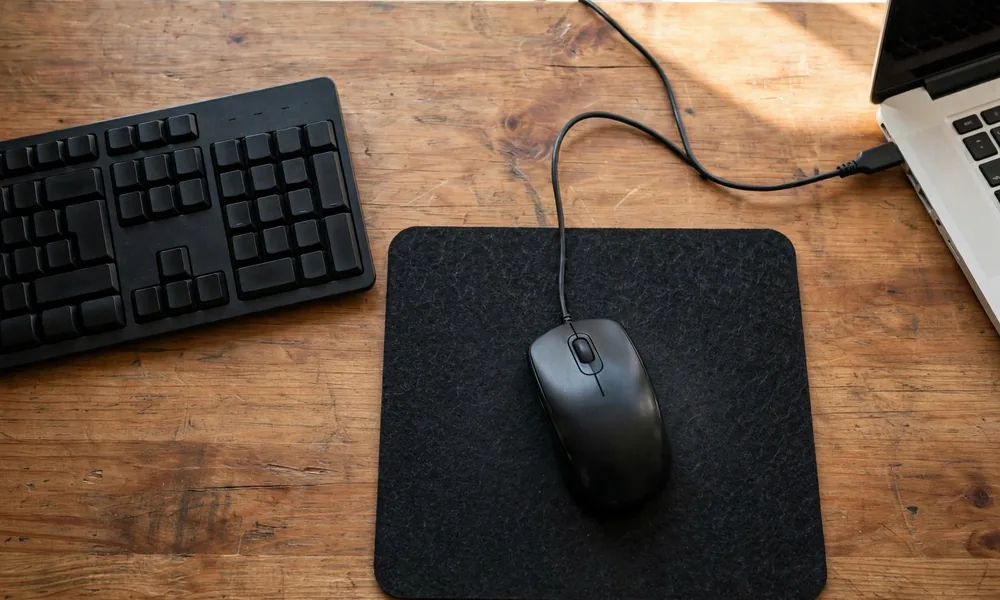
The cable is the one honest drawback of a wired mouse, and it is a manageable one. A stiff cable drags across the desk, catches on the mousepad edge, and adds a small, constant resistance that your hand must overcome. The fix is to choose a mouse with a light, flexible cable, often called a paracord cable, which drapes rather than drags. The second fix is a mouse bungee, a small weighted stand that holds the cable up and off the desk so the mouse moves freely. The third fix costs nothing: route the cable behind the monitor or through a desk grommet so only a short length reaches the mouse.
Check the cable length before you buy. A cable of around 1.8 metres suits most desks; shorter cables suit laptops and small desks, and longer ones suit large desks and floor-standing computers. A detachable cable is a bonus, because a damaged cable can be replaced instead of binning the whole mouse.
Who Should Buy Wired, and Who Should Not
Wired mice suit competitive gamers, office workers at a fixed desk, anyone who hates charging, and buyers who want the best performance per pound. If you play fast games, work long hours at one desk, or just want a mouse you never have to think about, wired is the right call.
Wireless suits people who move between rooms, work from sofas and cafes, or hate cables on principle. If your desk is also your dining table, or you present from a laptop across the room, the freedom is worth the charging. For gaming specifically, our guide to the best gaming mice for fast, precise play compares wired and wireless gaming options side by side, which helps if you play seriously but travel often.
Checklist: Before You Buy a Wired Mouse
- Measure your hand and know your grip style, then shortlist mice shaped for that combination.
- Check the polling rate is at least 1,000 Hz, and 4,000 Hz or higher if you play competitively on a high-refresh monitor.
- Look for a light, flexible paracord-style cable, or budget for a mouse bungee to remove cable drag.
- Confirm the sensor tracks cleanly at your usual DPI, usually 800 to 1,600, rather than chasing the biggest DPI number.
- Test the scroll wheel and side buttons for reach and feel, because you will use them thousands of times a day.
- Check the cable length suits your desk, and prefer a detachable cable if you travel with the mouse.
Frequently Asked Questions
Are wired mice faster than wireless mice?
For practical purposes, a good wired mouse and a good wireless mouse are equally fast in normal use. The difference is consistency: a wired mouse holds its polling rate and latency steady with no radio interference and no low-battery slowdown.
Do wired mice last longer than wireless mice?
Usually, yes. A wired mouse has no battery to wear out. The cable is the weak point instead, so treat it gently and prefer a detachable cable if you can.
Is a wired mouse better for gaming?
For competitive gaming, yes: lower weight, zero charging, and perfectly steady polling. For casual gaming, the difference is small, and a good wireless mouse is fine. The shape and sensor matter more than the connection for most players.
How do I stop the cable dragging?
Use a mouse bungee, route the cable behind the monitor, or choose a mouse with a light paracord cable. Give the mouse enough slack to move across the whole pad, and keep the cable off the desk edge where it catches.
What DPI should I use on a wired mouse?
Most people are happiest between 800 and 1,600 DPI for work, and 400 to 800 DPI for competitive games with a large mousepad.
Can I use a wired mouse with a laptop?
Yes, any wired mouse works with a laptop through USB, or USB-C with a small adapter. Short-cable compact mice suit laptops best, and they draw their power from the laptop, so there is nothing to charge on the road.
The Bottom Line
The best wired mice of 2026 win by removing problems rather than adding features. No battery to charge, no signal to drop, and no weight wasted on a cell. Pick the shape that fits your hand, insist on a steady 1,000 Hz polling rate or better, and tame the cable once with a bungee or a tidy route behind the monitor. Do that, and the mouse disappears into your hand, and stays disappeared for years.


