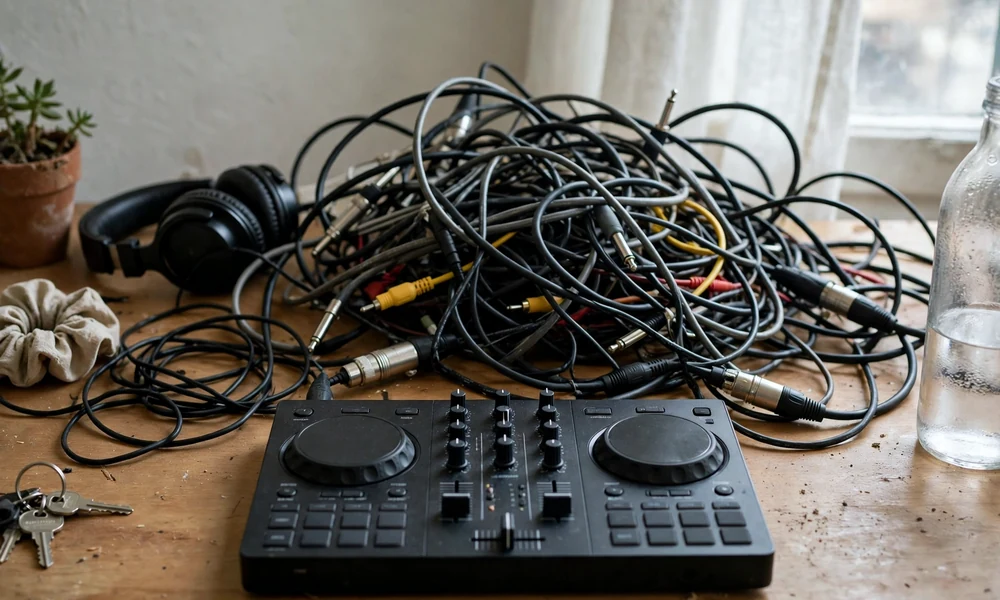
A DJ controller looks like the shortcut into DJing: two decks, a mixer in the middle, and a laptop doing the heavy lifting. Plug it in, load a track, and the music starts. What nobody tells a first-time DJ is that the controller decides how much of that actually works. A good controller has jog wheels that respond to a fingertip, pads that fire the instant they are hit, and a layout that makes sense in a dark room. A bad one has jog wheels that stick, pads that miss every third tap, and faders that crackle when they move. The worst DJ controllers of 2026 make mixing harder, teach bad timing, and fall apart before the first year of gigs ends. A DJ deserves a controller that helps them learn the craft, not one that fights them at every transition.

What Makes a DJ Controller Bad
A DJ controller has one job above all others: it must respond honestly to the DJ’s hands. A DJ nudges a jog wheel to line up two beats, taps a pad to drop a cue, and slides a fader to blend one track into the next, and the controller should answer the same way every time. Bad controllers fail this test on the first night. Their jog wheels are either stiff as bricks or so loose they spin with a touch, and neither one teaches the DJ anything about timing. The wheels often respond differently from one side to the other, so a mix sounds uneven no matter how carefully the DJ works. The pitch faders are just as bad, with dead spots in the middle of their travel where nothing happens, then a sudden jump that throws the beat out completely.
The second problem is the sound, which is where cheap controllers cut the deepest corners. A good controller has clean outputs, a headphone cue that is loud enough to hear over a room, and a microphone input that does not hiss. A bad one has outputs that buzz when the laptop charges, a headphone socket that crackles when the cable moves, and a microphone channel that sounds thin and distant. The sound card inside is often the cheapest part of the whole box, and it shows the moment the volume goes up. Cheap controllers also skimp on the number of outputs, so there is no booth monitor feed and no way to record a set properly, and every gig ends up sounding like a bedroom practice session. A DJ who cannot hear what they are mixing cannot learn, and a controller that sounds bad will not be used for long.
The Main Types of DJ Controller, and Where They Go Wrong
Two-channel beginner controllers are the usual first recommendation, and they are the hardest to get badly wrong, which is exactly why the bad ones stand out. A good beginner controller has firm, responsive jog wheels, a clear layout, and software that makes sense. A bad one has jog wheels that feel like plastic lids, a layout that crams every button into a space the size of a postcard, and software that crashes when a second track is loaded. The built-in effects are often the giveaway: a good one has a few usable filters and echoes, while a bad one has dozens of tinny effects that nobody would ever use in a real mix. The crossfader is another weak point, loose and wobbly on the cheapest models, so smooth blends turn into sudden cuts.
Four-channel controllers promise more room to grow, and the bad ones fail in a different way. They add channels, pads, and knobs, but the build quality stays at beginner level, so everything feels flimsy at twice the price. The extra decks are often a trick: the hardware supports four channels, but the software licence only unlocks two, and the upgrade costs almost as much as the controller itself. Standalone controllers with built-in screens look impressive, yet the cheap ones have screens that wash out under stage lights and processors that stutter when a track is loaded while another plays. A controller that cannot keep two tracks playing smoothly is not a professional tool, no matter how many channels the box claims to have.
The Faults That Matter Most
Jog wheel failure is the fault that ends most cheap controllers. The wheel is the part a DJ touches most, and on a bad controller it wears out first. The top surface goes smooth and slippery, the touch sensor stops registering light touches, and the wheel starts drifting on its own, nudging tracks out of time while the DJ is doing nothing at all. Once the sensor goes, the controller is useless for beatmatching, and no software setting can fix a sensor that has died. Pads fail next: the rubber hardens, the response goes uneven, and the pad that fires a cue on the left deck needs twice the force of the one on the right. A DJ who cannot trust their pads stops using hot cues altogether, and the whole point of a controller is lost.
Build quality is the other fault that matters, because a controller is carried, bumped, and plugged in and out constantly. A bad controller has a thin plastic shell that flexes when it is picked up, knobs that wobble on their posts, and faders that collect dust and start crackling within months. The USB socket is often the weakest link of all, soldered straight to the board with no reinforcement, so one tug on the cable ends the controller’s life. Power is another trap: some cheap controllers draw everything from USB, and on a laptop with a tired battery the controller drops out mid-set. The right guide helps here too, and our look at the best turntables of 2026 covers the decks that get the basics right, from stable rotation to honest sound, so the first session feels like the start of a skill rather than a test of patience.
How to Spot a Bad One Before You Pay
Start with the jog wheels, because they tell the truth faster than any review. Put a hand on each wheel and turn it slowly, then quickly, then stop it dead. A good wheel feels smooth and even, with the same resistance all the way round. A bad wheel feels gritty, loose in one spot and tight in another, or it keeps spinning for a second after the hand stops. Try the touch sensor too: rest a fingertip lightly on the top of the wheel and see if the software registers the touch. If it needs a firm press to respond, it will miss cues in a dark room. Then test every pad the same way, tapping each one softly and then hard, and listen for a pad that needs more force than its neighbours.
Next, test the sound at real volume, not through laptop speakers. Plug in headphones and listen to the cue channel while a track plays, then plug the outputs into anything with speakers and turn the volume up to half. Any buzzing, humming, or crackling is a fail, and it will only get worse in a room full of people. Check the microphone input as well, because a controller that cannot handle a voice is a controller that cannot handle a gig. Look at the software licence in the box before paying: if the full software costs extra, add that to the price and compare it honestly with the next model up. A controller that needs a paid unlock to use its own channels is not a bargain.
The Hidden Costs of a Bad Controller
The price on the box is never the real price of a bad controller. A DJ who buys the cheapest deck usually pays again within a year, first for a replacement, then for the software unlock the first box needed, then for cables and adapters to work around outputs that were never there. The cheap controller also costs practice time, because every session starts with troubleshooting: a driver that needs reinstalling, a mapping that resets itself, a pad that only works after a restart. Those lost hours add up, and a beginner who spends more time fixing the gear than mixing will stop practising altogether. The frustration is worse than the money, because it arrives exactly when the DJ is most enthusiastic, in the first weeks of learning, and it teaches the wrong lesson: that DJing is hard, when the truth is that the controller is bad.
There is a social cost too, because a controller that fails in front of people is embarrassing in a way a bedroom practice failure never is. A DJ who promises music at a friend’s party and then spends twenty minutes rebooting a laptop loses the room before the first track plays, and the crowd remembers the silence, not the excuse. A bad controller also limits what the DJ can learn: without reliable jog wheels there is no beatmatching, without working pads there are no cue points, and without clean outputs there is no sense of how a real mix should sound. The DJ ends up learning workarounds instead of skills, and those workarounds have to be unlearned later on a proper deck. Buying right the first time is cheaper, faster, and far less embarrassing than buying twice.

What to Buy Instead
The safest buy is a controller from a maker with a long record in DJ gear, even if it means a smaller model or a used one. A well-made two-channel controller holds its feel for years, while a cheap four-channel box is tired after one season. Check a used controller the same way you would check a new one: test every jog wheel, pad, and fader, listen to the outputs at volume, and make sure the software licence transfers with the hardware. The same thinking applies to the rest of the setup: good headphones matter as much as the deck, which is why our guide to the best headphones of 2026 starts from the same advice, check the sound, check the build, and never trust gear you have not tried with your own hands.
One last check before paying: ask to try the controller with your own laptop and your own headphones, not the shop’s demo setup. A controller that works on a shop computer and fails on yours is no good to you, and a deck that feels right in your hands in the shop will feel right at home too. The best test is always your own gear, your own tracks, and your own ears.
The Bottom Line
The worst DJ controllers of 2026 share the same faults: jog wheels that stick or drift, pads that miss, sound that buzzes, and a build that falls apart under normal use. They are easy to spot once you know what to look for, and they are easy to avoid. Test every wheel, pad, and fader, listen at real volume, and read the software licence before you pay. The same thinking applies to the rest of the setup: the other gear matters just as much, which is why our guide to the best speakers of 2026 starts from the same advice, check the sound, check the build, and never trust a controller you have not played.