The worst keyboards for typing comfort share a quiet cruelty: they look fine on a desk, feel acceptable for five minutes, and then slowly wear down your hands, wrists, and patience over a full working day. A keyboard is the tool most of us touch more than any other, yet it is often chosen for its price or its colour, rather than how it feels.
Typing comfort is not a luxury. When keys are too stiff, too shallow, too cramped, or too uneven, your fingers work harder with every word. That effort adds up to fatigue, slower typing, more mistakes, and aching wrists by the afternoon. A comfortable keyboard, by contrast, almost disappears.
This guide looks at the keyboards that most often fail on comfort, explains why each type causes trouble, and shows what to look for instead. It is not about brands or price tags: a cheap keyboard can be comfortable and an expensive one can be miserable. What matters is the design, the key travel, the layout, and the stability.
Key takeaways
- Shallow, stiff, or uneven keys tire your fingers fast.
- Cramped layouts, tiny keys, and missing keys slow you down.
- A keyboard that wobbles, slides, or flexes is never comfortable.
- Loud, harsh, or mushy keys often signal poor switch quality.
- Test travel, spacing, and wrist angle before buying.
Why Typing Comfort Matters More Than You Think
Most people notice a bad chair within minutes, yet they tolerate a bad keyboard for years. Keyboard discomfort builds slowly: the first paragraph feels fine, and the first hour feels tolerable. It is the third hour, the second day, and the fifth week that reveal the problem, when the same small strain has been repeated thousands of times.
Typing is a repetitive task, and repetitive strain is cumulative. Each press that demands too much force, each stretch to a distant key, and each awkward wrist angle adds a little load. Repeated across tens of thousands of keystrokes a day, they become the difference between finishing work feeling fresh and finishing it with sore hands.
What Makes a Keyboard Uncomfortable
Five qualities decide whether a keyboard feels good or bad. Once you know them, you can judge any keyboard without relying on marketing claims alone.
Key Travel and Actuation Force
Key travel is the distance a key moves when pressed, and actuation force is how hard you must press before it registers. Comfortable keyboards usually offer moderate travel of around three to four millimetres, with light to medium force. Ultra-flat keys give your fingers no cushion, so you bottom out hard on every press. Stiff rubber-dome keys need a firm push and then collapse suddenly, which feels mushy and uneven.
Key Spacing, Size, and Layout
Standard keyboards exist for a reason: the spacing between keys matches the natural spread of adult hands. When keys are smaller, closer together, or squeezed into an unusual layout, your fingers must aim more carefully and stretch in unfamiliar ways. Missing keys cause trouble too: badly designed compact boards force you to memorise awkward combinations for everyday actions.
Stability, Flex, and Build Quality
A comfortable keyboard stays put. It does not slide across the desk, rock from side to side, or bend in the middle when you press the space bar. Cheap plastic boards often flex under pressure, which makes typing feel vague and uneven. A solid, well-weighted board with rubber feet gives you a stable platform. Wobbling keys are another warning sign: if keys tilt or rattle, your fingers receive inconsistent feedback.
The Worst Keyboards for Typing Comfort
Here are the types that most often fail on comfort. You may recognise one of them on your own desk. If so, the problem is not your hands. It is the design.
Ultra-Flat Laptop-Style Keyboards
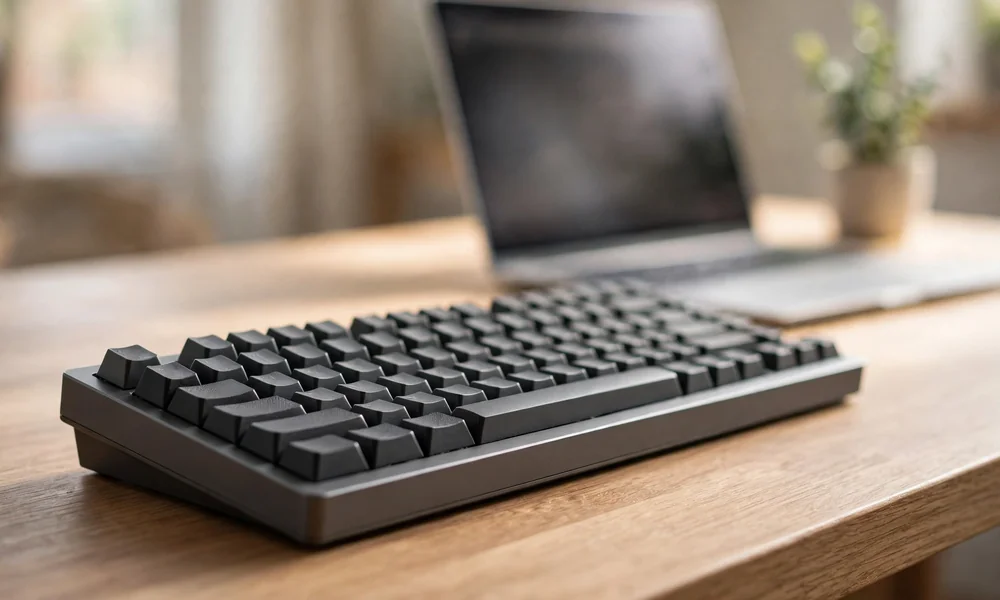
Ultra-flat keyboards look elegant and match slim laptops, but for typing comfort they are often among the worst. Their keys move barely a millimetre, giving your fingers almost no travel and no cushioning, so every press ends in a hard stop. With so little feedback, many people press harder, which increases fatigue. Fine for an hour a day; rarely fine for six.
Stiff, Mushy Membrane Keyboards
Membrane keyboards are the most common type in offices and homes, and many are perfectly usable. The worst ones use stiff rubber domes that demand a firm press and then collapse without a clear actuation point. The result is mushy and uneven: some keys need more force than others, and you never quite know when a key has registered.
Overly Clicky and Harsh Mechanical Keyboards
A well-chosen mechanical board can be one of the most comfortable keyboards you will ever use. The worst ones use loud, harsh, or overly stiff switches that punish your fingers and your ears. Heavy clicky switches are tiring over long sessions, and their sharp sound becomes exhausting in a quiet room. Look for light to medium tactile or linear switches and a board that feels solid rather than hollow.
Tiny 60 Percent Keyboards With Cramped Layouts
Small keyboards save desk space and look tidy, and many typists love them. The worst 60 percent boards, though, squeeze keys so tightly that typing becomes an exercise in precision rather than flow. Small keys, narrow spacing, and missing navigation keys force you to use layered shortcuts for ordinary tasks, which interrupts your rhythm. Compact boards can work well when designed thoughtfully; they fail when size is prioritised over usability.
Keyboards With No Wrist Support or Bad Angles
Some keyboards ignore ergonomics entirely. They sit too high at the back, tilt your wrists upwards, or offer no place to rest your palms, so your hands hover awkwardly all day. Over time, that position strains the wrists and forearms. A comfortable keyboard keeps your wrists neutral and roughly level with your forearms. A wrist rest can help, but it cannot fix a board whose basic angle is wrong.
Keyboards That Wobble, Slide, or Flex
A keyboard that moves while you type is a keyboard that fights you. Lightweight boards slide across a desk, thin boards flex in the middle, and loose keys rattle and tilt, making every press feel uncertain. These faults are easy to miss in a shop, where you press a few keys gently, and easy to feel at home, where you type quickly for hours.
Gimmicky Keyboards That Put Looks Before Comfort
Some keyboards are designed to be looked at rather than typed on. They glow, they change colour, they have unusual shapes or novelty keycaps, and they photograph beautifully. The typing experience is often an afterthought: novelty keycaps can be slippery, oddly shaped, or uneven in height, which makes touch typing harder. The warning sign is a board whose main selling point is its appearance, with little said about its switches, travel, or layout.
How the Worst Keyboards Compare
The table below summarises the main comfort problems for each type. Notice how often the same faults appear: poor travel, cramped spacing, and weak build quality.
| Keyboard type | Main comfort problem | Who suffers most | Better alternative |
|---|---|---|---|
| Ultra-flat | Almost no travel, hard bottoming out | Long-form writers | Low-profile board |
| Stiff membrane | Mushy, uneven force, missing keystrokes | Office workers | Light mechanical board |
| Harsh clicky mechanical | Heavy switches, loud and tiring sound | Shared-office typists | Light tactile switches |
| Tiny 60 percent | Cramped keys, hidden navigation keys | Editors, spreadsheet users | Full-size board |
| Bad angle | Awkward wrist position, strain | Anyone typing all day | Neutral-angle board |
| Wobbly board | Unstable, uneven feel | Fast touch typists | Solid, weighted board |
| Gimmicky, looks-first | Slippery or uneven novelty keycaps | Touch typists | Plain, well-made board |
If your current keyboard matches more than one row, it is worth replacing. You do not need to spend a great deal, but you do need sensible travel, even force, standard spacing, and a stable base.
How to Test a Keyboard Before You Buy
Test before you buy. In a shop, type a full paragraph, not just a few keys. Type quickly, as you would at work, and notice whether your fingers feel relaxed or tense after a minute. Press the space bar with each thumb, test the shift and enter keys at their edges, and check whether the board slides.
If you are buying online, read the specifications carefully: key travel in millimetres, actuation force in grams, and the type of switch used. Check the returns policy, because the only real test is a full day of normal use. Your desk setup matters too, so pay attention to chair height and wrist angle. If you are rebuilding your workspace, it is worth reading about the home office setups that make focus harder, because desk layout and keyboard comfort are closely linked.
What to Look For Instead
A comfortable keyboard is not mysterious. It has moderate key travel, light to medium actuation force, standard key spacing, and a stable, solid base. Its keys feel consistent from one side to the other, and its sound is soft enough to fade into the background. Ergonomic designs can help some people, but they are not essential for everyone. Many typists are perfectly comfortable on a standard, well-made board, provided the basics are right.
Comfort is also connected to the other tools you use. If you spend long hours with headphones on, the same principle applies, and the worst gaming headsets for comfort show how quickly a poorly fitting device can become painful. Replace your keyboard when typing regularly leaves your hands tired, or when the board wobbles or misses keystrokes.
Checklist: Choosing a Comfortable Keyboard
- Type a full paragraph to test travel and force.
- Check keys are standard size and spacing.
- Press long keys at their edges to check for wobble.
- Make sure the board stays put and does not flex.
- Choose a low, neutral angle for relaxed wrists.
- Confirm the sound is soft, and that you can return the board.
Frequently Asked Questions
Are expensive keyboards always more comfortable?
No. Some expensive keyboards prioritise appearance, lighting, or gaming features over typing feel, while some modestly priced boards are genuinely comfortable. Judge a keyboard by its travel, force, spacing, and stability.
Are mechanical keyboards better for typing comfort?
They can be, but only with the right switches. A light tactile or linear board is often very comfortable, while a heavy or harsh clicky board can be tiring. The switch matters far more than the label mechanical.
Is a flat keyboard bad for everyone?
Not everyone. Flat keyboards suit occasional typing far better than all-day typing. If you type for many hours daily, a board with more travel usually feels kinder.
Can a wrist rest fix an uncomfortable keyboard?
A wrist rest can help, but it cannot fix poor travel, uneven force, or a bad angle. It is an addition to a good keyboard, not a cure for a bad one.
How long should I test a new keyboard?
Give it at least a week of normal daily use. It can feel strange on the first day simply because it is different, so do not judge it after an hour. If your hands still feel tired after a week, it is probably not right for you.
What is the single most important comfort feature?
Consistent, moderate key travel with light to medium force matters most, because it affects every keystroke. A keyboard that gets this right, with standard spacing and a stable base, will feel comfortable for most people. The same applies to other work tools, as the worst tablets for work and reading show: devices that ignore long-session comfort rarely work well as daily tools.
The bottom line: the worst keyboards for typing comfort make your fingers work too hard, your wrists bend the wrong way, or your attention drift to the tool instead of the task. Choose a stable board with moderate travel, even force, standard spacing, and a soft, consistent feel, test it for a full week, and replace it if your hands still ache. Your keyboard should disappear beneath your fingers, leaving only the words.