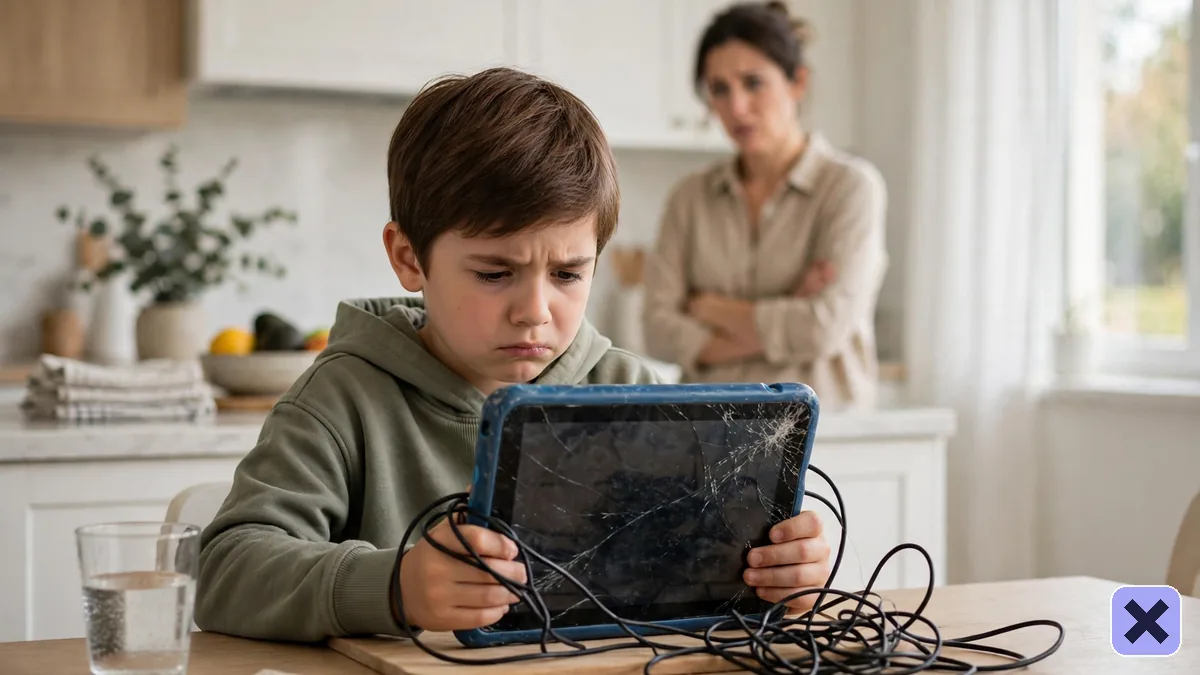
The worst tablets for kids all make the same promise: a cheap, cheerful device that will keep a child happy, learning and quiet for hours. The reality, a few weeks later, is a frozen screen, a battery that dies before lunch, a cracked corner and a child who has already lost interest.
Parents usually discover the problem too late. The tablet was a birthday present or a back-to-school buy, and by the time its flaws show up, the return window has closed. The tablet itself is rarely blamed, even though it was never good enough.
This guide looks at the worst tablets for kids honestly: the types that waste money, frustrate children and create more work for parents, plus a short checklist to use before you buy.
Key takeaways
- The cheapest tablets fail first, with slow chips, dim screens and batteries that fade within months.
- Without strong parental controls, a tablet creates more problems than it solves, however good the hardware looks.
- Storage matters: 16GB fills up after a handful of games and school apps.
- Durability is not a luxury; a thin screen and a weak case will cost you a replacement.
- Check the battery, screen, controls and warranty before you buy, not after the first crack.
Why So Many Kids’ Tablets Go Wrong
A tablet for a child has a harder job than a tablet for an adult. It gets dropped, sat on and left charging overnight, and it runs games, video calls, homework apps and streaming, often all in the same afternoon. A device built to the lowest possible price cannot keep up with that life.
The second problem is marketing: bright colours and big claims, while the specifications that decide whether the tablet works hide in small print.
The slow-chip trap
The most common flaw is a slow processor paired with too little memory. On day one it feels fine, with only one or two apps installed. After a month of games, updates and school apps, every tap takes a second to register, videos stutter and the tablet restarts without warning.
Children notice lag first, because they tap faster and switch apps more often. A tablet that cannot keep up teaches a child it cannot be trusted. When it cannot handle the basics, it belongs with the tablets that already fail at work and reading, and it has no business in a child’s hands either.
Screens built to the lowest price
A poor screen is the second giveaway. Dim panels wash out in daylight, narrow viewing angles turn the picture grey, and low resolution makes text fuzzy. Young eyes tire faster on a bad screen, and headaches follow.
Touch response matters just as much. A cheap digitiser misses taps and turns a simple drawing app into a test of patience. Parents often assume the child is pressing wrong; in truth, the screen was never accurate enough for small hands.
The Worst Tablets for Kids, by Type
Bad kids’ tablets fall into a few recognisable types. Once you know the pattern, you can spot them from the listing alone.
1. Ultra-cheap no-name tablets
These are tablets sold for the price of a family takeaway, from brands nobody has heard of and nobody can contact afterwards. They promise a big screen, a fast processor and hundreds of preloaded games. Almost none of that survives real use.
Storage is often smaller than advertised, the battery degrades quickly and updates never arrive. When something breaks, there is no warranty worth using and no support line that answers. The buyer pays for it twice, at the till and on the replacement.
2. Old tablets handed down without a reset
Handing a child your old tablet sounds sensible, and sometimes it works. It goes wrong when the device is five or six years old, the battery barely holds a charge, and the system can no longer run the apps a child needs for school. A hand-me-down that cannot install current apps is a source of daily frustration.
If you do pass one down, reset it fully and check every app your child needs still installs and updates.
3. Tablets with no real parental controls
Some tablets advertise parental controls that turn out to be a single timer and a password on purchases. That is not enough. A child needs time limits per app, content filters that work, a way to approve downloads and a dashboard a parent can check in a minute.
Weak controls create two problems: children wander into content they should not see, and parents end up policing the tablet by hand. The best kids’ tablets treat controls as a core feature, not a tick box.
4. Tablets with tiny storage and no expansion
Sixteen gigabytes sounds like plenty until you count what a child installs. A few games, a drawing app, a reading app, some downloaded videos and the system itself, and the tablet is full. Then every update fails and every new app demands that something else be deleted.
The worst pair tiny storage with no card slot, so there is no way out. Look for at least 64GB and a card slot; storage is one of the cheapest parts to include, and its absence shows where corners were cut.
5. Tablets with weak batteries and fragile screens
A kids’ tablet that dies after three hours is not portable; it lives next to a plug socket. Children use tablets in cars, on trains and in waiting rooms, and a short battery turns every outing into a negotiation about chargers.
Fragility is the matching flaw: a thin screen with no proper case cracks on the first drop, and a replacement often costs more than the tablet is worth. The same battery problem shows up across cheap devices, as the smartphones with the worst battery life show, where makers trade battery capacity for a lower price.
6. Tablets locked to one shop or one app library
Some tablets only run apps from a single small store, which may not carry the reading, maths or classroom apps your child’s school uses. The hardware might be fine, but it cannot do the one job you bought it for, because the software gate is closed.
Before you buy, check the specific apps your child needs are available. Ask the school which apps they use and search for them by name. A tablet that cannot run the school’s apps is a toy, however much it cost.
How the Worst Kids’ Tablets Compare
The table below sums up the six types. Use it as a quick reference when comparing listings side by side.
| Tablet type | Main flaw | First sign of trouble | Can it be fixed? |
|---|---|---|---|
| Ultra-cheap no-name | Slow chip, no support | Apps freeze within weeks | Rarely |
| Old hand-me-down | Dead battery, old software | Apps will not install | Sometimes, with a new battery |
| No parental controls | Weak filters and timers | Child reaches unsuitable content | Only with third-party apps |
| Tiny storage | 16GB, no card slot | Updates start failing | No |
| Weak battery, fragile screen | Short life, easy crack | Dies before lunch | Only with a tough case |
| Locked app store | Missing school apps | Needed app is unavailable | No |
What to Look for Instead
Avoiding the worst tablets is only half the job. The other half is knowing what a good kids’ tablet looks like.
Build and screen
Look for a bright screen with decent resolution, ideally full HD, and a touch panel that responds to light taps. A good bundled case with reinforced corners is worth more than a slightly larger screen, because drop protection decides whether the tablet survives its first term.
Battery and charging
Aim for at least eight hours of mixed use on a single charge, and check independent reviews rather than the maker’s claim, because makers test with the screen dimmed and nothing running. A big battery matters more than a fast charger.
Controls and content
Good parental controls let you set daily limits, approve app downloads and filter content by age, all from your own phone. They should be simple to set up in ten minutes and strong enough that a determined child cannot switch them off.
Checklist Before You Buy
Run through this list before you pay, and walk away from any tablet that fails more than one item:
- At least 64GB of storage, with a memory-card slot if possible.
- A battery rated for eight hours or more of real mixed use.
- Full parental controls: time limits, app approval and content filters.
- A bright, accurate screen and a tough bundled case.
- The school’s apps available in the tablet’s app store.
- A real warranty of at least a year, from a maker you can contact.
Mistakes Parents Keep Making
The first mistake is buying on price alone. A tablet that costs half as much and lasts a quarter as long is not cheaper; it is a replacement waiting to happen. The pattern is the same in other devices, and the budget laptops that let students down show exactly how a low price can hide weak batteries, poor screens and no support.
The second mistake is buying a tablet that is too advanced or too babyish for the child’s age. A toddler tablet bores a ten-year-old within a week, while a full adult tablet with no controls hands a young child the open internet.
The third mistake is skipping the setup. Parental controls, screen-time limits and a child profile take twenty minutes to set up, and parents who skip them spend months undoing the consequences. Set it up before you hand it over and test the limits yourself.
The fourth mistake is ignoring the warranty. A kids’ tablet should come with at least a year of cover and a clear returns window. If the seller cannot explain what happens when the screen cracks in month three, that is your answer.
Frequently Asked Questions
What is the worst tablet for kids?
An ultra-cheap no-name device with a slow processor, tiny storage and no real parental controls. It freezes, fills up and breaks early, and there is usually no support when it does.
How much should I spend on a kids’ tablet?
There is no single right price, but the cheapest tablets are usually the worst value. A mid-range tablet from a known maker, with a proper warranty and a tough case, normally costs less over two years than two cheap ones that both fail.
Is a hand-me-down tablet good enough for a child?
It can be, if it is recent enough to run current apps and the battery still holds a charge. If apps will not install or the battery dies in a few hours, it will only frustrate your child.
How much storage does a kids’ tablet need?
At least 64GB is a sensible minimum, because games, videos and school apps fill storage fast. A memory-card slot helps, but it does not make up for a tablet that starts with only 16GB built in.
Do kids really need parental controls?
Yes. Controls give a child a safe space to learn and play without wandering into unsuitable content or spending money by accident. Look for time limits, app approval and age filters.
What should my child’s tablet do if it keeps freezing?
Start by deleting unused apps and checking for updates. If it still freezes with only a few apps installed, the processor and memory are probably too weak, and no amount of tidying will fix it.
The Bottom Line
The worst tablets for kids are not hard to spot: a suspiciously low price, a slow chip, tiny storage, a dim screen, a short battery and controls that exist only on the box. Spend a little more on a known maker, check the storage, the battery and the controls before you buy, and set it up properly on day one. A good kids’ tablet should survive drops, hold a charge through a school day and give your child room to learn and play; any tablet that cannot do those three things is not worth your money.