The best cable clips for a tidy desk in 2026 are small, cheap, and easy to underestimate until you have lived without them. A charging cable that slides off the back of the desk every time you unplug your phone is a small annoyance that repeats itself several times a day. Cable clips fix all of that with a piece of plastic or metal barely bigger than a coin, holding each cable exactly where you left it so the end you need is always within reach.
A good clip does two jobs at once. It grips the cable firmly enough that the cable cannot slip through on its own, and it stays fixed to the desk when you pull the cable out. That second part is where cheap clips fail: a clip with weak adhesive peels off the desk the first time you tug a stiff cable, and a clip with a slot that is too wide lets a thin cable drop straight through.
Key Takeaways
- Adhesive clips are the best all-round choice: cheap, nearly invisible, and they hold one cable each exactly where you put them.
- Magnetic and weighted holders suit rented desks and glass tops: no adhesive, they move in seconds, and they never leave a mark.
- Match the slot to the cable. A slot sized for a thick laptop charger will not hold a thin earphone cable, and a slot sized for a thin cable will pinch a thick one.
- Place clips where your hands already go: the back edge for chargers you plug in daily, and the side edge for cables you grab on the move.
- One clip per cable beats one clip for a bundle. A clip holding three cables at once lets the one you pull drag the others with it.
What a Cable Clip Actually Does
A cable clip is the smallest unit of cable management. Where a tray hides a bundle of cables and a box hides a power strip, a clip controls a single cable at a single point. It simply stops the cable from moving where you do not want it to move, and keeps the connector end parked where you can find it without looking.
The difference between a clip and the rest of cable management matters when you are deciding what to buy. If your desk has a dozen cables running from a power strip to a monitor, a printer, and a speaker, you need a tray or a box as well, and our guide to cable organizers covers those bigger systems. But if the cables you touch every day keep disappearing behind the desk, clips alone will fix it in ten minutes for a few dollars. Clips also protect cables: a cable hanging from the desk edge bends sharply at the connector, where most cables fail, and a clip takes that weight.
The Main Types of Cable Clips
Cable clips fall into four clear families, and each one suits a different desk and a different kind of cable.
Adhesive clips: the best all-round choice
An adhesive clip is a small plastic or silicone holder with a sticky foam pad on the base and a slot, a hole, or a flexible jaw on top. You peel off the backing, press it to the desk, and push the cable into the slot.
The slot design matters more than the brand. A closed round hole holds a cable securely but makes it awkward to remove the cable, which suits a charger that lives at the desk. An open slot lets you lift the cable out with one hand, which suits a headphone cable you take with you. A silicone clip with a narrow slit grips a range of thicknesses, since the silicone flexes around thin cables and stretches for thick ones. Adhesive sticks well to smooth, clean surfaces and badly to rough wood or dusty edges, so wipe the spot clean first and give the pad a day to cure.
Magnetic and weighted holders: the best choice for rented desks
A magnetic holder pairs a small magnet inside a soft base with a metal ring or collar that wraps around the cable. The cable snaps onto the base and lifts off with a gentle pull, so it is the easiest clip to use with one hand. A weighted holder is a heavy little block with a silicone slot that sits on the desk under its own weight and holds one to three cables. Neither type uses adhesive, so both move in seconds and leave no mark at all.
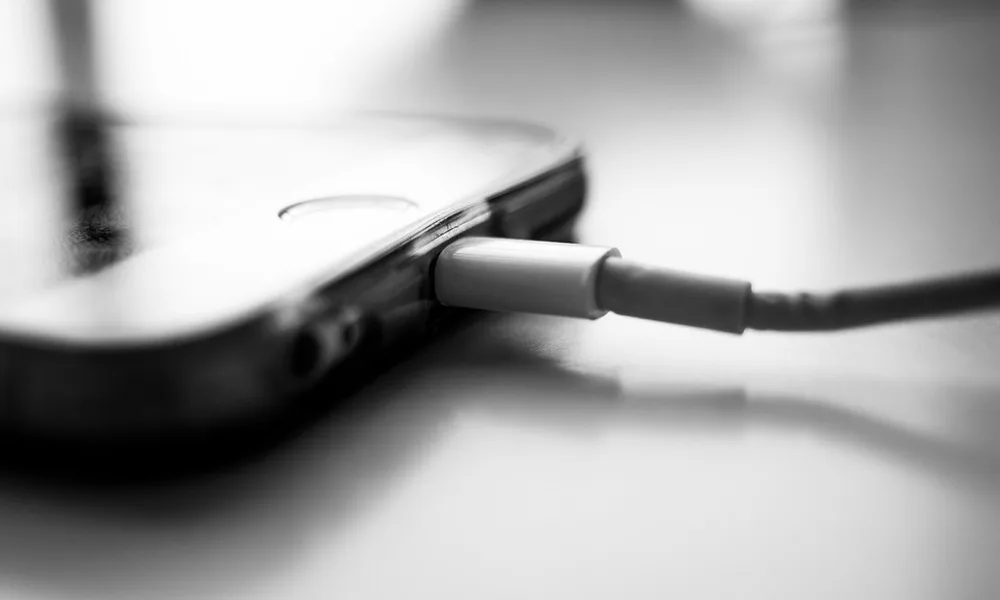
Weighted holders suit heavy cables best. A thick laptop charger pulls hard when it hangs off the desk edge, and a light adhesive clip can peel away under that weight, while a weighted base of a hundred grams or more stays put. Magnetic holders suit the cables you grab constantly, like a phone charger you plug in and unplug five times a day, because the magnet releases with a soft tug and snaps back when you set the cable down.
Nail-in and screw clips: the permanent fix
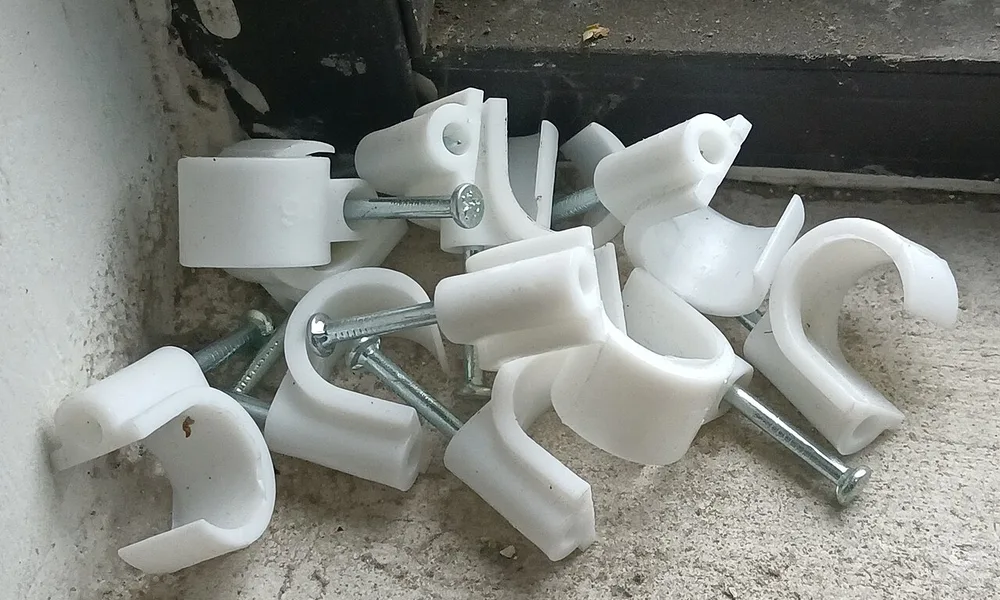
Nail-in clips are the oldest kind of cable clip, and they are still the right choice for cables that will never move. A white plastic loop with a nail through it pins a cable to a wall, a skirting board, or the underside of a desk, and once fitted it does not come off, peel, or slip. Use them to pin a monitor cable along the back of a desk or to route a lamp cord under a shelf, spacing them about thirty centimetres apart so the cable cannot sag between them. They are a poor choice for a phone charger, because you cannot lift the cable out, and a bad choice for a rented home, because every clip leaves a hole.
The binder clip trick: the free option that works
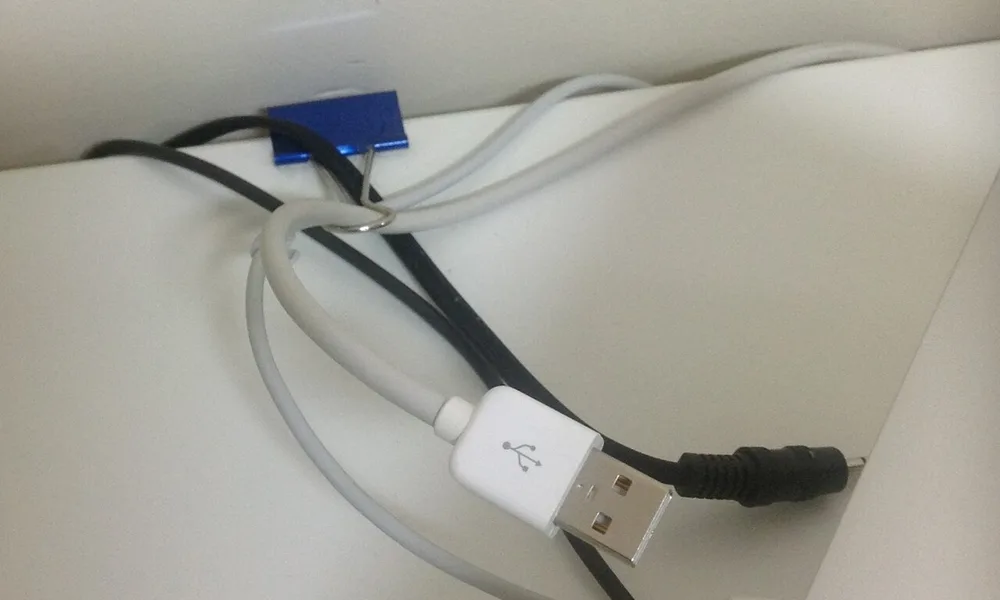
Before buying anything, try the oldest cable clip in the world: a large binder clip clamped to the edge of the desk. Thread the cable through the metal handles and it hangs in place, ready to grab, for the price of office supplies you already own. It works surprisingly well for a charging cable at a bedside table or a home office desk, and it is the fastest way to test whether clips will help before you spend money. As a free test, or as a permanent fix on a desk nobody sees, it is hard to beat.
Cable Clips at a Glance
| Clip type | Best for | Mount | Removable | Typical price |
|---|---|---|---|---|
| Adhesive clip | Everyday desk cables | Sticky foam pad | Yes, with residue | $3–$8 a pack |
| Magnetic holder | Cables you grab often | Magnet and collar | Yes, instantly | $8–$15 |
| Weighted holder | Heavy laptop chargers | Its own weight | Yes, instantly | $10–$20 |
| Nail-in clip | Fixed cable runs | Nail or screw | No | $2–$5 a pack |
| Binder clip | A free first test | Spring jaws | Yes, instantly | Almost free |
How to Match a Clip to Each Cable
Start by counting the cables you touch every day, not the cables on your desk. Most people have three or four: a phone charger, a laptop charger, a headphone cable, and perhaps a cable for a watch or earbuds. Those are the cables that need clips. The cables you never touch, the monitor power cord, the printer lead, the speaker cable, belong in a tray or a sleeve instead.
Next, measure the cables. A thin earphone cable is about three millimetres across, a standard phone charging cable about four, and a thick braided laptop charger six or more. A clip slot should grip the cable snugly without crushing it. If you can slide the cable through the slot without resistance, the slot is too big and the cable will fall out; if you have to force the cable in and the jacket bulges, the slot is too small and it will pinch the wires inside.
Where to Place Cable Clips
Placement decides whether clips feel invisible or annoying. The rule is simple: put the clip where your hand already goes, and nowhere else.
The back edge of the desk is the home for chargers. Clip the charger at the back edge so the connector rests on the desk, with just enough slack to reach your phone where it sits. If you charge through a hub, our guide to the best USB hubs will help you pick one with enough ports to keep the chargers in one place, and a clip beside each port keeps the cables from tangling at the hub itself. The side edge suits the cables you grab on the move: a headphone cable clipped to the left edge is there when you sit down and out of the way when you stand up.
Under the desk is the place for the cables you never touch. A row of adhesive or nail-in clips along the underside of the desktop carries the monitor cable, the speaker lead, and the lamp cord from one side to the other without any of them touching the floor. If the surface itself needs work, our guide to the best desk organizers covers the trays, stands, and holders that complete the picture.
The bedside table deserves its own clip too. A phone charger that falls behind it at night is a daily annoyance, and a single adhesive clip on its back edge fixes it for good.
Checklist: A Tidy Desk in Ten Minutes
- Count the cables you touch daily and buy one clip per cable, plus two spare.
- Match the clip slot to each cable: small clips for thin cables, large clips for laptop chargers.
- Wipe every sticking spot clean and dry before pressing an adhesive clip down.
- Clip chargers at the back edge, daily cables at the side edge, and fixed cables under the desk.
- Leave a little slack at both ends of every clipped cable so a moved device never yanks the connector.
- Wait a day before loading a new adhesive clip with a heavy cable.
Frequently Asked Questions
How many cable clips does a desk need?
Most desks need between four and eight clips. Count the cables you touch every day, add one clip for each, and add two more for the fixed cables running under the desk.
Do adhesive cable clips damage desks?
Good adhesive clips rarely damage a finished desk, but they can lift varnish from cheap or unfinished wood and they often leave a sticky residue.
What is the best cable clip for a thick laptop charger?
A weighted holder is the best choice for a thick laptop charger, because it holds the weight without relying on adhesive. A large adhesive clip with a wide foam pad is the next best option.
Can cable clips hold several cables at once?
Some holders are designed for two or three cables, but a single-cable clip should hold one cable only. Overloading a clip is the most common reason clips fail.
Where should I put cable clips on my desk?
Put chargers at the back edge where the connector can rest on the desk, cables you grab often at the side edge near your hand, and fixed cables under the desktop.
Are magnetic cable holders safe for my devices?
Yes, for charging and data cables. The magnets in cable holders are small and far too weak to damage a phone, a laptop, or a cable.
The Bottom Line
The best cable clips for a tidy desk in 2026 are the ones matched to your cables, your desk, and your habits. Adhesive clips suit most desks and most cables, magnetic and weighted holders suit rented desks and heavy chargers, and nail-in clips suit the fixed runs that never move. Buy one clip per cable, match the slot to the cable, stick it where your hand already goes, and give the adhesive a day to cure. Ten minutes and a few dollars later, the cable you need is always within reach.