
Cable organizers are the unglamorous fix for one of the most annoying problems in any home office: the slow, creeping tangle of chargers, monitor cables, and power bricks that turns a clean desk into a knot. A good cable organizer does not just hide the mess. It gives every cord a fixed route from plug to device, so cables stop snagging and connectors stop bending. In 2026 the options have settled into a few clear families, and choosing between them is mostly a matter of counting your cables.
Key Takeaways
- Count your cables first: most desks need room for six to ten cords.
- Clips suit the cables you touch daily, while boxes and trays suit the power strip and the cables you never move.
- Sleeves bundle cables that share a route; they hide clutter but make it harder to swap one cable later.
- Under-desk trays are the best single upgrade for a fixed desk.
- Leave slack at both ends of every cable, so a moved monitor never yanks a connector.
Why Cables Take Over Every Desk
A modern desk accumulates cables quietly. A monitor brings a power cord and a video cable, a laptop adds a charger, then come a phone charger, a headset, a keyboard, a desk lamp, and a speaker. None is a problem alone; together they form a mat under the desk that collects dust, catches feet, and turns moving a monitor a few centimetres into a ten-minute untangling job.
Tangled cables are more than untidy. A cable pulled tight at its connector frays faster, and a frayed charging cable can fail without warning. Organizing them protects the cables, keeps the floor safe, and makes the desk easier to clean.
The Main Types of Cable Organizers
Most desks benefit from two types working together: clips for the cables you touch, trays and boxes for the rest, and sleeves for the run between the two.
Adhesive Clips and Holders
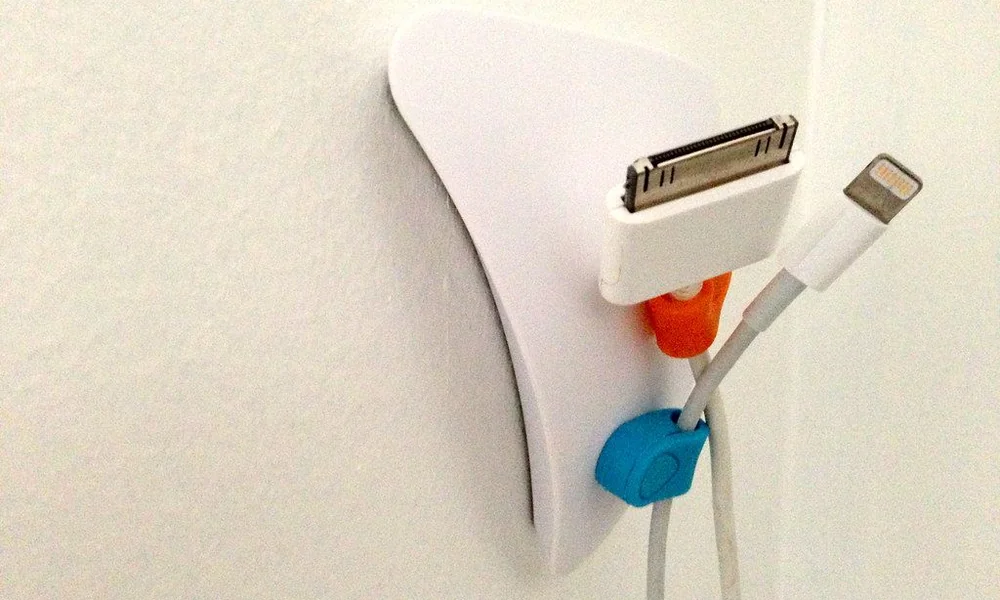
Clips are the smallest and cheapest organizer, and often the most useful. A small adhesive clip sticks to the back edge of a desk and holds one or two cables, so a charging cable stays within reach instead of sliding behind it. Magnetic holders do the same job with a weighted base, which suits rented desks or glass tops.
Clips suit cables you plug and unplug daily: phone chargers, headset cables, and the USB lead for a camera. They cannot hold heavy cables or too many at once, since an overloaded clip pops off and takes the cables with it.
Braided Sleeves and Spiral Wrap
A sleeve gathers several cables that run the same route into a single neat tube. Braided sleeves zip around the bundle, while spiral wrap winds around it like a coil. Both turn four loose cables into one tidy trunk, which stops cables snagging on each other.
Sleeves work best on cables that rarely change: the monitor power and video cables, the speaker lead, and the lamp cord that all run down the same desk leg. They are a poor choice for cables you swap often, because adding or removing one cable means opening the whole sleeve.
Cable Management Boxes
A cable management box is a lidded box, usually plastic or wood, that hides a power strip and its plugs inside, with slots at each end for the cables you need. It is the simplest way to deal with the ugliest part of any desk: the power strip with six plugs and three bulky adapters.
Choose a box large enough for your power strip plus two or three chunky adapters, and check the ventilation, since a sealed box around warm adapters can trap heat. Place it at the back of the desk with the slots facing the devices, and keep the lid accessible so you can reach the power switch.
Under-Desk Trays and Raceways
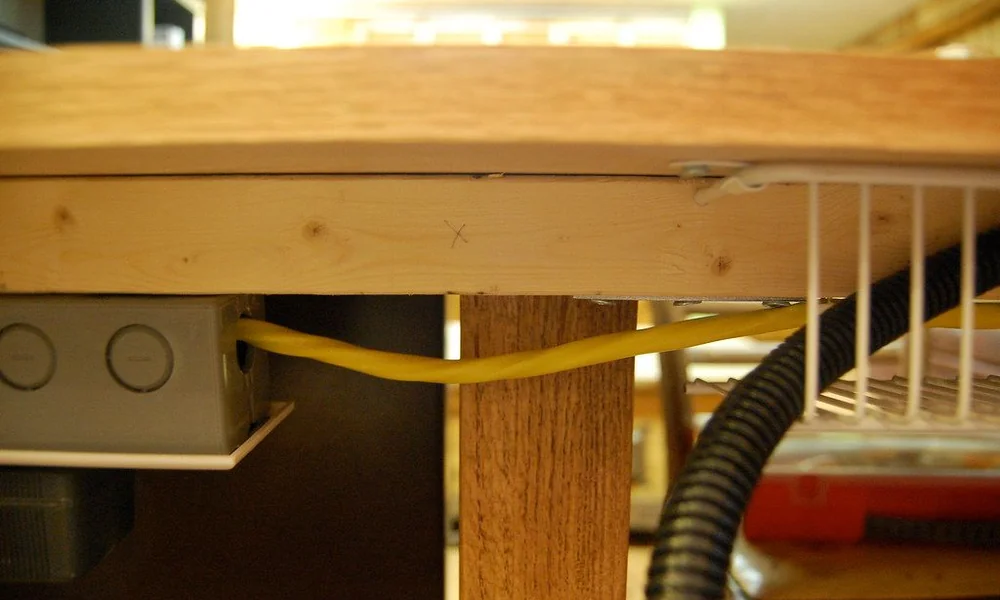
Under-desk trays are metal or plastic baskets that screw or clamp beneath the desktop and hold the power strip and its cables off the floor. Raceways are the slimmer cousin: a channel along the back of the desk that guides cables from one end to the other. Together they take the whole power layer out of sight and away from feet and chair wheels.
Trays suit fixed desks where the setup rarely changes. Installation takes twenty minutes and a willingness to work upside down, but the result lasts for years. Check the tray length against your power strip, and make sure bulky adapters can sit flat. Raceways suit desks against a wall, where cables drop straight down behind the desk.

Ties, Straps, and Velcro Rolls
Sometimes the simplest organizer is the best. Reusable Velcro ties and silicone straps coil each spare cable into a neat loop, so the cables in a drawer stop tangling. A roll of Velcro tape is cheap, can be cut to any length, and can be re-opened hundreds of times, unlike single-use zip ties.
Straps are a supporting act rather than a system on their own. Use them to coil spare cables and to bundle the slack of a cable that is too long. Avoid pulling ties drum-tight, since a cable coiled too tightly can develop a kink.
Travel Pouches and Cases
Not every cable lives at a desk. The cables you carry, for a laptop, a phone, earbuds, and a power bank, need a pouch or case that keeps them protected and easy to find inside a bag. A slim pouch suits a light packer, while a structured double-layer case suits a full tech kit.
If you travel regularly, keep the travel kit separate from the desk kit, so you never arrive at a hotel and realize the charger you need is clipped to the back of your desk at home. Our guide to the best travel organizers for cables compares pouches, cases, and roll-up wraps in detail.
Desk vs Travel: Which System Fits Your Life
The first decision is where your cables actually live. A desk system is fixed: trays screwed under a desktop, a box behind the monitor, clips along the back edge. A travel system is portable: a pouch that moves from bag to hotel desk and back, built to protect cables and keep them findable.
Most people need a little of both. If you work from the same desk five days a week, spend your money on the desk: a tray, a box, and a pack of clips will transform the room you live in. If you work from cafés and hotel rooms, a good travel case matters more, because it is your desk, carried with you.
How to Choose: Capacity, Materials, and Fit
Start by counting. Unplug everything, lay the cables out, and count them, including the ones behind the monitor. Most home desks have six to ten cables; a gaming desk can have twelve or more. Then add two spare slots, because a new device always arrives sooner than expected.
Powder-coated steel trays are the strongest and suit heavy power strips, while plastic trays are lighter and cheaper but can sag under a full load. Check the fixings: screw or clamp trays to a solid desktop and use adhesive only for light clips.
Fit is the detail buyers most often get wrong. Measure the power strip before buying a box or tray, and check that the slots in a cable box are wide enough for the thickest cable you own. If you are still choosing the furniture, our guide on how to choose an office desk that fits your work covers the features that make organization easy from the start. And if the tangle is really a shortage of ports, a hub can cut the cable count itself, as our guide to the best USB hubs explains.
Cable Organizers Compared
| Organizer Type | Best For | Capacity | Install Effort | Price Range |
|---|---|---|---|---|
| Adhesive clips and holders | Daily-use charging cables | 1–2 cables each | Peel and stick | Budget |
| Braided sleeve or spiral wrap | Cables sharing one route | 3–6 cables | Wrap by hand | Budget |
| Cable management box | Hiding a power strip | One strip, 5–8 plugs | Place and plug in | Budget to mid-range |
| Under-desk tray | Fixed desks, full setups | Strip plus spare cables | Screw or clamp | Mid-range |
| Raceway channel | Desks against a wall | 4–8 cables | Screw or stick | Budget to mid-range |
| Velcro ties and straps | Spare cables and slack | Unlimited, one by one | Wrap by hand | Budget |
| Travel pouch or case | Cables on the move | 3–10 cables | Pack and go | Budget to mid-range |
Setting Up Your Cable System in an Afternoon
Good cable organization is a project, not a purchase. The organizers are only the last step; the sorting comes first. Set aside an afternoon, and work through the desk in order rather than buying a box and hoping it fixes itself.
First, unplug everything and sort the cables into three piles: daily use, weekly use, and the ones you cannot identify or have not used in a year. The third pile should leave the desk entirely. Most desks surrender at least two mystery cables here, and every cable you remove is one less to organize.
Next, route the daily cables before you tidy them. Plug the power strip into the tray or box first, then run each cable along its natural path: monitor cables down the back of the desk, charging cables up through a clip at the desk edge. Leave a gentle loop of slack at both ends of every cable, so moving a monitor never yanks a connector. Only when the routes are right should you bundle, sleeve, or clip anything into place.
Checklist: Before You Buy
- Count every cable at the desk, then add two spare slots for the next device.
- Measure the power strip and the thickest adapter before choosing a box or tray.
- Check the desk material: screws suit solid wood, clamps suit thin tops, adhesive only light clips.
- Separate the cables you touch daily from the ones you never move, and organize each group differently.
- Leave slack at both ends of every cable so nothing pulls tight when a device moves.
- Keep the travel kit separate, so the cables you carry never get stranded at the desk.
Frequently Asked Questions
What is the best type of cable organizer for a home office desk?
For a fixed desk, an under-desk tray paired with a cable management box is strongest: the tray lifts the power strip off the floor, the box hides the plugs, and clips keep the daily chargers within reach.
Are cable management boxes safe?
Yes, when used sensibly. Choose a box with ventilation slots, do not overload the strip inside it, and keep the box accessible so you can reach the switch. Never hide a strip that feels hot.
How do I stop cables falling behind my desk?
Adhesive clips or a magnetic holder along the back edge of the desk will hold charging cables when they are unplugged. For heavier cables, route them through a tray or raceway so their weight is supported.
Do I need a cable organizer if I only have a laptop?
Probably not a full system. A single clip for the charger and a Velcro strap for the spare cable are enough for a one-device desk, until a monitor or hub joins it.
Can I organize cables on a glass or rented desk?
Yes. Use clamp-on trays, magnetic holders with weighted bases, and adhesive clips that peel off cleanly. Never drill into a desk you do not own, and test one clip for a week before buying a full set.
How often should I re-check my cable setup?
A quick check every few months is enough. Look for cables that slipped out of their clips and any cable that has gone tight after a device moved; a five-minute reset each season keeps the system working.
Bottom Line
Cable organizers work when they match the desk. Count your cables, hide the power strip in a box or a tray, keep the daily chargers on clips, and sleeve only the cables that share a route.


