A kids tablet is not a small adult tablet. It is a different device with a different job: it has to survive being dropped on a hard floor, keep a child inside safe content, hold a charge through a long afternoon, and still be simple enough that a five-year-old can find a favourite story without asking for help every two minutes. The best kids tablets of 2026 do all of that without feeling like a toy that will be forgotten in a week, and the worst ones fail on the basics long before the screen ever impresses anyone.

What Makes a Kids Tablet Different
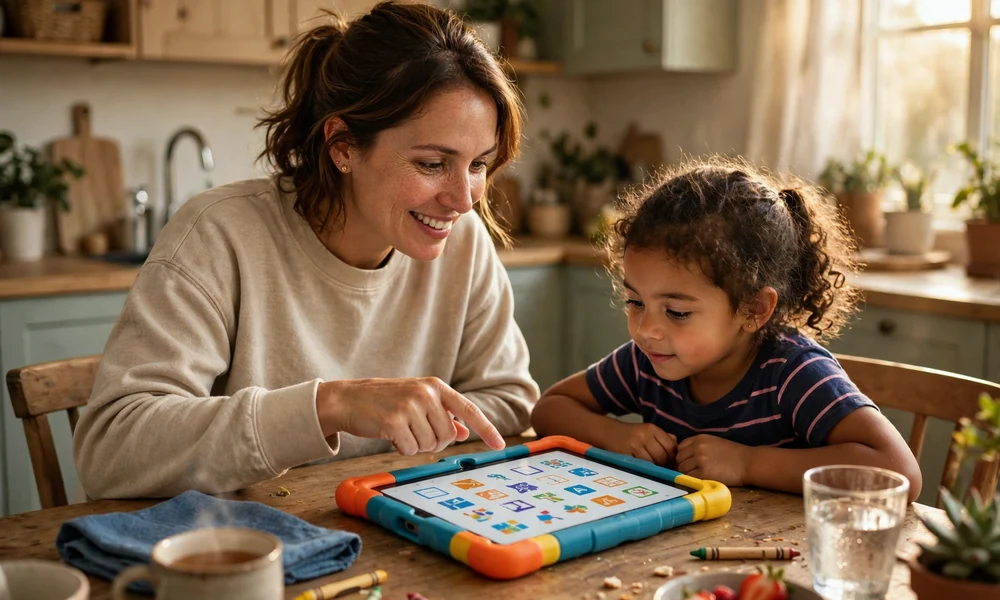
A general tablet is designed for an adult who will look after it. A kids tablet assumes the opposite. It assumes the tablet will be dropped, sat on, carried by one corner, left in the car on a hot day and handed over with sticky hands. The case is therefore not an accessory. It is part of the tablet. The best kids tablets come with a thick bumper case in the box, with raised corners, a grippy texture and a handle or stand that a child can actually use.
Parental controls are the third difference, and they are the one most parents underestimate. A time limit that can be switched off by a child is not a control. A content filter that lets through anything is not a filter. The best kids tablets treat controls as a core feature: daily time limits, bedtime cut-offs, age filters for content, purchase blocks and a clear report that shows what the child actually did. If you want a tablet for yourself as well, our guide to the best tablets of 2026 covers the wider market, but for a child the controls matter more than the processor speed.
How to Choose: The Five Things That Matter Most
Start with durability. Look for a thick silicone or foam bumper, raised edges around the screen and corners that absorb a drop. A tablet that survives a fall onto tiles is worth far more than a tablet with a slightly sharper screen that cracks the first time it slips. Ask whether the maker offers a screen replacement or a breakage guarantee, and how easy it is to claim. A two-year promise that takes six weeks and a posted form to use is not the same as a straightforward replacement.
Next, look at the screen. It should be bright enough to read near a window, with colours that look natural rather than washed out, and a size that suits the child. For most children, an eight-inch screen is the sweet spot: big enough for books and drawing, small enough to hold with two hands. A ten-inch screen suits older children who read and do homework on it, but it is heavier and harder for a younger child to carry. Resolution matters less than brightness and viewing angle, because a child rarely sits square in front of a tablet.
Battery life comes third. A kids tablet should last a full day of normal use, which in practice means at least eight hours of video and reading mixed together. Anything less means the tablet lives next to a charger, and a tablet that is always charging is a tablet that is always in one room. Check how long it takes to charge fully as well. A tablet that takes five hours to charge will still be flat at breakfast if it was plugged in at bedtime.
Storage is fourth, and it is easy to get wrong. Children’s apps, downloaded videos and school files fill storage quickly, and a tablet with only a small amount of built-in storage will start complaining within months. Look for enough room for the apps your child already uses, plus space for offline videos for journeys, and check whether a memory card can add more. A tablet that cannot grow with a child becomes a source of daily deletion arguments.
Finally, check the content library. A kids tablet is only as good as what is on it. The best ones come with a library of books, videos and learning apps that is updated regularly and matched to the child’s age. A thin library means you will be buying or finding content yourself, which is fine if you enjoy that, but it removes one of the main reasons for choosing a kids tablet in the first place.
The Best Kids Tablets by Age
For children aged three to five, simplicity wins. The tablet should have very large icons, a home screen with only a handful of choices, a sturdy case with a handle, and a strict content lock. Voice search helps, because young children cannot type. A front camera for video calls with grandparents is a bonus, but a rear camera matters less at this age. Keep the storage modest and the screen bright, and choose a tablet that can be handed over without a lesson in how to use it.
For children aged nine to twelve, the tablet needs to grow up. Schoolwork means documents, research and typing, so a larger screen and a keyboard case become worth considering. The child will want to message friends, watch videos and play more demanding games, so the processor and storage need to be stronger. Controls should shift from locking everything down to guiding choices: time limits, content filters and a conversation about what is appropriate, rather than a wall the child will try to climb over.
Drop-Proofing: Cases, Screens and Real-World Survival
No kids tablet is truly unbreakable, but the best ones come close in everyday use. The difference is in the details. A good bumper case wraps the corners, leaves the buttons easy to press and the charging port easy to reach, and adds grip without adding so much bulk that the tablet becomes a brick. A bad case makes the tablet heavier, hides the speakers and comes off every time the tablet is dropped.
Our guide to tablet cases that actually survive a drop looks at this in detail, and it is worth reading before you buy a case separately. A case bought after the tablet should fit tightly, leave the camera clear and not block the microphone, because a case that muffles video calls will be taken off and left in a drawer.

Parental Controls and Screen Time That Actually Work
Set up the controls before the child ever holds the tablet. This is the single most useful piece of advice in this guide. A tablet that is handed over unlocked, with the promise that controls will be set later, rarely gets locked down at all, because by then the child has found the settings menu and the parent has found something else to do.
Start with a parent profile and a child profile. The parent profile holds the password, the payment details and the app store. The child profile holds only what you have approved. Set a daily time limit that matches your routine, and a bedtime after which the tablet will not open games or videos. Turn off in-app purchases completely. Then test it yourself: try to open the browser, try to buy something, try to change the time limit as the child would. If you can get past the controls in two minutes, so can they.
Learning, Reading and the Apps Worth Having
The best kids tablets earn their place by what they teach, not just by what they play. Reading is the strongest use. A tablet that makes books easy to find, easy to read and easy to finish will be used far more than one that hides books behind three menus. Look for a library that lets a child choose by interest, not just by reading level, and for a read-aloud mode for younger children that highlights words as they are spoken.
For reading specifically, a dedicated reader can be a useful companion to a tablet, and our guide to the best Kindles of 2026 explains when a simple e-reader suits a child better than a full tablet. A child who reads for pleasure may prefer the lighter, distraction-free reader for bedtime, while keeping the tablet for homework and creative apps during the day.
Battery, Storage and Everyday Practicalities
Charging should be simple. A standard charging cable that the family already owns is far better than a special cable that only fits this tablet and will be lost by February. If the tablet charges slowly, set a routine: charge it overnight, or during homework time, so it is ready when it is needed. A tablet that is always at ten per cent is a tablet that causes arguments.
What to Avoid When Buying a Kids Tablet
Avoid tablets with no parental controls at all. A cheap adult tablet with a colourful case is not a kids tablet, no matter what the box says. Without controls, the child has the whole internet in their hands, and the parent has no way to set limits. The saving is never worth the worry.
Avoid tablets with tiny storage and no way to expand it. A child who cannot download a book for a journey, or who has to delete a favourite game to make room for a school app, will stop using the tablet for the things that matter. Storage is cheap for makers to add and expensive for families to live without.
Setting It Up on Day One
Unbox the tablet together, and make the setup part of the fun. Let the child choose the case colour and the profile picture, and let them pick the first three apps from a shortlist you have already approved. A child who helped set up the tablet will look after it better than a child who was simply handed it.
Then set the rules together. Agree when the tablet can be used, where it can be used and what happens when time runs out. Write the rules down and stick them on the fridge. A rule that is agreed is a rule that can be kept, and a rule that is imposed without discussion will be tested within a day.
Frequently Asked Questions
Do kids really need parental controls? Yes. Controls are not about distrust; they are about making the tablet safe to use without constant supervision. A child cannot judge what is appropriate online, and a parent cannot watch every minute. Controls fill that gap, and they work best when the child understands why they are there.
Can a kids tablet replace a laptop for school? For younger children, yes, for most schoolwork. For older children, a tablet can handle reading, research and many assignments, but a laptop is better for long typing and complex projects. Many families end up with both, using the tablet for reading and creativity and the laptop for written work.
The best kids tablet is the one that fits your child, your routine and your rules. Choose a tough case, strong controls, a bright screen and a battery that lasts the day, and the tablet will be used for years rather than weeks. Choose on price alone, and you will be choosing again far sooner than you planned.