
Finding the best laptops in 2026 is harder than it used to be, not because good laptops are rare, but because there are so many of them. The best laptop for you is the one that fits the way you actually work, study and relax, at a price you can live with.
The best laptops of 2026 share a few qualities that matter far more than the marketing. They start quickly, they stay cool and quiet on your lap, their screens are easy on the eyes for long sessions, and their batteries last a full working day without hunting for a socket. Whether you spend your days writing, editing video, running a small business or streaming films on the sofa, there is a machine in this guide that will do the job without fuss.
This guide compares the strongest all-purpose laptops of 2026 across every budget, from affordable everyday machines to powerful premium models, with honest advice on what to buy, what to skip, and how to choose with confidence.
Key Takeaways
- Buy for your real workload: most people need a fast everyday laptop, not a workstation.
- Look for at least 16GB of memory and a 512GB solid-state drive in 2026.
- Battery life matters more than raw speed for most buyers — aim for 12 hours or more.
- A bright, sharp screen makes a bigger daily difference than a slightly faster chip.
- Check weight, keyboard comfort and ports before you buy, because you live with them every day.
How to Choose the Best Laptop in 2026
Before you compare models, take five minutes to think about how you will actually use the machine. A laptop is a daily tool, and the right choice depends on your routine far more than on any benchmark chart. Write down the three things you do most on a computer, and let that list drive every decision that follows.
Start With Your Workload
Most buyers fall into one of three groups. Everyday users browse, email, stream, write documents and join video calls, and any modern mid-range laptop handles all of that easily. Creative users edit photos and video, design, or run demanding software, and they need a stronger processor, more memory and a colour-accurate screen. Power users run code, virtual machines or large data sets, and they need serious processing power and plenty of storage. Buying a machine built for a heavier workload than yours wastes money; buying one built for a lighter workload wastes your time.
Memory and Storage: The Two Numbers That Matter Most
In 2026, 16GB of memory is the sensible minimum for a laptop you plan to keep for three or four years. It keeps dozens of browser tabs, video calls and office apps running smoothly at the same time, and it is the single upgrade that makes the biggest difference to how fast a laptop feels. Storage should be a 512GB solid-state drive at minimum, because a 256GB drive fills up fast once you add photos, apps and a few large files. A fast solid-state drive also means the laptop starts in seconds and opens apps almost instantly, which is something you will notice every single day.
Screen, Keyboard and Weight
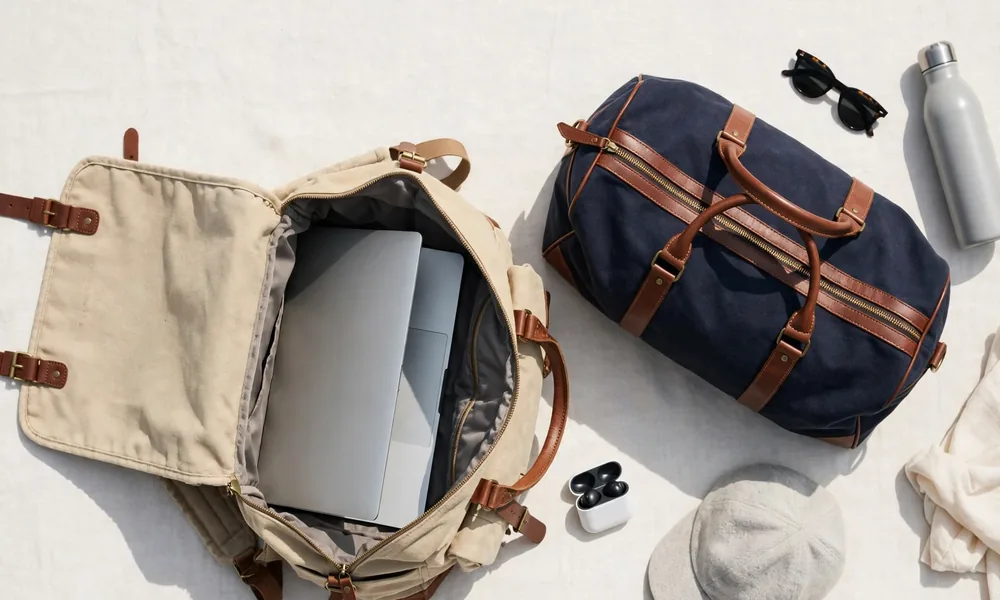
You look at the screen and touch the keyboard more than any other part of the laptop, so do not treat them as afterthoughts. A sharp, bright display with at least full high-definition resolution is worth paying for, and a screen that reaches 400 nits of brightness stays readable near a window or outdoors. The keyboard should feel solid and comfortable, with keys that travel nicely and a trackpad that tracks smoothly. Weight matters too: anything under 1.4 kilograms disappears into a bag, while machines over 2 kilograms start to feel like a commitment every time you carry them. If you travel a lot, pair your laptop with a good carry setup — our guide to the best backpacks for laptops covers bags that protect your machine properly.

Best Everyday Laptops in 2026
The everyday laptop is the sweet spot of the 2026 market. These machines cost less than premium flagships, yet they handle the work most people actually do — browsing, documents, streaming, video calls and light photo editing — without breaking a sweat. They are also the laptops with the best battery life, because their efficient chips sip power instead of gulping it.
What Makes a Great Everyday Laptop
A great everyday laptop wakes instantly, runs silently, and lasts all day. Look for a modern efficient processor, 16GB of memory, a 512GB drive, and a screen you enjoy looking at. Build quality matters more than brand badges: a solid aluminium body survives years of daily use, while a flimsy plastic shell starts to creak and flex within months.
Best Premium Laptops in 2026
Premium laptops are for people who want the best of everything: the brightest screens, the fastest chips, the thinnest bodies and the finest materials. They cost more, but they also last longer, hold their value better, and make every interaction feel a little more polished. In 2026 the gap between premium and mid-range laptops is narrower than ever, so the decision comes down to how much you value the details.
Performance and Screens Worth Paying For
The strongest premium laptops of 2026 pair powerful processors with high-refresh, colour-accurate displays that make photo editing, video work and even simple scrolling feel noticeably better. If you edit video, design graphics, or simply want a machine that will still feel fast in four years, a premium laptop is a sound investment.
When Premium Is Overkill
Best Budget Laptops in 2026
Budget laptops have improved more than any other category in recent years. The cheapest good laptops of 2026 are genuinely usable machines, not the slow, plastic compromises of the past. They run the same apps, open the same websites and join the same video calls as machines costing three times as much — they just do it with a little less polish.
What to Accept and What to Avoid
At the budget end, accept a slightly heavier body and a dimmer screen. Do not accept 8GB of memory or a slow old-style hard drive: both will make the laptop feel sluggish within a year. The best budget laptops of 2026 come with a modern efficient chip, 8GB or preferably 16GB of memory, and a solid-state drive. Anything less is a false economy, because you will replace the machine far sooner.
Best Budget Picks for Students and Families

Best Laptops for Battery Life in 2026
Battery life is the feature buyers underestimate most and appreciate most. A laptop that lasts fourteen or sixteen hours changes how you work: you stop planning your day around sockets, you work from the garden, the train or the cafe, and you never lose work to a dead battery in the middle of a call. In 2026, the longest-lasting laptops are not the most expensive ones — they are the ones with the most efficient chips.
How Battery Life Is Really Measured
Manufacturers quote battery life from gentle video playback, not real work, so treat the headline number with scepticism. A laptop rated at eighteen hours might deliver twelve in real use with brightness up, Wi-Fi on and a dozen apps running. Read independent tests, look for real-world figures, and remember that a bright screen and a powerful chip both drain the battery faster.
Best Laptops for Working From Home
Working from home puts different demands on a laptop. The machine sits on a desk for eight hours a day, joins back-to-back video calls, and shares space with a second screen, a keyboard and a mouse. Comfort and connectivity matter more than portability, and a good webcam and microphone matter more than a fast graphics chip.
Setting Up a Home Office Laptop
Choose a laptop with a sharp webcam, clear microphones and good speakers, because your colleagues hear and see you through them all day. Plenty of ports help too: a machine with two USB-C ports, a USB-A port and an HDMI output connects to monitors and accessories without a tangle of adapters. A larger screen, fourteen inches or more, reduces eye strain during long days, and a comfortable mouse makes long sessions far easier — see our roundup of the best wireless mice for laptops. If you are still deciding between a laptop and a desktop for your home office, our comparison of laptops versus desktops for the home office breaks down the trade-offs clearly.
Best Laptops Compared
| Laptop Type | Best For | Typical Price | Battery Life | Key Strength |
|---|---|---|---|---|
| Everyday laptop | Most people, home and office | $600–$1,000 | 12–16 hours | Great value, all-day battery |
| Premium laptop | Creators, professionals | $1,400–$2,500 | 10–15 hours | Best screens and performance |
| Budget laptop | Students, families, second machine | $350–$600 | 8–12 hours | Low cost, genuinely usable |
| Long-battery laptop | Travellers, remote workers | $700–$1,300 | 14–18 hours | Freedom from chargers |
| Home office laptop | Remote workers | $700–$1,500 | 10–14 hours | Great webcam, ports and screen |
| Performance laptop | Video editing, coding, design | $1,200–$2,800 | 7–11 hours | Serious speed for heavy work |
Best Laptops Buying Checklist
- Write down your three most common tasks before you look at any model.
- Choose 16GB of memory and a 512GB solid-state drive as your minimum.
- Check real-world battery tests, not just the manufacturer’s headline figure.
- Try the keyboard and trackpad in a shop if you possibly can.
- Confirm the ports match your monitor, charger and accessories.
- Check the warranty, return policy and repair options before you pay.
Frequently Asked Questions
What is the best laptop for most people in 2026?
For most people, the best laptop in 2026 is a mid-range everyday model with a modern efficient processor, 16GB of memory, a 512GB solid-state drive and a bright 14-inch screen. It handles browsing, office work, streaming and video calls easily, lasts all day on battery, and costs far less than a premium flagship.
How much should I spend on a laptop in 2026?
Most buyers should spend between $600 and $1,000 for an everyday laptop that will last three to four years. Budget buyers can find good machines from around $400, while creators and professionals who need maximum performance should expect to pay $1,400 or more.
Is 16GB of memory enough for a laptop in 2026?
Yes, 16GB is enough for almost everyone in 2026, including heavy multitaskers with dozens of browser tabs open. Only video editors, developers running virtual machines, and people working with very large files genuinely need 32GB, and those buyers usually know it already.
How long should a laptop battery last?
A good laptop in 2026 should deliver at least 10 hours of real-world use, and the best efficient models reach 14 hours or more. If a laptop cannot manage a full working day away from a socket, its battery is below the standard you should accept.
Should I buy a laptop or a desktop for working from home?
A laptop is the better choice for most home workers because it moves between rooms, travels when you do, and takes up less space. A desktop only wins if you need maximum performance for the money, a huge screen setup, or a machine that never leaves your desk.
When is the best time to buy a laptop?
The best deals usually appear during back-to-school sales, Black Friday and the weeks after new models launch, when previous-generation machines drop in price. If you need a laptop now, buy now: waiting for a sale that may not come costs more in lost productivity than it saves.
The Bottom Line
The best laptops of 2026 are not the fastest or the most expensive machines — they are the ones that fit your life. Start with what you actually do, choose 16GB of memory and a 512GB drive, pick a screen and keyboard you enjoy using, and make sure the battery lasts a full day. Do that, and whichever category you buy from — everyday, premium, budget or long-battery — you will end up with a laptop that quietly does its job for years.


