
MagSafe Chargers That Actually Earn Their Place on Your Desk in 2026
MagSafe chargers are Apple’s answer to the most annoying part of wireless charging: the phone that slips a few millimetres off the coil overnight and wakes up barely charged. A ring of magnets in the back of the iPhone snaps the charger into exactly the right place every time, and a whole ecosystem of pucks, stands, wallets, cases and car mounts is built around that snap.
This guide covers the MagSafe system only: the chargers that use Apple’s magnetic ring, what they do well, and which one suits a desk, a bedside table, a car, or a travel bag. If you own an iPhone 12 or later, MagSafe is the most convenient way to charge it. If you own an Android phone, a general wireless pad is the better buy.
Key Takeaways
- MagSafe is Apple’s magnetic wireless charging for iPhone 12 and later. The magnets snap the charger into perfect alignment.
- Most MagSafe chargers deliver up to 15W, and the newest iPhones reach 25W with a 30W adapter, which is often sold separately.
- A puck is the simplest choice, a stand is the best desk choice, and a 3-in-1 station is the best bedside choice.
- Thick cases and metal plates can weaken the magnetic hold. A MagSafe case keeps the full snap.
- MagSafe is slower than a cable and creates more heat. For the fastest top-up, plug in; for overnight charging, MagSafe wins on convenience.
How MagSafe Actually Works
MagSafe charging works through induction, like any wireless charger: a coil in the charger creates a magnetic field, and a coil in the phone turns that field back into power. The difference is the ring of magnets around the coil in both the phone and the charger. When you bring the puck close to the back of the phone, the magnets pull it into exactly the right position and hold it there, so the coils line up and the phone charges at full wireless speed.

Alignment is the whole point. On a flat pad without magnets, a phone that slides a few millimetres sideways can charge slowly or not at all, and you only discover it in the morning. With MagSafe, the snap tells you the phone is in place, and the magnets keep it there if the table gets bumped. Qi2 has since brought magnetic alignment to other phones too, but MagSafe remains the Apple system.
Speed is the trade-off. Most MagSafe chargers deliver up to 15 watts, fast enough for overnight charging and daytime top-ups, but slower than a 20W or 30W cable. The newest iPhones can reach 25W with a 30W adapter. Heat is the other factor: wireless charging creates more heat than a cable, so the best MagSafe chargers ease the power back when the phone gets warm.
MagSafe vs Ordinary Wireless Charging
Our general guide to the best wireless chargers covers every kind of pad and stand for every phone, from Qi2 pads for Android to 3-in-1 stations for a whole bedside. This guide is narrower: only Apple’s magnetic MagSafe system. If you own an iPhone and want the magnetic snap, the wallet that clicks on, and the stand that holds the phone upright, this is the guide for you.
The practical difference is the magnet. A Qi2 pad will charge an iPhone, and a MagSafe puck will charge some Qi2 Android phones, but the hold is strongest between Apple’s puck and an iPhone’s built-in ring. Accessories are the second difference: only MagSafe gives you the snap-on wallet, the magnetic car mount, and the battery pack that clicks onto the back of the phone. A plain pad charges a phone; MagSafe turns its back into a mounting point.
MagSafe Chargers Compared
| MagSafe type | Best for | Typical speed | Devices at once |
|---|---|---|---|
| MagSafe puck | Bedside and general use | Up to 15W, 25W newest | 1 |
| MagSafe stand | Desks and video calls | Up to 15W, 25W newest | 1 |
| 3-in-1 station | Phone, watch and earbuds | Up to 15W per phone | 3 |
| Foldable travel puck | Trips and small bags | Up to 15W | 1 to 2 |
| MagSafe car mount | Navigation while driving | Up to 15W | 1 |
| MagSafe battery pack | Top-ups away from a socket | Up to 15W | 1 |
The table makes the choice simple: the puck is the cheapest way into MagSafe, the stand is the best desk option because it holds the phone upright, and the 3-in-1 station is the best bedside option because it charges everything in one place.
The Best MagSafe Chargers by Job
The best everyday MagSafe charger is the puck on a cable. It is a white disc with a USB-C cable attached: you drop the phone onto it and it snaps into place. It suits a bedside table, where the phone lies flat overnight, and it is the cheapest way to try MagSafe. Check whether the adapter is included, because most pucks ship without one and need a 20W or 30W USB-C adapter to reach full speed.
The best desk MagSafe charger is a stand. It holds the phone upright at a readable angle, so you can see notifications and take video calls while it charges. The phone snaps onto the magnetic disc at the top, and the weighted base keeps the stand steady when you lift the phone off. A stand turns the charging phone into a second small screen rather than a flat slab you ignore.
The best bedside MagSafe charger is a 3-in-1 station. It charges a phone, an Apple Watch and a pair of AirPods from a single plug, clearing two cables and two chargers off the bedside table. The phone sits on the magnetic disc, the watch hangs on its own puck, and the earbuds rest on a small pad at the base. A good station needs a 30W or stronger adapter, so check the power requirement, and look for a dim status light. Our guide to charging stations covers the wider world of multi-device docks beyond MagSafe.
The best travel MagSafe charger is a slim foldable puck. It folds flat into a bag, weighs almost nothing, and charges the phone on a hotel bedside just as well as the puck at home. Some foldable designs charge a phone on one side and earbuds on the other. Pair it with a short USB-C cable and a compact 30W adapter, and the whole kit fits in a jacket pocket.
Adapters, Cases and the Magnetic Hold
The adapter decides how fast a MagSafe charger actually charges. A 15W puck usually needs a USB-C adapter rated at 20 watts or more, while a 3-in-1 station may need 30 watts or more, and the newest iPhones need a 30W adapter to reach 25W. If the adapter is not included, factor its cost into the price. Our guide to the best phone chargers explains which wall chargers suit which MagSafe setup.
Cases decide how strong the magnetic hold feels. A slim case is usually fine, and a MagSafe case has its own ring of magnets built in, so the snap feels as strong as it does on a bare phone. A thick case or a case with a metal plate can weaken the hold or block charging. If the phone slides off the puck, take the case off and try again.
The magnetic ring also decides which accessories work. A MagSafe wallet snaps onto the back of the phone and holds two or three cards, and it comes off with a firm pull when you need it. A MagSafe case keeps the ring exposed so every accessory still works. A ring sticker can add MagSafe compatibility to a non-MagSafe case, but the hold is weaker. Buy the case first, then the accessories that match it.
Wallets, Cases and Car Mounts
MagSafe wallets are the accessory most people buy second, after the charger itself. A good wallet holds two or three cards, snaps on firmly enough to survive a pocket, and comes off cleanly when you need a card. It is not a replacement for a full wallet, but for a driving licence and one bank card it is exactly right. Check that the wallet is shielded, because an unshielded magnet can wipe a key card.
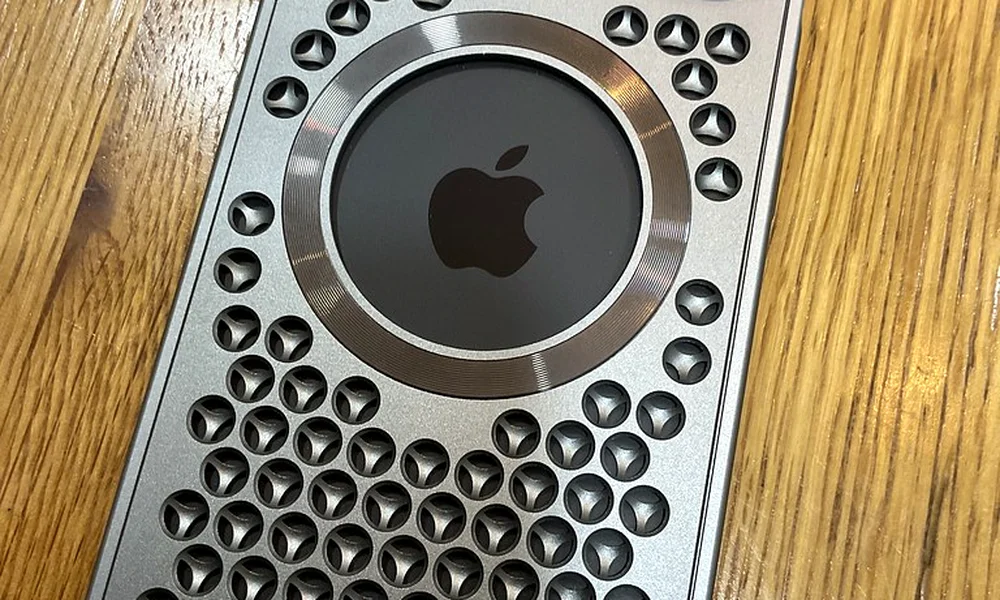
MagSafe car mounts are the accessory that changes driving. The phone snaps onto a magnetic mount on the dashboard or the air vent, sits at eye level for navigation, and comes off with one hand when you arrive. A charging car mount adds a MagSafe puck, so the phone charges while it navigates. Make sure the mount is rated for your phone’s weight with its case on.
MagSafe battery packs click onto the back of the phone and charge it while you walk around: no cable, just a slim pack held on by magnets. A battery pack adds weight and thickness, and it charges more slowly than a cable, so it suits a day out rather than a desperate top-up. Look for pass-through charging, so the pack and the phone charge together overnight.
Before You Buy: The Checklist
- Check your iPhone: MagSafe needs an iPhone 12 or later.
- Check the adapter: 20W for a puck, 30W for a 3-in-1 station or 25W charging.
- Choose the form for the place: a puck for the bedside, a stand for a desk, a 3-in-1 for everything.
- Check your case: a MagSafe case keeps the full snap, while thick cases weaken it.
- Count the devices: a station only earns its price if you charge a phone, watch and earbuds nightly.
- Expect wireless speed, not cable speed: MagSafe is for convenience, and a cable is still faster.
Frequently Asked Questions
Does MagSafe work with a case on?
Yes, if the case is MagSafe compatible. A MagSafe case has its own magnetic ring, so the snap feels as strong as on a bare phone. A thick case or a metal plate can weaken the hold, so test it: if the phone snaps on firmly without the case but not with it, the case is the problem.
Is MagSafe faster than a cable?
No. MagSafe delivers up to 15W, or 25W on the newest iPhones with a 30W adapter, while a cable delivers 20W to 30W. MagSafe wins on convenience: the phone snaps on and charges overnight. For the fastest top-up, plug in a cable.
Will a MagSafe charger work with an Android phone?
Partly. A MagSafe puck will charge a Qi2 Android phone with magnetic alignment, and a ring sticker can add the snap to other phones. But the wallets, cases and car mounts are built for iPhones, and an Android phone is usually better served by a Qi2 pad.
Does MagSafe damage the battery?
Not in normal use. Wireless charging creates more heat than a cable, and heat is what wears a battery down, but iPhones ease the power back when the phone gets warm. Charging overnight on a MagSafe puck is safe.
Do I need Apple’s own MagSafe charger?
No, but it is the safest baseline. Apple’s puck is the reference design, and certified third-party MagSafe chargers match it on speed and safety. Uncertified magnetic chargers can run hot, so buy a certified one from a brand you recognise.
Can MagSafe charge through a wallet?
No. A MagSafe wallet sits between the phone and the charger, and it blocks the coil. Take the wallet off before you put the phone on the puck, and put it back on when you pick the phone up.
Bottom Line
MagSafe chargers earn their place when the magnetic snap solves a real problem: a phone that always charges overnight, a desk stand that keeps the screen visible, a car mount that holds the phone steady, or a wallet that clicks on and off. Buy the puck for the bedside, the stand for the desk, and the 3-in-1 station if you charge a phone, a watch and earbuds every night. Check the adapter and the case, and accept that a cable is still faster for a quick top-up.


