
The Best Monitor Lights in 2026: Bars, Bias Strips and Clip-Ons Compared
The best monitor lights in 2026 solve a problem most desk workers feel every evening without naming it: the screen is bright, the desk is dark, and the room light is either too harsh or too far away. A monitor light fixes that mismatch by putting light exactly where your eyes need it, around the screen rather than into it. It is not a desk lamp, and it is not a ring light. It is a small family of lights designed for the few square feet in front of a computer,
There are three kinds worth buying this year: the screen bar that clamps to the top of your monitor, the bias-light strip that glows behind it, and the clip-on light that travels with a laptop. Each solves a different version of the same problem, and each fails in a different way.
Key Takeaways
- A monitor light lights the desk and the wall around the screen, never the screen itself, which is what makes it different from a desk lamp.
- Screen bars suit a fixed desk with a flat-topped monitor; bias strips suit dark rooms and tired eyes; clip-ons suit laptops and shared desks.
- Colour temperature matters more than brightness: a light that shifts from warm 2700K to daylight 6500K suits evenings and daytime alike.
- Judge a monitor light in lux at desk level, not lumens, and look for a colour rendering index of 90 or above.
- Measure your monitor before you buy: top-edge thickness, width, and the space behind the screen decide whether a bar will fit at all.
What a Monitor Light Actually Is
A monitor light is any light mounted on, behind, or directly above a computer screen so that its beam falls on the desk and the wall around the screen, and never on the glass. That one rule is what separates it from every other desk light. A freestanding desk lamp shines from one side, throws light across the screen, and takes up desk space. A monitor light uses the screen itself as its mounting point, so it costs no desk space and cannot reflect on the display.
It is also worth saying what a monitor light is not. It is not a light for your face. Ring lights exist for video calls and content, because they wrap your face in soft, even light for the camera. A monitor light does the opposite job: it lights the desk and the room around the screen so your eyes stop working against a bright rectangle in a dark room.
The Three Kinds of Monitor Light Compared
The fastest way to choose is to match the kind of light to the kind of desk you actually sit at.
| Type | Best for | What it lights | Power | Watch out for |
|---|---|---|---|---|
| Screen bar | Fixed desk, flat-topped monitor | Desk and keyboard | USB | Bezel thickness, counterweight space |
| Bias-light strip | Dark rooms, long screen sessions | Wall behind the monitor | USB | Wall colour, strip length |
| Clip-on light | Laptops, shared and small desks | Desk in front of the laptop | USB, battery | Lid thickness, weight on the hinge |
Screen Bars: The Desk-First Choice
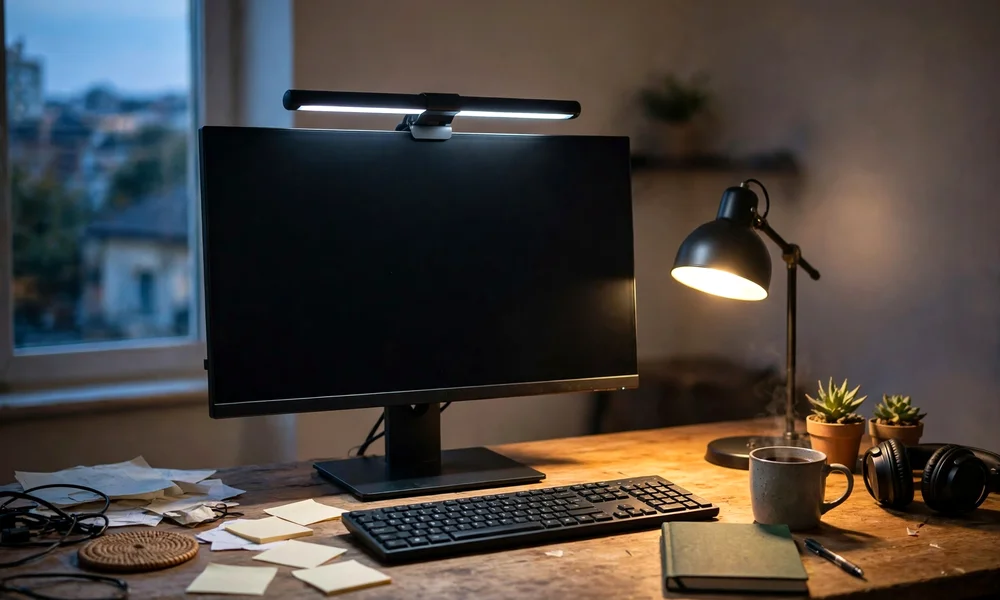
The screen bar is the most capable monitor light you can buy, and for a fixed desk it is usually the right first choice. It clamps to the top edge of the monitor, held by a weighted counterbalance behind the screen, with its LEDs facing down at about 45 degrees. That angle is the whole idea: light lands on the desk and the keyboard, and the screen receives none of it.
The details that separate a good bar from a poor one are the mounting, the controls, and the light quality. Check the clamp range against your bezel thickness before you order. Look for stepless dimming and a colour range from warm 2700K to daylight 6500K. Our guide to the best monitor light bars covers the mounting and glare tests in full, including curved and ultrawide screens.
Bias-Light Strips: The Eye-Strain Fix
A bias-light strip attacks a different problem. When you work in a dark room, your pupils keep adjusting between the bright screen and the black wall behind it, and that constant adjustment is what leaves your eyes tired after a few hours. A strip of LEDs on the back of the monitor glows onto the wall, raising the brightness of the room around the screen so the contrast drops.
Bias strips are the cheapest kind of monitor light and the easiest to fit: peel, stick, plug into a USB port, and you are done. The two things to get right are length and colour. Measure the back of your monitor and buy a strip that runs along the top and down both sides, not a short strip that leaves dark patches. And choose a strip with adjustable colour temperature, because a fixed cool-white strip can feel harsh late at night, while a warm 2700K glow suits evening work. Bias strips light nothing on the desk, so if your keyboard is in shadow, a strip alone will not fix it.

Clip-On Monitor Lights: The Portable Choice
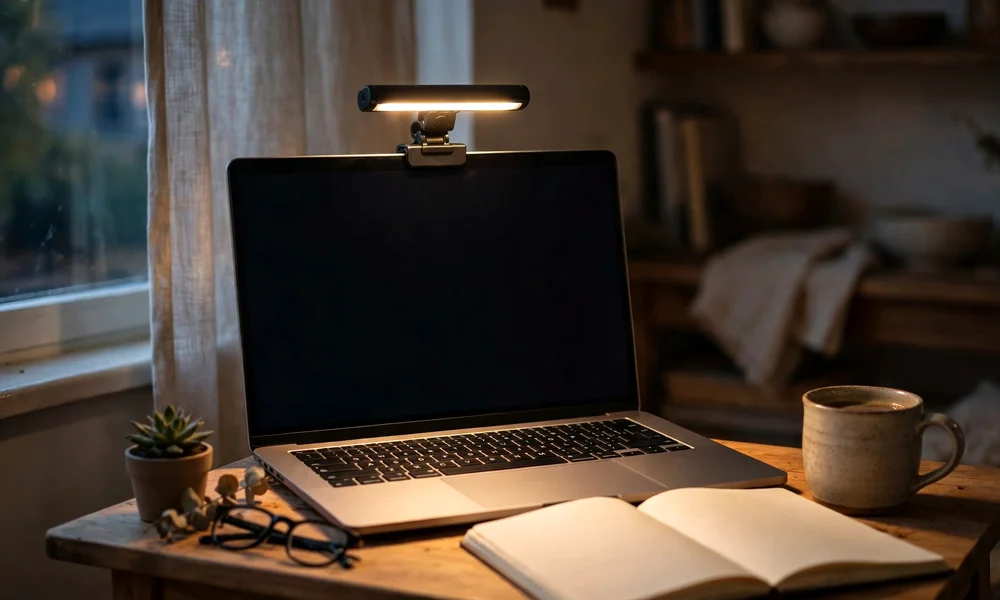
Clip-on monitor lights are the smallest kind, and they exist for people whose desk changes. A short bar, usually 20 to 30 centimetres long, grips the top edge of a laptop lid or a thin monitor with a spring clip, and it is powered by USB or a small rechargeable battery.
The trade-off is coverage. A clip-on lights the keyboard and the notebook directly in front of the laptop, not the whole desk, and its beam is narrower than a full-size bar. That is fine for a laptop, where the desk in use is small by definition, but it is a poor fit for a wide desktop monitor, where the corners stay dark. Check the clip against your lid thickness, and be honest about weight: a heavy clip-on on a thin laptop lid will pull the screen backwards over an evening.
Brightness, Colour Temperature and Glare
Brightness is the first specification people look at, and the easiest to get wrong. A monitor light is judged in lux at desk level, not in lumens, because what matters is how much light reaches the keyboard, not how much light leaves the bar. Most good screen bars deliver 300 to 800 lux at desk level.
Colour temperature matters more than brightness, because it decides how the light feels at different times of day. Warm light around 2700K to 3000K is restful in the evening and will not fight your screen’s night mode. Daylight at 5000K to 6500K keeps you alert but can feel harsh after dark. The best monitor lights let you slide smoothly across that whole range, and a few add an auto mode that matches the room.
Glare control is what separates a real monitor light from a strip of LEDs stuck on a screen. A proper screen bar uses an asymmetrical lens, so the beam falls forward and down and stops before it reaches the screen surface. The test is simple: sit at the desk, turn the light on, and look at the screen. If you can see a reflection or a bright stripe, the light has failed at its one job.
Mounting and Compatibility
Mounting is the step where most returns happen, so it deserves a careful check before you order. First, measure the top edge of your monitor: the thickness of the bezel, and whether the top is flat or sloped. Second, check what is behind the screen. A clamp-and-counterweight bar needs a few centimetres of clear space, and if your monitor sits against a wall or on a shallow arm, the weight may not fit.
Curved and ultrawide monitors need a bar designed for them, because a straight bar on a curved screen leaves the ends floating and the middle too close.
Monitor Light vs Desk Lamp: Which Wins?
A desk lamp and a monitor light both light the desk, in opposite ways. A desk lamp is a freestanding light that shines from one side, takes up desk space, and throws light everywhere, including across the screen. A monitor light is fixed to the screen, takes up no desk space, and throws light only forward and down. For a desk that is mostly screen, the monitor light wins on space and on glare.
For many people the two complement each other rather than compete. A monitor light handles the screen desk, and a small lamp handles the reading corner. If you sit in front of a monitor for hours at a time, buy the monitor light first, because it solves the screen-glare problem no lamp can solve. Our guide to the best desk lamps covers the freestanding options for the rest of the room.
How to Set Up Your Monitor Light
Setup takes minutes, but the order matters. For a screen bar, clip it on, balance the counterweight flat against the back of the screen, and plug in the USB cable, checking that the cable reaches a port without pulling.
Then sit in your normal position and look at the screen. There should be no reflection and no bright stripe. Aim the beam at the keyboard, not the screen, and set the colour to match the room, dimmer than you think you need. A light that looks right at noon will be far too bright at midnight, so if your light has an auto-brightness sensor, switch it on and let it track the room.
Monitor Light Checklist: Before You Buy
- Measure your monitor: width, top-edge thickness, and the space behind the screen for a counterweight.
- Choose the type for your desk: a bar for a fixed desktop, a bias strip for a dark room, a clip-on for a laptop.
- Pick adjustable colour temperature from warm 2700K to daylight 6500K, not a fixed colour.
- Look for stepless dimming and an auto-brightness sensor with a manual override.
- Check the colour rendering index is 90 or above, so paper and colours look natural.
- Confirm the USB cable reaches a port from where the light sits, or buy a longer cable with it.
Frequently Asked Questions
Do monitor lights really help with eye strain?
Yes, in the specific case they are built for: a bright screen in a dim room. By lighting the desk and the wall around the screen, a monitor light narrows the brightness gap your pupils keep adjusting across, which is the main source of tired eyes after dark.
Will a monitor light bar fit my monitor?
Most bars fit flat-topped monitors with a bezel between about 10 and 25 millimetres thick, but measure before you order.
Is a bias-light strip enough on its own?
For eye strain in a dark room, yes. A bias strip is the cheapest and simplest fix for the bright-screen-in-a-black-room problem.
Can I use a monitor light with a laptop?
Yes, but choose a clip-on, not a full-size bar. A full-size bar is too heavy for most laptop lids and will tip the screen back or slide off.
What colour temperature should I use at night?
Warm light around 2700K to 3000K suits evenings best, because it is restful and will not fight your screen’s night mode. Daylight at 5000K to 6500K is better for daytime detail work.
Do monitor lights work in a bright room?
They help less in daylight, because the brightness gap between screen and room is already small. Their real value shows up in the evening and in dim rooms.
The Bottom Line
The best monitor light is the one that matches your desk. A screen bar is the strongest choice for a fixed desktop monitor, a bias strip is the cheapest fix for tired eyes in a dark room, and a clip-on is the right call for a laptop that moves. Measure your monitor, buy adjustable colour temperature, and check for glare on the screen before anything else.


