
A navigation app is the map, the traffic report and the calm voice telling you to turn left, all in your pocket. It sounds simple, and it is, but a bad navigation app sends you down a closed road, loses signal in a tunnel, or drains your battery before you arrive. A good one reroutes around a jam in seconds, works when the signal drops, and gets you there without fuss. The best navigation apps of 2026 are the ones that stay accurate, stay calm under pressure, and never leave you guessing at a junction.

What Makes a Navigation App Good
The first thing to judge is the accuracy of the directions. A navigation app is only useful if its maps are current, and the best apps update their roads constantly, warn about closures and roadworks, and give the turn at the right moment, not too early and not too late. An app that sends you the wrong way down a one-way street, or tells you to turn after you have already passed the junction, is an app that cannot be trusted. Accuracy is the first test, and it is easy to feel on the first drive.
The second thing is how the app behaves when things go wrong. Traffic jams, closed roads and lost signals are part of every journey, and the best apps handle them quietly: they reroute without being asked, they keep the map working offline, and they tell you the new arrival time honestly. An app that freezes, loses the route, or keeps insisting on a road that is closed will cost you time and patience. A good navigation app is judged not on a clear road, but on a bad one.
The Main Types of Navigation App
Driving apps are the classic choice. They give turn-by-turn voice directions, live traffic updates and lane guidance, they are the best choice for most people, and they suit the daily commute as well as a long motorway journey. They warn about speed cameras and congestion, and they are the easiest to use. The trade-off is the battery: a driving app with the screen on and the location running will drain a phone fast, so a car charger is almost essential. For most drivers, a driving app is the one to use.
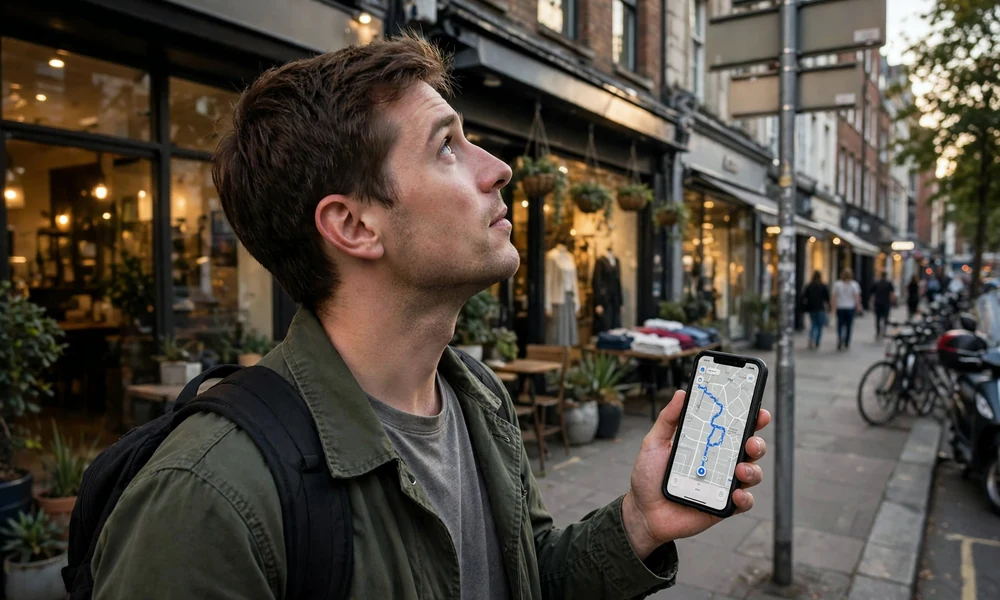
Walking and public transport apps are the city option. They mix walking directions with buses, trains and trams, they give the right platform and the right exit, and they are the best choice for someone exploring a city on foot. They suit a traveller without a car, and they are the most helpful option in a place you do not know. The downside is the detail: a walking app needs good pavement and footpath data, and a cheap one will send you across a busy road with no crossing. For city trips, a walking app is the one that matters.
Cycling and hiking apps are the outdoor option. They follow cycle lanes and trails rather than main roads, they show elevation and surface type, and they are the best choice for a bike ride or a walk in the hills. They suit a rider who wants a quiet route, and they are the most detailed option off the road. The trade-off is the coverage: a cycling app is only as good as its trail data, and in a remote area the map may be thin. For rides and walks, a cycling app is the one to buy into.
Offline apps are the reliable option. They let you download whole regions before you travel, they keep working with no signal at all, and they are the best choice for rural roads, foreign trips and places where data is expensive. They suit a driver crossing a border, and they are the safest option when the signal fails. The downside is the storage: downloaded maps take up space, and they need updating before a trip. For travel beyond good coverage, an offline app is the one that works.
Traffic and community apps are the social option. They use reports from other drivers to warn about jams, hazards and police checks in real time, they reroute around trouble fast, and they are the best choice for a congested commute. They suit a driver who wants the latest news from the road, and they are the quickest option when traffic changes. The trade-off is the noise: a community app can be chatty, and not every report is accurate. For a busy commute, a traffic app is the one to try.

How to Choose the Right Navigation App
Start with how you travel, not with the app store charts. A daily driver needs live traffic and lane guidance, while a city visitor needs walking and public transport, and a cyclist needs trails and elevation. An app that does not match the journey will not be used, however popular it is. Match the app to the trip, and the app will earn its place on the home screen. Downloading the most downloaded app available and hoping it fits is the fastest way to end up with an app that is deleted within a week.
Then check the practical details. Test the app on a familiar route first, because a route you know will show up every wrong turn at once. Check the offline maps: can you download your area, and how much space does it take? Check the battery use on a longer drive, and check the voice directions: are they clear, timely and easy to follow? And check the privacy settings, because a navigation app knows where you go. An app that fails any of these tests will be a daily irritation.
The Best Navigation Apps of 2026
The best driving app for most people this year is one with live traffic, clear lane guidance and fast rerouting. It handles the commute and the motorway equally well, it warns about congestion before you reach it, and it is the app for the driver who wants the journey to be simple. It is the navigation app for most people, it is the one that never loses the route in a tunnel, and it is the one that is still accurate after a year of road changes. For most drivers, this is the app to use.
The best offline app this year is one with downloadable maps that are easy to update and quick to load. It keeps working where the signal dies, it covers rural roads and foreign cities, and it is the app for the traveller who cannot rely on data. It is the navigation app for trips beyond coverage, it is the one that keeps the route when the bars disappear, and it is the one that saves a holiday from a dead zone. For travel off the beaten track, this is the app that matters.
The best walking and cycling app this year is one with detailed footpaths, cycle lanes and public transport in the same place. It gives the right exit from the station, the quiet lane for the bike, and the walking time honestly, and it is the app for the person on foot or on two wheels. It is the navigation app for city days and country rides, it is the one that knows the shortcut through the park, and it is the one that never sends a walker down a motorway slip road. For life without a car, this is the app to keep.
What Else You Need
A navigation app works best with the right kit around it. A car charger keeps the phone alive on a long drive, because a navigation app with the screen on is one of the hungriest things a phone can run. A car phone mount holds the phone where it can be seen without taking the eyes far from the road, which is safer than a phone sliding around the passenger seat. A dash cam records the journey, which is useful if anything goes wrong on the road. And for a cyclist, a bike computer puts the route on the handlebars where it belongs, with a bigger screen and a longer battery than a phone. The app is the brain; the mount, the charger and the camera are what make it safe to use.
Common Mistakes to Avoid
The biggest mistake is trusting the app over the road in front of you. A navigation app does not see the flooded lane, the temporary closure or the sign that says the road is shut, and a driver who follows it blindly will end up somewhere they should not be. Use the app as a guide, not as an order, and keep your eyes on the road. The second mistake is never updating the maps: an app with maps a year old will send you down roads that no longer exist. Update before a big trip, and the app will repay you.
Another common mistake is choosing an app for its looks rather than its directions. A pretty map that gives the turn too late is a bad map, however nice it looks. Choose the app for its accuracy first, and let the looks follow. And do not forget the battery: an app that drains the phone before arrival is an app that fails at the last mile, so carry a charger, download the maps in advance, and dim the screen when you can.
How Navigation Apps Fit a Smoother Journey
A navigation app is the simplest way to take the stress out of a journey. It removes the guesswork, it warns about the jam before you join it, and it does it without anyone thinking about it. A journey with a good navigation app is a journey where the driver can concentrate on driving, and a journey where the driver can concentrate is a journey that is safer for everyone. The app is not exciting, but it is essential, and a good one is the kind of thing that is only noticed when it is missing.
The habit also pairs naturally with a little routine. A quick check of the route before leaving, a download of the offline maps once a month, and a check of the traffic five minutes before departure will keep the journey smooth and the arrival time honest. It is a small amount of work for a large amount of peace of mind, and it is the kind of routine that, once started, is hard to give up.
The Verdict
The best navigation app of 2026 is the one that matches how you travel. For most drivers that means a driving app with live traffic, clear lane guidance and fast rerouting. For a traveller beyond good coverage, an offline app is the better choice. For a city visitor or a cyclist, a walking and cycling app is the one that matters. Whatever the choice, test it on a familiar route first, download the maps before you travel, and keep a charger in the car. An app chosen this way will not just sit on the phone; it will make the journey calmer, the arrival more certain, and the road a better place. And that is worth more than any map on a screen.


