
Most of us guard dozens of online accounts with a handful of passwords we have reused for years. The best password managers in 2026 fix that problem at its root: they create a long, random password for every site, remember it for you, and fill it in when you need it, so a breach at one website never hands a thief the keys to your email, your bank and your work accounts all at once.
A good password manager is not a gadget for security enthusiasts. It is an everyday tool, closer to a wallet than to a firewall, and the best ones disappear into your routine. You unlock the vault once with a single strong master password, or with your fingerprint or face, and from then on logging in feels faster than typing a password ever did.
This guide compares the strongest options this year on the things that matter in daily use: security design, ease of autofill, passkey support, family sharing, price, and how painless it is to leave if you change your mind.
Key Takeaways
- A password manager only works if you use it everywhere, so pick one whose autofill feels invisible on your phone and your computer, not one with the longest feature list.
- Zero-knowledge encryption is non-negotiable: the company should never be able to read your vault, even if its servers are breached.
- Passkeys are now the biggest reason to switch, and the best managers store and sync them across devices instead of locking them to one phone.
- Family plans are usually the best value, because one subscription can protect everyone in the household and let you share logins safely.
- Free plans are fine for a single person starting out, but paid plans add the breach monitoring, emergency access and support that matter most.
What a Password Manager Actually Does
At its simplest, a password manager is a locked, encrypted notebook that lives on all your devices. Every login you save goes into a vault scrambled with a key derived from your master password. The company holds the scrambled vault but never the key, which is why this design is called zero-knowledge.
That single fact changes how you log in. Instead of inventing passwords you can remember, you let the manager invent passwords nobody can remember: twenty random characters, different for every site, stored and filled in automatically. Modern managers also keep secure notes, card details and addresses, generate one-time codes for two-factor sign-ins, watch breach databases for your email addresses, and audit your vault for weak or reused passwords. The best of them act as passkey managers too, storing the new passwordless credentials that big sites now offer.

How We Judged the Best Password Managers in 2026
We judged each manager the way a real household would use it, not the way a specification sheet reads. Security came first: end-to-end encryption, a published security design or independent audit, and a clear record of how the company handled past incidents. Next came everyday usability: autofill has to work on the sites and apps you actually use, on iPhone, Android, Windows and Mac, without constant fiddling, and switching between devices should feel instant. A manager that saves you time on your laptop but fights you on your phone will be abandoned within a week.
Your home network matters here too, since a strong vault still sits on top of the connection every device shares, which is why a solid router setup belongs in the same picture as a strong password habit. Our guide to the best routers of 2026 covers the hardware side of that home setup.
The Best Password Managers 2026 at a Glance
| Manager | Best for | Standout strength | Watch out for |
|---|---|---|---|
| 1Password | Best overall | Polished apps, travel mode, great family plan | No free tier beyond a short trial |
| Bitwarden | Best free option | Free tier covers the essentials, open source | Plainer design, steeper learning curve |
| Dashlane | Best all-in-one | Built-in VPN and breach monitoring | Higher price, some features US-focused |
| NordPass | Best for simplicity | Clean design, strong passkey support | Fewer advanced organisation tools |
| Keeper | Best for business | Admin controls, secure file storage | Interface feels busy at first |
| Proton Pass | Best for privacy | Privacy-first design, email aliases built in | Smaller ecosystem than older rivals |
The Best Picks, One by One
Best Overall: 1Password
1Password remains the safest recommendation for most people because it gets the balance right: strong security, genuinely pleasant apps, and features that solve real problems without clutter. Its passkey handling is among the smoothest available, working across browsers and phones without trapping keys on one device. The one real drawback is the lack of a free tier: there is a trial, but after that you pay, though for a family it works out to very little per person.
Best Free Option: Bitwarden
Bitwarden is the best free password manager, and the gap between its free and paid tiers is smaller than almost any rival. The free plan covers unlimited passwords, unlimited devices, secure notes, card storage and two-factor code generation: everything a single user actually needs. But it never nags you to upgrade, never locks basic security behind a paywall, and exports your data cleanly if you ever leave.
Best All-in-One: Dashlane
Dashlane suits people who want one subscription to cover several jobs at once. Alongside a strong vault and password changer, it bundles breach monitoring with personalised alerts and a VPN for use on public Wi-Fi, which makes it a good fit for frequent travellers and anyone who works from cafes and airports. The price is the catch: Dashlane costs more than most rivals, and some bundled extras are tuned to the American market, so check they fully apply where you live before paying.

Best for Simplicity: NordPass
NordPass is the pick for anyone who found other password managers intimidating. It handles passkeys well, offers breach scanning, and its family plan is simple to administer, with shared folders that need no tutorial to understand. It is also one of the easiest managers to use on a phone, which matters because most logins now happen on mobile. Our guide to the best smartphones of 2026 is a useful companion here, since the phone is where your vault gets unlocked dozens of times a day.
Best for Business: Keeper
Keeper is built for teams that need control as well as convenience. Administrators can enforce password policies, see which accounts are shared with whom, and remove a departing employee’s access in one place, while each person still gets a private vault of their own. For a single person or a family, Keeper is more than you need, and its interface can feel busy until you learn where everything lives.
Best for Privacy: Proton Pass
Proton Pass comes from the team behind Proton Mail, and it carries the same privacy-first philosophy: open-source apps, end-to-end encryption, and a business model that does not depend on advertising or data. Its standout feature is built-in email aliases, which let you create a different address for every service and keep your real inbox out of breach databases and spam lists. But the core vault is strong, passkey support is solid, and for anyone whose priority is minimising how much data any one company holds about them, it is the most convincing choice in 2026.
Passkeys Are Changing the Game
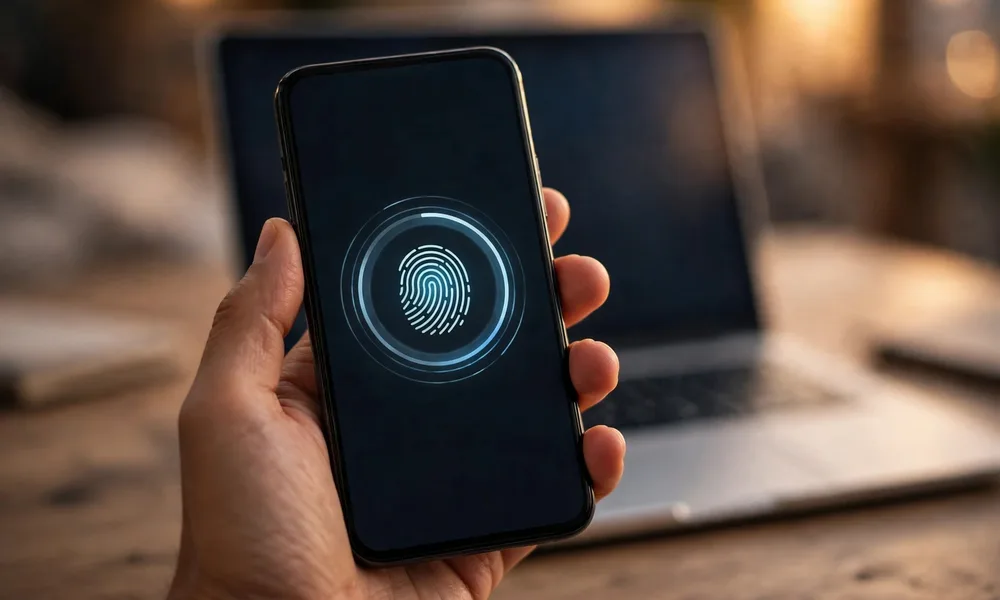
Passkeys are the biggest shift in logins since passwords themselves, and the main reason 2026 is a good year to finally adopt a manager. A passkey is a pair of cryptographic keys: the website keeps the public half, your device keeps the private half, and nothing you type can be phished, guessed or reused. You sign in with your fingerprint or face, and there is no password to leak in a breach at all.
What the Worst Password Managers Get Wrong
The worst password managers fail in a few familiar ways, and spotting the pattern early saves a painful switch later. The most serious failure is weak security design: a manager that stores your vault without true end-to-end encryption, that keeps a copy of your master password, or that cannot explain its encryption in plain language should never hold your logins. If a company can reset your master password for you, it can also read your vault, and that is a deal-breaker.
The third failure is lock-in: no clean export, no passkey portability, and pricing that jumps sharply after an introductory year. Finally, beware the free manager with no visible business model. Stick to managers with transparent pricing, published audits and a track record of honest incident reports.
How to Switch Without the Headache
Switching feels daunting because your passwords are scattered across browsers, phones and memory, but the move takes most people under an hour. Browsers and rival managers can export your saved logins to a file, and every manager in this guide can import that file directly. Start with the accounts that would hurt most if stolen: email, banking and cloud storage. Give each a fresh, unique password, turn on two-factor authentication, and save a passkey where the site offers one. A strong home setup completes the picture, especially in a larger home where one router cannot reach every room. Our guide to the best mesh Wi-Fi systems of 2026 covers the kits that keep every corner of the house covered without dead zones.
Switching Checklist
- Export your saved passwords from your browser or old manager, import them into the new vault, then permanently delete the plain-text export file.
- Set a long, unique master password and turn on two-factor authentication for the vault itself.
- Change the passwords on your email, banking and cloud accounts first, then work through the rest in weekly batches.
- Save a passkey wherever a site offers one, and check that it syncs to your other devices.
- Share family logins through the manager’s sharing feature, never by text message, email or a shared note.
- Write your master password and recovery details on paper, store the paper safely at home, and test emergency access with a trusted person.
Frequently Asked Questions
Are password managers safe?
Yes, when they use zero-knowledge, end-to-end encryption, which every manager in this guide does. The company stores an encrypted vault it cannot read, and your master password never leaves your device.
What happens if the password manager company is hacked?
With a zero-knowledge design, attackers get encrypted data they cannot read without your master password. Change your master password after any serious incident, and watch for the breach alerts your manager sends you.
Are free password managers good enough?
For a single person, yes. Bitwarden and Proton Pass both offer free tiers covering unlimited passwords and devices with proper encryption.
Do I still need passwords if I use passkeys?
For now, yes. Many sites still use passwords, and passkeys work best alongside a manager that stores both.
Can I share a password manager with my family?
Yes, and a family plan is the best way to do it. Each person gets a private vault, and shared vaults hold the logins everyone needs, like streaming and household bills.
What if I forget my master password?
With true zero-knowledge encryption, the company cannot recover it for you, which is why setup matters.
The Bottom Line
The best password manager in 2026 is the one you will actually use every day. For most people that is 1Password, for the budget-conscious it is Bitwarden, and for families that want the simplest possible setup it is NordPass, with Dashlane, Keeper and Proton Pass each winning for travellers, teams and privacy-minded users. Whichever you choose, the important step is not the brand but the switch itself: one strong master password, unique logins everywhere, passkeys where they are offered, and a vault your whole household can rely on.


