
A tablet mount is the small piece of hardware that stops a tablet from being something you hold and turns it into something that simply stays where you put it. It grips the tablet and fixes it to a desk edge, a wall, a bedside table or a kitchen cupboard, so the screen hangs at the height and angle you want, hands-free, for as long as you need it there. Whether you follow recipes while you cook, watch films in bed, join video calls at a desk or keep a second screen beside your laptop, the right mount makes the tablet feel like part of the room rather than a gadget you are always picking up. Not all mounts do the same job, though: a clamp that grips a desk edge will not help on a tiled kitchen wall, and a wall bracket that needs screws is no use if you rent and cannot drill.
Key takeaways
- Match the mount to the place first: a desk clamp suits a desk, a wall bracket suits a kitchen, and a gooseneck suits a bed.
- Check the weight rating and grip width before you buy; a mount built for a small tablet will not hold a large one safely.
- A clamp mount needs a desk edge roughly 20 to 60 millimetres thick, with clear space underneath for the screw.
- Joints that lock matter more than looks: a joint that creeps under the tablet’s weight will droop within days.
- Buy a mount that fits your tablet with its case on, or be ready to take the case off every time you dock it.
What a tablet mount actually is
A tablet mount is a holder with a fixing. The holder grips the tablet, usually with spring-loaded arms, rubber-padded jaws or a tray with a lip, and the fixing attaches it to something solid: a desk edge, a wall, a headrest or a bed frame. The two halves are joined by an arm, a hinge or a flexible neck that lets you set the angle and, on better mounts, the height and distance as well.
A mount is not a stand, which sits on a surface and relies on gravity and a wide base. Our comparison of the best and worst tablet stands covers those, and they are the right choice when you want something portable that folds into a bag. A mount is for a fixed spot: the desk where you work, the wall beside the cooker, the bed where you watch films. Mounts also differ from cases, which protect a tablet rather than position it; our guide to tablet cases that actually survive a drop is worth a read if you use a heavy case, since a thick case can be too wide for a mount’s jaws.
The main types of tablet mount
Most mounts fall into five types, and each one suits a different place in the house. Knowing which type you need narrows the choice faster than comparing brands.
Desk clamp mounts
A desk clamp mount screws onto the edge of a desk or table, then holds the tablet on a short arm above the surface. It leaves the desktop clear, lifts the screen to eye level, and most models tilt and swivel so you can share the screen with someone beside you. Look for a wide jaw, a rubber pad that protects the desk, and an arm that locks rather than one that relies on friction alone.
Gooseneck mounts
A gooseneck mount has a long flexible neck, usually 60 to 100 centimetres, that bends to any shape and stays where you put it. It clamps to a bedside table or headboard and floats the tablet over the bed, which makes it the mount for watching films lying down or following a workout video on the floor. The neck is also its weakness: a cheap gooseneck sags under a heavy tablet, and the longer the neck, the more it droops.

A gooseneck clamped to the bedside table is the simplest way to watch a film in bed without holding the tablet above your face.
Wall mounts
A wall mount fixes the tablet to a wall with screws, a bracket or a strong adhesive plate. It is the right choice for a kitchen, hallway or workshop, where there is no desk edge to clamp to and the tablet must stay clear of splashes and clutter.
Articulated arm mounts
An articulated arm is the desk clamp’s bigger sibling: two or three jointed segments on a heavy base or clamp, with a locking joint at each bend. It suits a workstation where the tablet is a second screen beside a monitor and must move between typing, drawing and video calls through the day.
Tablet mounts at a glance
| Mount type | Best for | Holds | Watch out for |
|---|---|---|---|
| Desk clamp | Everyday desk work | Up to 1 kg | Needs a solid desk edge |
| Gooseneck | Bed, sofa, exercise | Up to 800 g | Sags under heavy tablets |
| Wall mount | Kitchen, hallway | Up to 1.5 kg | Permanent; measure first |
| Articulated arm | Second screen | Up to 1.2 kg | Cheap joints drift |
Matching the mount to the room
The room decides the mount more than the catalogue does, so start with where the tablet will spend most of its time and work outwards from there.
At the desk
On a desk, a clamp mount or an articulated arm is the natural choice. It lifts the tablet to eye level beside your monitor, which is kinder to your neck than a tablet lying flat, and leaves the desk clear for a keyboard and notes. Our guide to webcam mounts that keep your camera steady covers the same problem from the camera’s side, and the lesson is the same: rigidity first, features second.
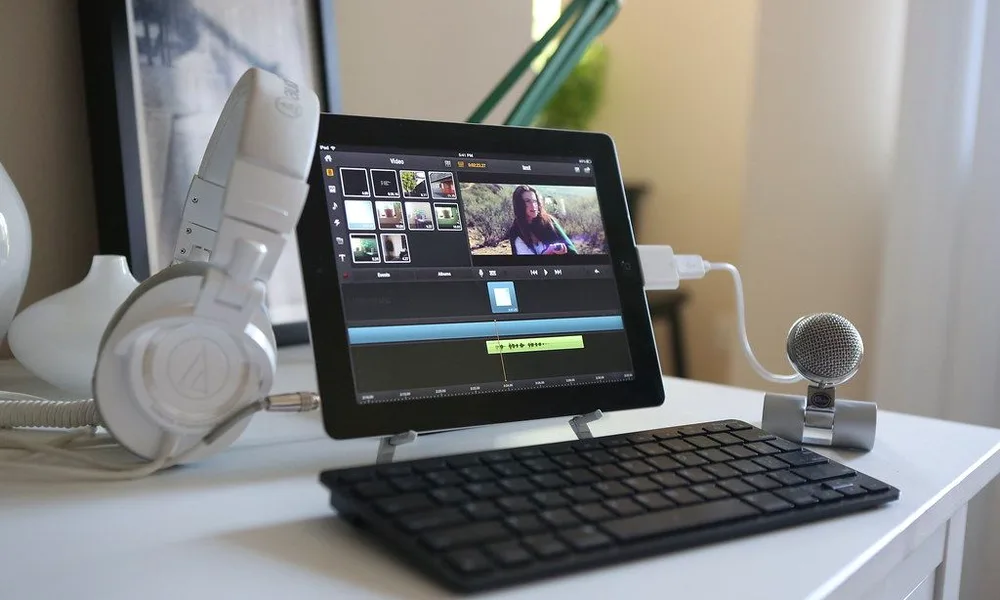
At a desk, a mount lifts the tablet to eye level and leaves the surface clear for a keyboard.
Beside the bed
Beside the bed, a gooseneck mount is hard to beat. Clamp it to the bedside table or headboard, bend the neck so the tablet hangs over the mattress, and you can watch a film lying flat without holding anything above your face.
In the kitchen
In the kitchen, a wall mount is the safest bet. A tablet on a worktop is one elbow away from a sink full of water, while one screwed to the wall at eye level stays clean, dry and readable while your hands are covered in flour. Choose a mount with a wipe-clean surface and a holder that leaves the charging port clear, so the tablet can stay plugged in through a long recipe.
What to check before you buy
A mount is a simple product, and the checks that matter are simple too. Run through them before you order, and you will avoid the commonest disappointment: a mount that fits the photograph but not your tablet, desk or room.
Weight rating
Every mount has a weight rating, and it is the first number to check. Weigh your tablet with its case on, and buy a mount rated for at least one and a half times that weight.
Grip width and depth
Check the grip range against your tablet’s width and thickness, case included. Most holders adjust from about 110 to 200 millimetres wide and accept tablets up to about 13 millimetres thick, but a rugged case can push a tablet past that limit.
Clamp range
For a clamp mount, check the jaw range against the thickness of your desk edge, and check the space underneath it. A clamp that opens to 60 millimetres is no use on a 70-millimetre worktop, and one that needs 80 millimetres of clear space underneath will not fit a desk with a drawer or cable tray in the way.
Joints that lock
Every joint should lock. Ball joints must tighten until the tablet stays exactly where you set it, and hinges must hold at every angle without creeping.
Setting it up so it stays put
Fitting a mount takes ten minutes if you do it in the right order. Decide the exact spot first: sit or stand where you will use the tablet and have someone hold it at the height and angle that feels natural, then mark that position. For a clamp mount, clean the desk edge first, because dust and grease stop the rubber pad gripping, then tighten the clamp firmly by hand and give the arm a hard shake.
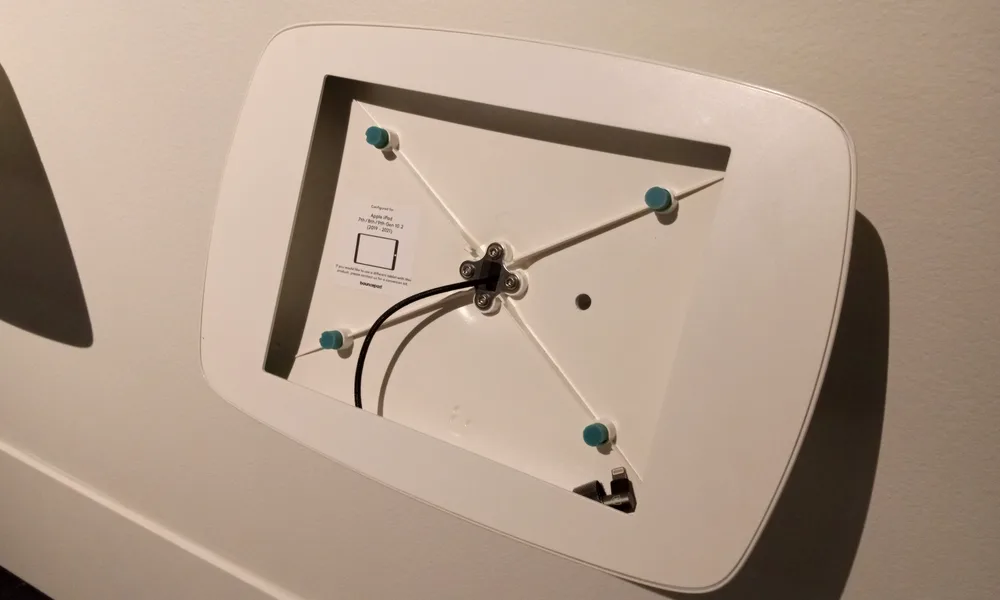
A wall mount keeps the tablet out of the way and the cable hidden, which suits a kitchen or hallway.
For a wall mount, find a stud or use proper wall plugs rated for the weight, and use a spirit level before you drill: a tablet that hangs even slightly crooked will catch your eye every time you walk past it. Fix the bracket, hang the tablet, and check the angle from your usual standing or sitting position before tightening everything fully.
Checklist: before you buy a tablet mount
- Weigh your tablet with its case on, and buy a mount rated for at least one and a half times that weight.
- Measure your tablet’s width and thickness, case included, and check them against the mount’s grip range.
- Measure the desk edge or wall where the mount will fix, including the clear space underneath a clamp.
- Decide whether the tablet must move between rooms; if so, a stand may suit you better than a mount.
- Check that the holder leaves the charging port, speakers and buttons clear when the tablet is docked.
- Test the joints at full extension with your own tablet for an hour before the return window closes.
Frequently asked questions
Will a tablet mount fit any tablet?
Most mounts fit most tablets, because the holders adjust across a wide range, but there are limits. A mount built for a 7-inch tablet will not hold a 13-inch one, and a rugged case can push a tablet past the grip’s thickness limit.
Can I use a tablet mount without drilling?
Yes, if you choose a clamp or gooseneck mount, which grip a desk edge or bedside table with no holes at all. Adhesive wall mounts also avoid drilling, but they suit smooth, clean surfaces only and should not be trusted with a heavy tablet in a steamy kitchen.
Will a mount damage my desk or wall?
A good clamp mount will not damage a desk, because its jaws are lined with rubber and the pressure spreads across a wide pad. A cheap clamp with bare metal jaws can dent a soft wooden edge, so check for rubber lining before you buy.
Can I leave the tablet in the mount all the time?
Yes, and that is the point: the tablet becomes a fixed screen you can glance at whenever you need it. Keep it charging through the mount’s cable route, and take it out now and then to clean the holder and check the joints.
Is a gooseneck mount safe over a bed?
It is safe if the clamp is tight, the neck is thick enough for your tablet’s weight, and you test it at full extension before you trust it. A thin gooseneck carrying a heavy tablet will sag, and a sagging neck can drop the tablet.
Do I need a mount if I already have a stand?
Not always. A stand is better when the tablet moves between rooms or travels with you, because it folds away and needs no fixing.
The bottom line
A tablet mount earns its place by doing one simple job properly: holding your tablet exactly where you want it, for as long as you want it there, without wobbling, drooping or getting in the way. Match the type to the room, buy a mount rated well above your tablet’s weight, check the grip against your tablet with its case on, and test the joints in the first week.


