
Webcam Mounts That Keep Your Camera Steady in 2026
Webcam mounts that keep your camera steady in 2026 solve a problem most people blame on the camera: a picture that wobbles, drifts or slowly sinks out of frame halfway through a call. The camera itself is rarely at fault. It is the mount, the little clip, clamp or stand holding it, that decides whether your face stays centred and level for an hour or slides gently toward the ceiling. A good mount locks the camera where you put it and holds it there all meeting. A bad one sags, slips and vibrates with every keystroke. This guide compares the main types, explains what makes one steady and another useless, and shows how to set one up so it stays put.
Key takeaways
- A webcam mount holds your camera still at eye level, which is what stops the wobble, drift and slow sinking that ruin video calls.
- Clamp mounts grip the desk edge and suit heavy cameras, monitor mounts clip to the screen and suit everyday calls, and tripod mounts stand on the desk and suit flexible angles.
- Stability comes from a wide base or a strong clamp, a short arm, and a locking joint, not from the price of the mount.
- Set the camera at eye level, tilt it down slightly, and keep it about an arm’s length away for the most natural framing.
- Check the thread size, the weight rating and the desk or monitor thickness before you buy, because a mount that does not fit is a mount that wobbles.
What a webcam mount actually does
A mount does three things: it puts the camera where your eyes are, it holds it still, and it keeps it there. Eye level matters because a camera that looks up at you from a laptop lid makes your chin the star of the call, while a camera that looks down from a high shelf makes you look small and distant. A mount places the lens at eye height, the angle other people find most natural, and keeps it there when you bump the desk.
Stillness matters just as much: every desk vibrates when you type, and a mount bolted to the desk edge or standing on a wide base absorbs that vibration instead of passing it to the camera. The result is a steady frame that lets people concentrate on what you are saying.
Clamp vs tripod vs monitor mounts
Clamp mounts grip the edge of your desk with a screw clamp, and a short arm holds the camera above the desk surface. They are the steadiest option for heavy cameras, because the desk itself becomes the base, and nothing short of moving the desk will move the camera. They also free up desk space, since the clamp takes up no room on the surface. The catch is that they need a desk edge to grip, so measure your desk thickness and check the clamp’s range before you order.
Monitor mounts clip to the top or side of your screen, putting the camera exactly where you look during a call. They are the simplest option, and the best for people who take calls at a fixed desk and never move the camera. A good monitor mount has a wide, padded grip that fits screens from thin laptops to thick desktop monitors, and a ball joint that lets you tilt and swivel the camera. A poor one grips loosely and slowly tips forward under the camera’s weight, so check the maximum grip before you buy, especially on curved or thick screens.
Tripod mounts stand on the desk on three legs, with the camera screwed to the top. They are the most flexible option: you can move them anywhere, raise or lower them, and point them at anything, which is why they suit recording, streaming and teaching as well as calls. A desktop tripod with short legs sits neatly behind a keyboard, while a full-size tripod stands on the floor for a wider shot. The trade-off is footprint: a tripod takes up desk space, so pick a metal body with a wide leg spread over a light plastic one.

Comparison table
| Type | Best for | Stability | Flexibility | Desk space | Price |
|---|---|---|---|---|---|
| Clamp mount | Heavy cameras, fixed desks | Excellent | Good | None on the surface | Low to moderate |
| Monitor mount | Everyday calls, one screen | Good | Fair | None | Low |
| Desktop tripod | Recording, streaming, teaching | Good | Excellent | Moderate | Low to moderate |
| Articulated arm | Shared desks, frequent adjustment | Excellent | Excellent | None on the surface | Moderate to high |
| Suction mount | Glass desks, temporary setups | Fair | Good | None | Low |
Stability: what actually keeps a camera still
Stability comes from three things, and none of them is the brand on the box. The first is the grip: a clamp that bites the desk edge firmly, a tripod base that sits flat, or a monitor clip that matches the screen thickness. If the grip is loose, no amount of tightening the joints will fix the wobble, because the whole mount moves at the base. Tug the mount before you trust it: if it shifts now, it will shift during a call.
The second is arm length: a short arm is a stable arm, because every centimetre multiplies the leverage of the camera’s weight. If you need the camera further away, use a heavier base or a clamp rather than a longer arm. The third is the joint: a mount with one locking ball joint that you can tighten firmly beats a mount with three loose hinges that each flex a little. Tighten every joint before the call starts, and check them monthly, because vibration loosens them over time.
Cables are the silent enemy of stability: a cable that tugs sideways slowly drags the camera off centre. Route it along the mount arm or clip it to the desk edge, leaving a little slack at the camera so it never pulls.
Angle, height and framing
Eye level is the rule, and it is worth getting right. The most natural framing has the camera level with your eyes or just above them, tilted down a few degrees, with your head and shoulders in the frame and a little space above your head.
Distance matters too: about an arm’s length, roughly sixty to seventy centimetres, is right for most webcams. If the camera is too close, pull the tripod back; if it is too far, move the mount closer rather than zooming in digitally, which softens the picture.
Think about what is behind you as well as what is in front of you. A mount that puts the camera at eye level usually puts your room behind you in the frame, so check the background before the call. A plain wall, a tidy shelf or a closed door all work. A bright window behind you turns you into a silhouette, so close the blind or add a webcam light in front of you.
Compatibility: check before you buy
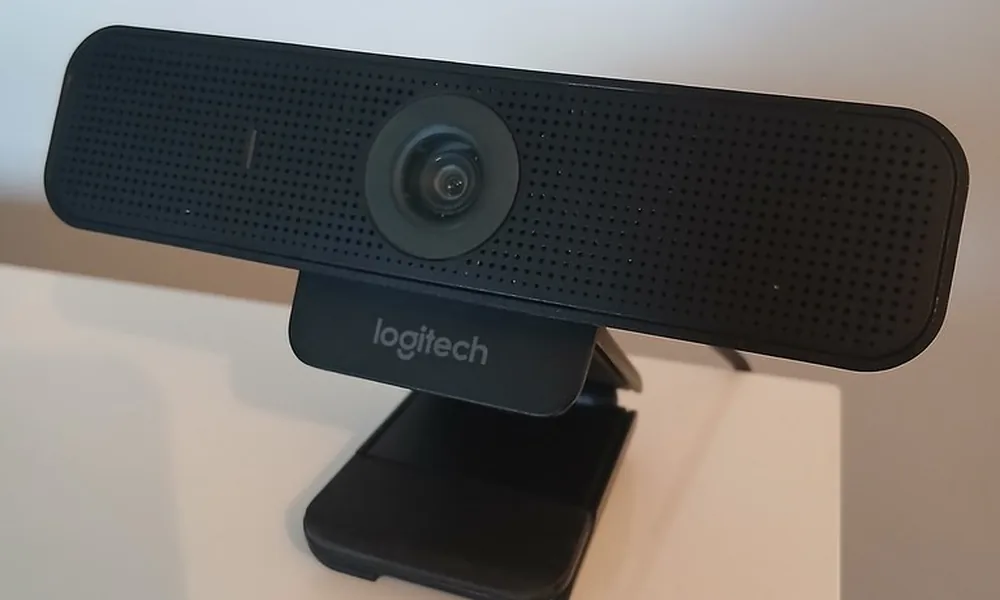
Compatibility is where most webcam mount purchases go wrong. The first check is the thread: most webcams and mounts use a standard quarter-inch tripod thread, but some cheap webcams have no thread at all and can only use their own clip. If your camera has no thread, you need a cradle mount that grips the body, not a screw mount. The second check is weight: a camera heavier than the mount’s rating will sag, however tight the joints are.
The third check is fit. A clamp mount needs a desk edge within its thickness range, usually up to about five centimetres, and a monitor mount needs a screen within its grip range. Measure both before you order, and do not guess: a monitor that is one millimetre too thick for a clip will not fit at all. Finally, check the cable reaches: a mount that holds the camera further than the cable allows needs an extension, and a cheap one can cause dropouts.
Setting up your mount in ten minutes
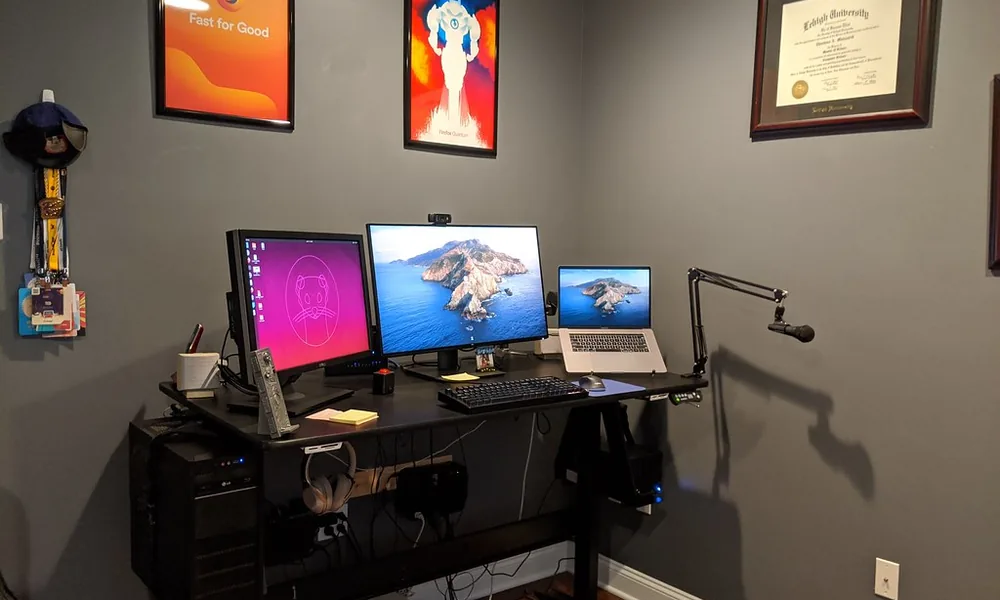
Fix the mount to the desk edge, the monitor or the tripod, and tighten the grip until it does not shift when you tug it. Screw the camera on, route the cable with a little slack, and tighten the joints. Open the camera preview, adjust the tilt until your eyes are in the upper third of the frame, and lock everything down. Then type for a minute and bump the desk gently: if the picture stays steady, the mount is doing its job.
Common mistakes to avoid
The first mistake is buying on looks: a sleek mount that cannot hold its camera still is worse than an ugly one that locks down firmly. The second is ignoring the weight rating, and the third is leaving the joints loose, so the camera sinks slowly during the call. The fourth is putting the camera too far away and zooming in, which softens the picture.
Checklist: a steady camera in six steps
- Check the thread size, weight rating, desk thickness and monitor grip before ordering.
- Mount the camera at eye level, centred on your face, about an arm’s length away.
- Tighten the grip first, then the joints, and tug-test the whole mount before the call.
- Route the cable with a little slack so it never pulls the camera sideways.
- Check the background and the light, and add a light in front of you if the window is behind you.
- Re-tighten the joints monthly, because vibration loosens them over time.
Frequently asked questions
Do I need a webcam mount if my webcam has a built-in clip?
Not always. If the built-in clip holds the camera steady on your monitor and the angle is right, it is fine. You need a separate mount when the clip slips, the monitor is too thick or curved, the camera sags during calls, or you want the camera at a different height or distance than the monitor allows.
What is the best type of webcam mount for video calls?
A monitor mount is best for everyday calls at a fixed desk. A clamp mount is better for heavy cameras or thick, curved monitors, and a tripod is better if you also record or stream.
Will a webcam mount fit any webcam?
Most webcams use a standard quarter-inch tripod thread and fit most mounts, but not all. Some budget webcams have no thread and only work with their own clip or a cradle mount. Check the thread and the weight before you buy, and check the mount’s maximum load against your camera.
How do I stop my webcam from slowly sinking during a call?
Tighten every joint before the call and check the camera is within the mount’s weight rating. A sinking camera is almost always a loose joint or an overweight camera.
Can I use a camera tripod as a webcam mount?
Yes, if the thread matches, which it usually does. A full-size tripod works well for a wider shot or a standing desk, and a desktop tripod works well on a desk. The main difference is footprint: a tripod takes up desk space, while a clamp or monitor mount does not.
Where should I put the webcam for the most natural look?
At eye level, tilted down slightly, about an arm’s length away, with your head and shoulders in the frame. That is the angle people find most natural, and it is the angle a good mount makes easy to hold for a whole meeting.
The bottom line
The best webcam mount in 2026 is the one that holds your camera still at eye level and stays put for the whole call: a clamp mount for heavy cameras and fixed desks, a monitor mount for everyday calls, and a tripod when you need to move the camera around. Stability comes from a firm grip, a short arm and a tight joint, not the price tag. Check the thread, weight rating and fit before you buy, and tighten everything before the call starts.


