
The worst laptops of 2026 are not always the cheapest machines on the shelf. They are the laptops that look like a bargain in the shop and then punish you every single day afterwards: the ones that take minutes to wake up, overheat during a video call, die halfway through a train journey, or fall apart at the hinge after a year of normal use.
This guide focuses on the patterns that make a laptop a bad buy, rather than on a single model that will be replaced by next season. The worst laptops of 2026 share the same flaws again and again: too little memory, slow storage that cannot be upgraded, dim screens that strain your eyes, batteries that fade within months, and bodies built from plastic so thin that the keyboard flexes under your fingers.
This is the other side of the buying question. Where a buying guide tells you what to look for, this guide tells you what to run from and what to buy instead. If a laptop on your shortlist shows two or more of the warning signs below, put your wallet away.
Key Takeaways
- The worst laptops of 2026 usually fail on memory, storage, screen, battery, or build quality — not on brand name alone.
- Any laptop with 8GB of memory and slow eMMC storage will feel old within a year, however new the box looks.
- A dim screen, a noisy fan, and a battery that lasts under six hours are signs of a machine that will frustrate you daily.
- Soldered memory and storage, a single USB port, and a wobbly hinge are red flags that make a cheap laptop expensive later.
- Always check the return window, the warranty, and the upgrade options before buying a laptop you cannot test in person.
Why Some Laptops Are Worse Than Others
Every laptop is a set of compromises. Good laptops choose theirs carefully: they spend money on the screen, the keyboard, and the battery, and they save it on things you will never notice. Bad laptops do the opposite. They spend it on the outside and cut corners on the parts that decide how the machine feels after six months.
The other reason bad laptops keep selling is that their specifications hide the weakness. A listing can say “fast processor” while the chip inside is three generations old. It can say “large storage” while the drive is slow eMMC that cannot be replaced.
Seven Warning Signs of a Bad Laptop
Before you fall for a price, run through these seven checks. Two or more together mean you should keep looking.
1. Too Little Memory
In 2026, 8GB is the bare minimum for light use, and it is already too little for anyone who keeps a few browser tabs open while running email, documents, and a video call at once. A laptop with 8GB of soldered memory — memory fixed to the board that can never be increased — is a machine with a built-in expiry date. Sixteen gigabytes is the sensible floor.
2. Slow Storage You Cannot Replace
Storage speed decides how fast a laptop feels more than almost anything else. A proper solid-state drive opens apps in seconds. The cheapest laptops use eMMC storage, the same slow technology found in budget phones, hidden behind the words “flash storage.” Ask: is it a real NVMe drive, and can it be replaced?
3. A Dim, Washed-Out Screen
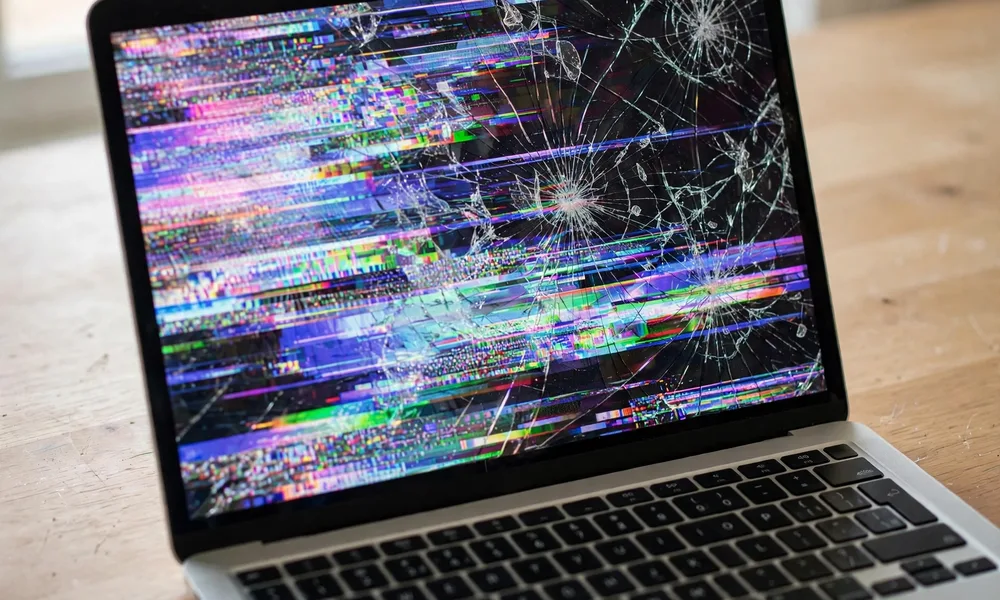
You look at the screen more than any other part of a laptop, so a bad screen ruins the whole machine. The worst offenders use old TN panels with narrow viewing angles, so colours shift and wash out the moment you tilt the lid. They are also dim, often below 250 nits, which means they are unreadable near a window. A good screen should be bright, with at least full high-definition resolution and an IPS panel.
4. A Battery That Fades Fast
Bad batteries are quiet failures. A laptop can promise ten hours on the box and deliver four in real use, because the test behind the claim used a dim screen, Wi-Fi off, and nothing running. Check independent battery results.
5. Overheating and Constant Fan Noise
A laptop that runs hot is telling you its cooling cannot keep up with its processor. The fan spins up during a video call, the base gets too warm to rest on your legs, and the processor slows itself down to avoid damage, which makes the machine feel sluggish exactly when you need it most. Read owner reports about heat, because problems often appear only after weeks of use.
6. A Flimsy Body and a Bad Keyboard
Build quality is where cheap laptops cut the deepest corners. A lid that twists, a hinge that creaks, a keyboard deck that flexes when you type, and a trackpad that rattles are all signs of a body that will not survive daily carrying. The keyboard matters most: shallow, mushy keys make long writing sessions miserable. A good laptop feels solid and quiet.

7. No Ports, No Upgrades, No Way Out
The final warning sign is a laptop that locks you in. One USB port, no headphone socket, no way to add memory or storage, and a battery glued inside the case all mean the same thing: when something becomes a problem, your only fix is to buy a whole new machine. Two USB ports and one upgradeable part make a laptop far cheaper to own over four years.
The Worst Laptop Types of 2026
Warning signs are useful, but it is easier to recognise a bad laptop when you know the types that keep appearing.
The Old-Chip Clearance Special
This is the laptop that looks like a bargain because it is: a machine built around a processor three or four generations old, dressed up with a large screen and a low price. The chip might have been respectable when it launched, but it now struggles with modern video calls and browser tabs.
The Ultra-Cheap Everyday Laptop
The ultra-cheap laptop is built to hit a price, not to do a job. It usually combines 8GB of memory, eMMC storage, a dim screen, and a plastic body into a package that costs less than a phone and performs like one too. It can handle one simple task at a time, but a video call plus a document plus a browser is enough to bring it to its knees. Spending a little more now is cheaper than replacing a useless machine after a year.
The Thin Laptop That Cannot Stay Cool
Some of the prettiest laptops of 2026 are also among the worst to live with. A very thin body with a powerful processor and no room for cooling will throttle under load: it runs fast for a few minutes and then slows to a crawl. The fan screams, the base burns, and the battery drains quickly. They suit short bursts of light work, not editing, gaming, or long calls.
The Heavy Desktop Replacement That Does Nothing Well
At the other extreme is the huge, heavy laptop that tries to replace a desktop and ends up doing neither job properly. It is too heavy to carry, too hot to use on your lap, and too power-hungry to last more than a couple of hours away from a socket. If it never leaves the house, a desktop is almost always the better answer.
How the Worst Laptops Compare
The table below sums up the failures and what to look for instead.
| Feature | Worst Laptops of 2026 | What to Look For Instead |
|---|---|---|
| Memory | 8GB soldered, cannot be upgraded | 16GB or more, upgradeable if possible |
| Storage | 128GB eMMC, slow and small | 512GB NVMe solid-state drive |
| Screen | Dim TN panel under 250 nits | Bright IPS panel, 300 nits or more |
| Battery | Under 6 hours in real use | 10 hours or more in real use |
| Cooling | Hot base, loud fan, throttling | Cool, quiet, steady performance |
| Build | Flexing plastic, weak hinge | Solid body, firm hinge, good keyboard |
What to Buy Instead
Avoiding the worst laptops is only half the job. Start with your real workload: 16GB of memory, a 512GB solid-state drive, a bright screen, and a battery that lasts a full working day.
If you are starting from scratch, our guide to the best laptops of 2026 compares the strongest machines across every budget, so you can see what the good side of the market looks like before you spend anything. Students and light users have another option: if your work is mostly browsing, notes, video, and email, a tablet can be a better and cheaper tool than a bad laptop, and our guide to the best tablets of 2026 shows which ones are genuinely useful.
Before You Buy: The Six-Point Checklist
Run through this checklist before you pay for any laptop, and walk away if it fails more than one point.
- Check the memory: 16GB or more, and upgradeable if you plan to keep the laptop for years.
- Check the storage: a real NVMe solid-state drive of at least 512GB, not eMMC or a tiny drive.
- Check the screen: an IPS panel, full high-definition or better, bright enough to read near a window.
- Check the battery: independent results showing a full working day, not just the number on the box.
- Check the body: a solid hinge, a keyboard that feels firm, and a trackpad that does not rattle.
- Check the exit: a return window of at least two weeks, a clear warranty, and parts that can be repaired or upgraded.
A good setup can rescue a decent laptop, but it cannot rescue a bad one. If your machine runs hot on a soft surface, a stand that lifts it off the desk can help, and our guide to the best laptop stands of 2026 covers the options that actually work. Do not buy a stand to fix a laptop that overheats on a hard desk — that is a design failure.
Frequently Asked Questions
What is the worst laptop to buy in 2026?
Any machine combining 8GB of soldered memory, slow eMMC storage, a dim screen, and a battery lasting under six hours — a slow machine that cannot be upgraded, whatever the price.
Are cheap laptops always bad?
No, but the cheapest ones usually are. A good budget laptop still has 16GB of memory, a proper solid-state drive, and a bright screen. Avoid the machines that hit a low price by cutting all three at once.
How long should a laptop battery last?
A good laptop battery should last a full working day — ten hours or more of ordinary browsing, documents, and video calls. If it needs charging after four or five hours of light work, its battery is too small or already wearing out.
Is 8GB of memory enough in 2026?
For very light use — one browser tab, email, and nothing else — 8GB can still work, but it leaves no room for anything more. For anyone who multitasks, 16GB is the sensible minimum.
Can a bad laptop be fixed with upgrades?
Sometimes, but often not. If the memory and storage are soldered to the board, there is nothing to upgrade. A dim screen, a weak hinge, and poor cooling cannot be fixed at all, so check upgrade options before you buy.
Should I buy a laptop on clearance?
A clearance laptop can be a genuine bargain, but only if its processor is recent, its memory and storage are adequate, and its battery is fresh. Check the chip’s launch year and make sure the return window lets you test the machine at home.
The Bottom Line
The worst laptops of 2026 fail in predictable ways: too little memory, slow storage, dim screens, weak batteries, noisy cooling, and bodies that do not last. Learn those warning signs, run the checklist before you buy, and spend on the parts you will touch every day. A pricier, well-built laptop is always cheaper than a bargain you have to replace.


