
Why a Good Desk Mat Changes Your Whole Setup in 2026
A good desk mat is the cheapest way to make a desk feel like a proper workspace. It sounds like a small thing — a flat sheet of leather, felt, or cork that sits under your keyboard and mouse — but it changes three things at once: it protects the desk underneath, it gives your mouse a smooth, consistent surface, and it visually ties a scattered pile of gear into one deliberate setup.
The best desk mats of 2026 are not the thickest or the most expensive. They are the ones matched to your desk, your work, and the way you use a mouse: a large leather mat for a laptop-and-notebook worker, a firm woven mat for a gamer who needs precision, or a soft felt mat for someone who wants warmth and quiet.
Key Takeaways
- Size matters most: a mat should cover your keyboard and mouse with room to spare — 80 by 40 centimetres suits most desks, 90 by 45 covers a full setup.
- Leather looks best and ages well, felt is warmest and quietest, and woven cloth gives a mouse the most consistent glide.
- A non-slip base is non-negotiable: a mat that creeps across the desk is worse than no mat at all.
- Water resistance decides how long a mat lasts — coffee, tea, and water rings are what kill most mats, not wear.
- Match the mat to your mouse: optical sensors track best on a matte, even surface with no shine or pattern.
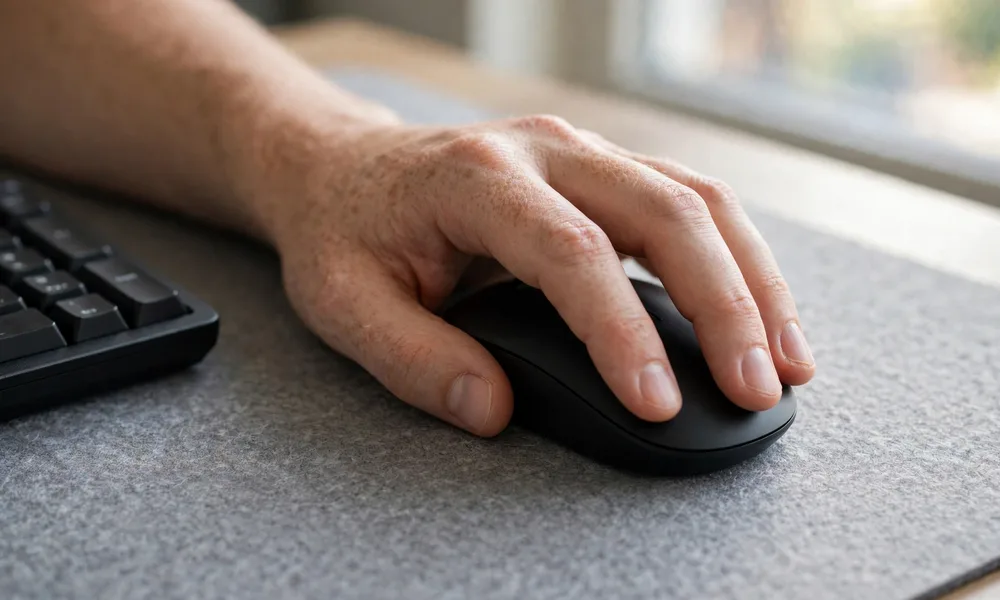
What a Desk Mat Actually Does
A desk mat does four jobs, and most buyers only think about one of them. The obvious job is protection. A wooden desk scratches easily: a laptop corner, a ceramic mug dragged across the surface, a pen pressed hard into a notebook — each leaves a mark, and over a year the marks add up to a desk that looks tired. A mat takes that wear instead, and a mat is far cheaper to replace than a desk. On a glass desk, the job is different: the mat stops things sliding and kills the cold, hard feel under your wrists.
The second job is the mouse surface. A bare desk is a poor tracking surface — wood grain, shine, and tiny imperfections all confuse an optical sensor, and the mouse skips at exactly the wrong moment. A mat gives the sensor one even surface, so the cursor moves the same way every time. Gamers notice this first, but anyone who drags files, edits photos, or works in a spreadsheet feels it too.
The third job is comfort. A mat softens the edge where your wrists rest, and it warms a cold desk in winter.
The Five Desk Mat Materials That Matter
Every desk mat is made from one of five materials, and the material decides almost everything about how it feels, how it ages, and how it handles a spill. Choose the material first; the colour and size come after.
1. Leather and Vegan Leather
Leather is the classic desk mat material, and it earns the reputation. A full-grain or top-grain leather mat develops a patina over months — small marks and a softening of the surface that make it look better, not worse. It is smooth under a mouse, warm to the touch, and easy to wipe clean. Vegan leather, usually polyurethane, looks nearly identical at first and costs half as much, but it does not age the same way: after a year or two the surface can peel at the edges.
2. Felt
Felt is the warmest and quietest desk mat material. It muffles the sound of a keyboard, softens every edge, and feels pleasant under bare wrists in a cold room. The weakness of felt is stains: coffee soaks in fast, and a felt mat that has absorbed a spill is hard to clean. Felt suits a tidy desk where drinks stay in a coaster, not a desk where mugs get knocked over weekly.
3. Woven Cloth
Woven cloth mats are the descendants of gaming mouse pads, scaled up to desk size. They give a mouse the most consistent glide of any material, they come in the widest range of sizes, and they are the cheapest per square centimetre. A stitched edge is the detail to look for — unstitched cloth mats fray at the corners within a year. If your desk is where you do your most precise mouse work, cloth is the right call, and our guide to the best desks of 2026 pairs well with it, since a good mat deserves a desk worth protecting.
4. Cork
Cork is the sustainable, natural option: warm, slightly springy, and naturally resistant to water and microbes. It looks distinctive — no other mat material has that speckled, organic texture — and it suits a bright, plant-filled home office better than any other material.
5. Hard Mats: Glass, Plastic, and Metal
Hard mats are the specialist choice. A hard mat makes sense in one situation: a desk where spills are constant and nothing else survives. For everyone else, a soft material is the better daily companion.

Desk Mats Compared
| Material | Best for | Mouse glide | Spill resistance | Typical price |
|---|---|---|---|---|
| Leather | Long-term, classic look | Smooth, fast | Good, wipe clean | $40–$120 |
| Vegan leather | Leather look on a budget | Smooth, fast | Good, wipe clean | $20–$50 |
| Felt | Quiet, warm desks | Slow, soft | Poor, absorbs spills | $25–$70 |
| Woven cloth | Precise mouse work | Consistent, controlled | Poor, needs washing | $15–$45 |
| Cork | Natural, bright offices | Slow, textured | Good, naturally resistant | $30–$60 |
| Glass or hard | Spill-heavy desks | Very fast | Excellent | $30–$80 |
The table tells the story plainly: there is no perfect material, only the right trade-off for your desk. Leather wins on longevity and looks, cloth wins on mouse performance and price, and felt wins on comfort and quiet. The wrong choice is usually the one bought for looks alone — a white felt mat on a coffee-heavy desk, or a glass mat for eight-hour writing days.
How to Choose the Right Size
Size is the decision people get wrong most often, and it is the easiest to get right. Measure your desk, then measure the zone you actually work in: keyboard, mouse, and the space your forearms rest on. For most desks, 80 by 40 centimetres covers that zone with a little room to spare. A full setup — keyboard, mouse, notebook, and phone — wants 90 by 45 centimetres. Anything smaller than 60 by 30 centimetres is a mouse pad, not a desk mat, and it will not change how the desk feels.
Leave a border of desk visible around the mat: 5 to 10 centimetres on each side looks deliberate, while a mat that runs edge to edge looks like a tablecloth. The best standing desks of 2026 all have smooth tops that reward a mat with a proper grip, and a mat that stays put is the difference between a setup that feels solid and one that drifts.
Desk Mat vs Mouse Pad vs Bare Desk
A mouse pad does one job: it gives the mouse a surface. A desk mat does that job plus three more — protection, comfort, and defining the workspace. The price difference is small: a good mouse pad costs $15 to $25, a good desk mat $30 to $60, and the mat covers four times the area. For anyone who works at a desk for more than an hour a day, the mat is the better spend.
A bare desk is the worst of the three for most people, and not only because of scratches. A bare desk is cold in winter, loud under a keyboard, and unforgiving to a mouse.

What to Avoid
The most common mistake is buying the wrong size. A mat that is too small leaves the mouse half on the desk and half on the mat, which is worse than no mat at all — the mouse bumps over the edge with every move. A mat that is too big overwhelms a small desk and curls at the edges. Measure first, and if you are between sizes, go larger: extra mat is useful, a mat that is too small is not.
The second mistake is ignoring the base. A mat with a smooth, slippery underside will creep across the desk over a day of typing, and you will spend the week pushing it back into place. A rubber or silicone non-slip base is the feature that separates a mat you forget about from one you fight with.
Third, avoid shiny surfaces. A glossy mat looks smart in a photo and reflects your screen light straight back at you all day. It also confuses optical mouse sensors, which need a matte, even surface to track reliably. A good desk lamp makes the mat’s texture and colour look their best in the evening, so if you are finishing the setup, our guide to the best desk lamps of 2026 covers the lighting that pairs with a darker mat.
Desk Mat Checklist
- Measure your work zone first: 80 by 40 centimetres suits most desks, 90 by 45 covers a full setup.
- Choose the material for your habits: leather for longevity, cloth for mouse precision, felt for quiet and warmth.
- Check the base: rubber or silicone grip is non-negotiable, especially on a standing desk.
- Pick a matte surface with no shine, so your mouse tracks reliably and no light reflects back at you.
- Go dark if you drink coffee at your desk — pale mats show every ring and stain.
- Leave a 5 to 10 centimetre border of desk visible around the mat so the setup looks deliberate, not covered.
Frequently Asked Questions
How big should a desk mat be?
For most desks, 80 by 40 centimetres covers the keyboard, mouse, and forearms with room to spare. A full setup with a notebook and phone wants 90 by 45 centimetres. Anything under 60 by 30 centimetres is a mouse pad, not a desk mat.
Are leather desk mats worth the money?
Yes, if you keep a desk for years. A real leather mat costs $40 to $120, develops a patina, wipes clean, and outlasts two or three cheaper mats. Vegan leather gives the same look for half the price but usually peels at the edges after a year or two.
Can I wash a desk mat?
Cloth mats can be hand-washed with mild soap and air-dried flat. Leather mats should only be wiped with a damp cloth and conditioned occasionally. Felt mats are the hardest to clean — vacuum them regularly and keep drinks on a coaster.
Do desk mats work with a wireless mouse?
Yes — in fact, wireless mice benefit most, because they rely entirely on the optical sensor. A matte, even mat surface gives the sensor a consistent texture to track, which is why gamers and designers notice the difference first.
Will a desk mat damage my desk?
No, a mat protects it.
What is the best desk mat for a standing desk?
A large woven cloth or leather mat with a strong non-slip rubber base. Standing desks move up and down daily, so grip matters more than on a fixed desk, and a mat that slides when the desk rises will annoy you every single day.
The Bottom Line
A good desk mat is the rare upgrade that is cheap, instant, and impossible to regret once you have tried it. It protects the desk you already own, gives your mouse a surface it can trust, softens the long hours your wrists spend at the keyboard, and pulls a scattered setup into one calm, deliberate workspace.


