The Label Makers That Keep Every Jar, Box and File Easy to Find in 2026
A good label maker does one small job brilliantly: it prints a clear label that sticks where you put it, so the pantry, the file box and the toy shelf stay organised without anyone having to remember what is inside each jar. The best label makers in 2026 are faster and easier to use than the machines of a few years ago, with sharper print, better tapes and phone apps that make typing a label quicker than pecking at a tiny keyboard. This guide is about choosing the right one for your home, your desk or your craft room, and it starts with a distinction worth making. A label maker is not a printer. A printer, like the document printers in our guide to the best printers of 2026, prints whole pages of text and photographs on A4 paper. A label maker prints one narrow strip of adhesive tape at a time, and it is judged on whether that strip stays readable for months and stays stuck to glass, plastic and cardboard. Bought for what it actually does, it becomes one of the most used small machines in the house.
Key Takeaways
- Print clarity comes first: a label that fades or prints pale grey is worse than no label, because it looks organised while telling you nothing.
- Match the tape to the surface: strong-adhesive tapes for plastic and glass, standard tapes for paper and card, and heat-resistant tapes for anything near a cooker.
- Buy for the widths you need: a machine that takes at least two tape widths can label both a spice jar and a storage box.
- Keyboard machines suit quick one-off labels; app-connected machines suit anyone who labels in batches or wants proper fonts and symbols.
- Work out the tape cost before you buy the machine: cheap machines with expensive tapes cost more over a year than a dearer machine with fairly priced tapes.
The Best Label Makers 2026 at a Glance
| Type | Best For | Strengths | Watch Out For |
|---|---|---|---|
| Handheld keyboard | Quick home labels | Ready in seconds, no phone needed | Small keys, slow for long labels |
| App-connected | Batches and neat fonts | Fast typing, symbols, barcodes | Needs a phone and a working app |
| Desktop label printer | Home office and small business | Wide tapes, fast, holds big rolls | Takes desk space, costs more |
| Industrial handheld | Garage and workshop | Tough tapes, heat and water resistant | Heavy, overkill for a pantry |
| Embossing labeller | Craft and vintage looks | Raised letters, no power needed | One font, one width, slow |
What Makes a Label Worth Printing
Every label maker is judged on the same three things: whether the print stays dark, whether the label stays stuck, and whether the machine is easy enough to use that it actually gets picked up. Print clarity is the first test. The best machines print dark, even letters at a resolution that stays readable from across a room, and the print does not fade in sunlight over a few months. Thermal printing is the standard method, and it works well when the print head is clean and the battery is full. A machine that prints faintly even with a full battery and a clean head is a bad machine, and no amount of cleaning will fix it.
Adhesion is the second test, and it is where cheap machines fail most often. A label must stay where it is put, and that depends on the tape, not just the machine. Standard tapes stick well to paper and card but lift at the corners on glass jars and curved bottles. Strong-adhesive tapes are made for plastic, glass and metal, and they survive a wipe with a damp cloth. If your labels will live on pantry jars, storage boxes and filing cabinets, check that the machine offers a strong-adhesive option in the widths you need. The worst home label makers fail exactly here: tapes that peel off within days.
Keyboard, App or Desktop: Pick Your Typing Style
How you type the label matters as much as how it prints, because a machine that is hard to type on is a machine that gets used once and then forgotten. Handheld keyboard machines have a small QWERTY keyboard built in, and they suit quick one-off labels: a jar of rice, a box of cables, a file for the tax year. The keys should be large enough to press without hitting two at once, and the layout should be one you already know.
App-connected machines move the typing to your phone, which is faster for most people and opens up proper fonts, symbols, borders and barcodes. They suit anyone who labels in batches, such as labelling a whole pantry in one afternoon or printing a set of file labels for a home office. The catch is the app itself: it has to connect reliably every time it is opened, and it has to stay supported. A desktop label printer sits between the two: it takes wider tapes, holds larger rolls, prints faster, and suits a home office or a small business that labels parcels and stock. It takes up desk space, so measure first, and it costs more, so it only pays for itself if you label often.
Tape Widths, Tape Costs and the Real Price of Labelling
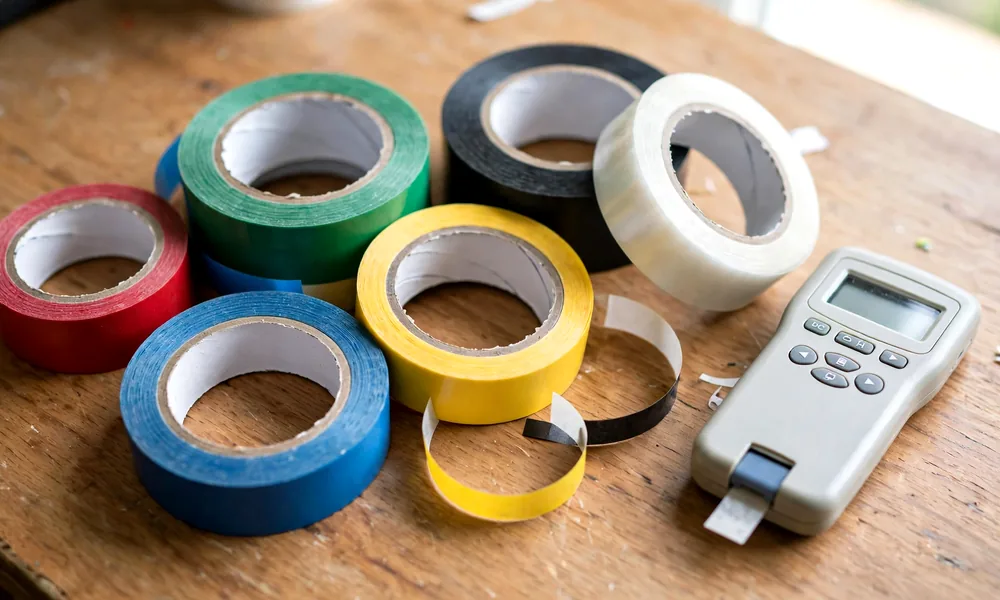
Tape width decides what a machine can actually label. A machine that only takes one width can only do one job: a narrow tape is too small for a storage box, and a wide tape is too big for a spice jar. A good home label maker takes at least two widths, typically a 12 mm tape for jars and files and a wider tape for boxes and shelves, and some take a third width for cables and small items. Tape is the running cost of a label maker in the same way ink is the running cost of a printer, and a cheap machine with expensive tapes costs more over a year than a dearer machine with fairly priced tapes.
Third-party tapes can cut the cost, but they are the most common cause of jams. A tape that is a fraction of a millimetre too wide twists inside the machine, feeds crookedly, or sticks the cutter, and a machine that jams every third label wastes more tape than it prints. Use the maker’s own tape at least until you know the machine well, and if you do try third-party tapes, test one roll fully before buying a box of them.
Where Labels Earn Their Keep
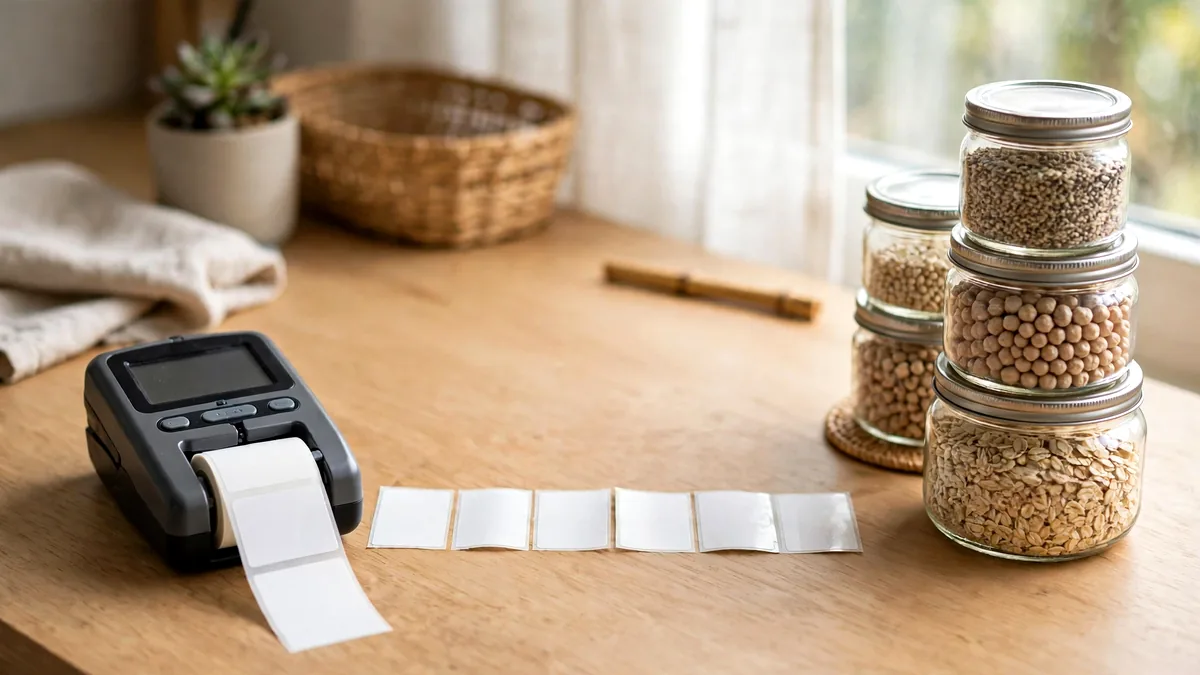
The pantry is where most label makers earn their place. Jars of rice, flour, lentils and pasta all look alike once they are decanted, and a clear label stops the wrong ingredient going into dinner. In a home office, labels turn a pile of identical files and cable boxes into a system you can actually find things in. Label the cables behind the desk too, because a labelled cable is a cable you can unplug without guessing.

Craft rooms and garages are the third home for a label maker. Craft supplies, fabric offcuts, seed packets and small parts all benefit from a label, and heat-resistant tapes survive near a cooker or in a warm garage. For the rest of the desk, a label maker works best alongside proper storage, and our guide to the best desk organizers of 2026 covers the trays and boxes that give a label maker a proper home. A label maker does not organise a mess on its own; it makes an organised system readable, and that is a different job.
Label Makers for Special Jobs
Some homes need more than a standard machine. If you label cables, look for a machine that prints on heat-shrink tube or cable-wrap tape, so the label wraps around the cable and stays readable from any angle. If you label things that go outside, such as plant pots or storage in a shed, look for tapes rated for outdoor use, because standard tape fades in sunlight and peels in the rain. If you label food containers that go in the fridge or freezer, check that the tape is rated for cold and damp, and test one label for a week before labelling the whole shelf.
Embossing labellers are a different kind of machine altogether. They press raised letters into a plastic strip with no power and no ink, and they suit craft projects and a vintage look. They are slow, they offer one font and one width, and they are not a substitute for a proper label maker in a busy home. But for a single decorative label on a gift or a jam jar, they are hard to beat, and they never run out of battery.

Label Maker Buying Checklist
- Print a test label with small text and read it from across the room before you commit to a machine.
- Check the machine takes at least two tape widths, and price the tapes for a year of normal use.
- Match the tape to the surface: strong-adhesive for plastic and glass, standard for paper and card.
- Type a full label on the keyboard, not just a single word, and check the app connects reliably if the machine needs one.
- Check the battery: it should hold a charge for weeks, print dozens of labels per charge, and warn you before it dies.
- Test a label on the surface it will live on, and check it after a day, a week and a month.
Frequently Asked Questions
Are label makers better than a printer for labels?
Yes, for labels. A label maker prints narrow adhesive tape in seconds, while a printer needs special label sheets and cannot print the strong-adhesive tapes that stick to glass and plastic.
How long do printed labels last?
A good label on the right tape lasts for years indoors. Standard tapes last longest on paper and card, strong-adhesive tapes last longest on glass and plastic, and outdoor-rated tapes are needed for anything in sunlight or rain.
Why do my labels keep peeling off?
Usually the tape is wrong for the surface, or the surface was dusty or greasy. Clean the surface, use a strong-adhesive tape for plastic and glass, press the label down firmly, and give it a day to bond before judging it.
Can I use third-party tapes in my label maker?
Sometimes, but a tape that is slightly the wrong size is the most common cause of jams. Use the maker’s own tape first, test one third-party roll fully before buying more, and stop using it if the machine starts jamming.
Do I need a label maker with a phone app?
Not for quick one-off labels, where a keyboard machine is faster. An app is worth it if you label in batches, want proper fonts and symbols, or type slowly on a small keyboard.
What tape width should I buy first?
A 12 mm tape covers most jars, files and small boxes. Add a wider tape for storage boxes and shelves, and a narrow tape for cables and spice jars, once you know which jobs you label most.
Bottom Line
The best label makers of 2026 print dark, even labels that stay readable for months and stay stuck to the surface they were made for. Pick a machine that takes at least two tape widths, type on it before you buy, and work out the tape cost for a year before you judge the price. Do that, and the machine you buy will be the one that keeps the pantry, the desk and the file box organised for years. And when you need to stick something down rather than label it, our guide to the best masking tape of 2026 covers the tapes that tear clean and stick right.