The best USB-C cables in 2026 do two jobs at once: they charge your devices at full speed and move your files without slowing down. Yet most cables only do one well. A cable can carry the USB-C shape and still charge a laptop at a trickle, transfer a video file at a crawl, or fall apart at the connector after three months.

Key Takeaways
- A USB-C cable’s shape tells you nothing about its speed. Check the wattage and the data rate printed on the packaging, not the connector.
- For phones, a 60W cable with USB 2.0 data speeds is usually enough. For laptops, look for 100W or 240W power delivery and a 10 Gbps or faster data rate.
- Braided nylon cables survive bending far better than thin rubber ones, and reinforced strain relief at the connector is the single best sign of a long-lived cable.
- Short cables charge slightly faster and tangle less. A 1 metre cable suits a desk, while a 2 metre cable suits a bedside or a sofa.
- Certified cables cost a little more, but an uncertified bargain cable can charge slowly, overheat, or damage a port over time.
Reading the Label: What the Numbers Actually Mean
Every USB-C cable carries a set of hidden specifications, and two numbers matter more than all the rest: power and data. Power is measured in watts, and it decides how fast your device charges. A cable rated at 60W can fast-charge a phone or a small tablet, but it will charge a 14-inch laptop slowly, if at all. A 100W cable handles most laptops, and the newest 240W cables cover even large gaming laptops and workstations. No wattage printed anywhere is a warning sign.
Data speed is measured in gigabits per second, and it decides how fast files move. Many cheap cables only support USB 2.0 speeds of 480 Mbps, which is fine for charging a phone overnight but painfully slow for moving a 4K video from a camera to a laptop. A cable rated at 10 Gbps moves the same file roughly twenty times faster, and faster cables exist for people who regularly shift large video projects. The catch is that the cable, the port, and the device all have to support the speed, so match the cable to the fastest port you actually own.
There is also a third number worth checking: the USB version. USB4 cables support the fastest data rates and the best video output, including driving an external monitor through the same cable that charges your laptop. If your setup runs a monitor from a single cable, a USB4 cable is the one to buy. For most people, a well-made USB 3.2 cable at 10 Gbps covers every realistic need.
The Best USB-C Cables of 2026
The strongest cables of 2026 fall into four clear groups, and the right one depends on where you use it most. None of them is the best at everything, which is exactly why buying one cable for every job usually ends in disappointment.
Best everyday cable: the braided 1 metre workhorse
A braided 1 metre cable is the default choice for most people. The nylon braid resists fraying where the cable meets the connector, which is where nearly every cable dies. At 1 metre it reaches from a wall socket to a desk or a bedside table without leaving a coil of slack to tangle, and most good ones now carry 60W or 100W charging with 10 Gbps data.
Best travel cable: short, tough and tangle-free
Travel rewards short cables. A 0.3 metre cable charges a phone from a power bank without a loop of wire spilling out of your pocket, and it cannot tangle into the knot that every traveller knows too well. The best travel cables pair a short length with a thick braid and a reinforced connector, because bag cables get bent and yanked far more than desk cables.
Best desk cable: the 2 metre 240W cable
A desk cable needs to reach from a charger under the desk to a laptop on top of it, carry enough power for a full-size laptop, and ideally move data at full speed too. The best 2 metre cables of 2026 deliver 240W of power delivery, which covers even the largest laptops, and 10 Gbps or faster data. They are thicker and heavier than a phone cable, but they replace two cables at once: the charger cable and the data cable.
Best budget cable: the certified no-frills option
Budget cables can be excellent, provided they are certified. Certification means an independent lab has tested the cable against the USB specification, and it is the cheapest insurance against a cable that charges slowly or fails early. A certified 60W cable with USB 2.0 data speeds costs very little and charges any phone at full speed. What it will not do is move large files quickly or power a laptop. The worst budget cables are the uncertified ones sold in multi-packs at suspiciously low prices.
| Cable type | Best for | Power | Data speed | Length |
|---|---|---|---|---|
| Braided 1 metre | Everyday use | 60–100W | 10 Gbps | 1 m |
| Short travel | Power banks, travel | 60W | 480 Mbps–10 Gbps | 0.3 m |
| 2 metre 240W | Laptops, desks | 240W | 10–40 Gbps | 2 m |
| Certified budget | Phones, spares | 60W | 480 Mbps | 1 m |
Best vs Worst: What Separates a Great Cable From a Bad One
The difference between the best and the worst USB-C cables is not visible at first glance. Both have the same connector, the same shape, and often the same packaging. The difference shows up over weeks and months, in charging speed, reliability, and safety.
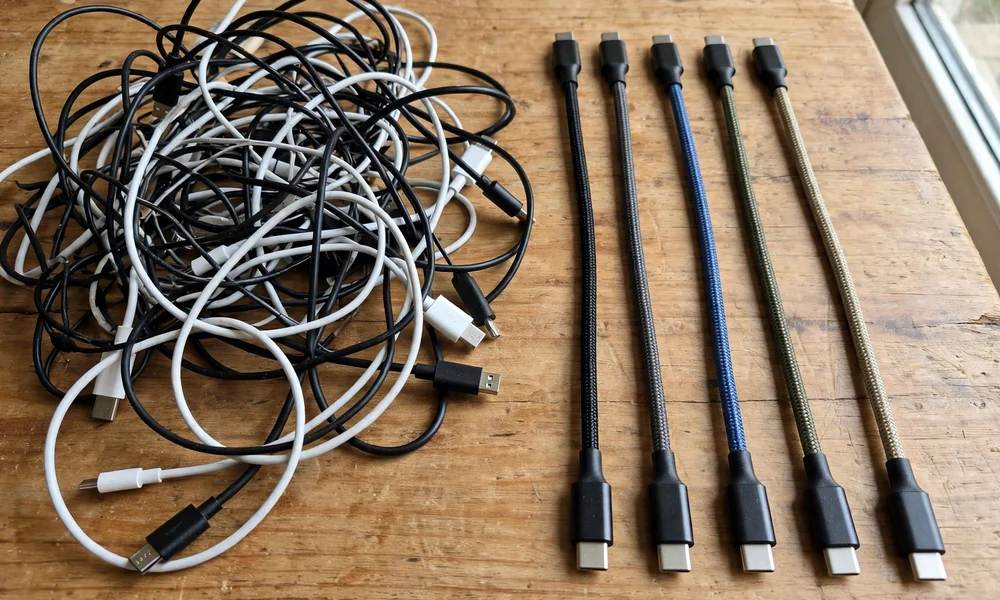
A good cable charges at the speed your charger promises. A quality 100W cable delivers a laptop from empty to half charge in about 30 minutes, while a poor cable on the same charger can take twice as long or stall at a slow trickle. The gap comes from thin internal wires and poor connections inside the connector, which waste power as heat. If your phone feels warm at the plug while charging slowly, the cable is the likely culprit, not the charger.
Data speed tells a similar story. Moving a 10 GB video file across a 10 Gbps cable takes under a minute. The same file across a 480 Mbps cable takes nearly three minutes, and across the worst bargain cables it can take five or more, with the transfer sometimes dropping halfway through. For photographers and video editors, that difference adds up to hours every month.
Durability is where the gap becomes most obvious. In bend tests, braided cables with reinforced strain relief survive more than 30,000 bends, while thin rubber cables often fail before 5,000. The failure usually starts as an intermittent connection: the phone charges only when the cable sits at a certain angle, then stops altogether. A cable that costs twice as much but lasts six times longer is not the expensive option.
Safety is the final divide. Certified cables include the correct resistors and wiring to negotiate power safely with your device, so a phone draws only what it can handle. Uncertified cables have been found with missing or incorrect components, and in the worst cases they can deliver too much power or overheat. The risk is small, but it is real, and it is the strongest argument for buying certified cables from brands with a reputation to protect. If your charging setup feels like a weak link, comparing it with the best vs worst portable chargers for 2026 is a useful next step.
Charging Speed in Real Life
Advertised charging speeds assume everything in the chain is working at its best: the charger, the cable, and the phone. In practice, one weak link decides the result. A 100W charger with a 60W cable charges at 60W, and a 240W cable with a 30W charger charges at 30W.
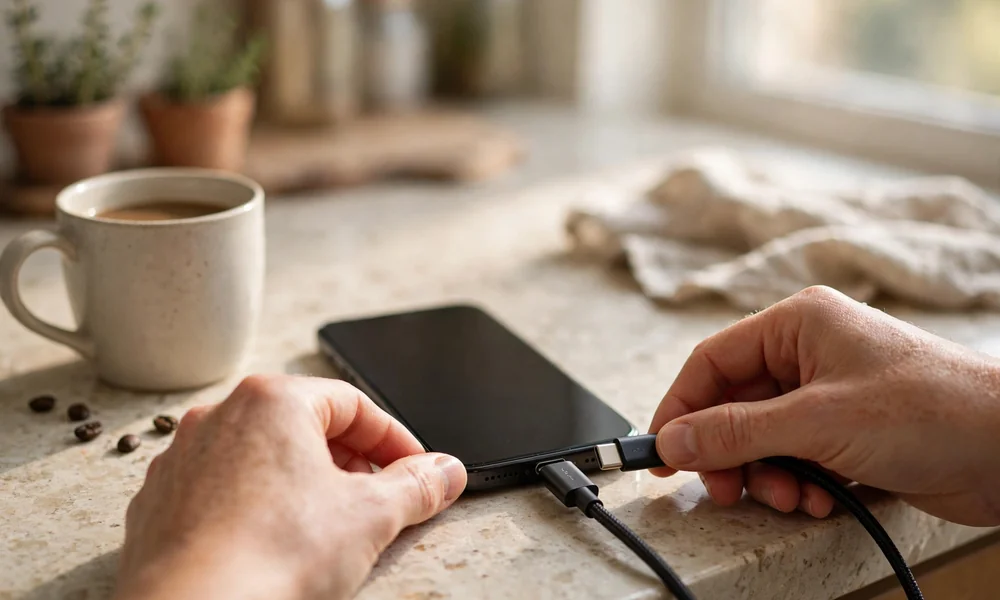
Heat is the other hidden factor. Fast charging generates heat, and phones slow their charging rate as they warm up to protect the battery. A cable that runs hot is wasting energy. For the fastest top-up, charge in a cool room and use a cable rated above your charger’s output so the cable is never the bottleneck.
It is also worth knowing that the last 20 percent of a charge is always slow. Phones deliberately taper their charging rate above 80 percent to protect long-term battery health, so a cable that takes your phone from 20 to 80 percent in 25 minutes and then needs another 30 minutes for the last stretch is behaving normally.
How to Choose the Right USB-C Cable
Choosing well takes five minutes and saves months of frustration.
- Match the wattage to your biggest device. Phones need 60W, most laptops need 100W, and large laptops need 240W.
- Check the data rate if you move files. Photographers and video editors need 10 Gbps or faster; everyone else can live with 480 Mbps.
- Pick the length for the place, not the price. One metre for a desk, 0.3 metres for travel, two metres for a bedside or a sofa.
- Choose braided nylon over thin rubber, and look for reinforced strain relief where the cable meets the connector.
- Buy certified cables from brands you recognise, and be suspicious of multi-packs priced far below everything else.
- Count your cables honestly. One great cable beats three cheap ones, but most households need at least two: one at the desk and one in the bag.
One more thing to check is the rest of your setup. A cable is only one link in the chain, and the hub it plugs into matters just as much. If you run a monitor, a drive, and a phone through one connection, the best vs worst USB hubs for 2026 guide shows which hubs keep everything running at full speed and which ones throttle your devices. And if you charge wirelessly at your desk, the best wireless charging pads for 2026 roundup covers the pads that actually deliver the speeds they promise.
Frequently Asked Questions
Can any USB-C cable fast-charge my phone?
No. Fast charging needs a cable rated for the wattage your phone and charger support. A basic 60W cable fast-charges most phones, but an old or uncertified cable may limit you to slow charging even with a powerful charger.
Does cable length affect charging speed?
Slightly. Longer cables have more resistance, so a 3 metre cable can charge a fraction slower than a 1 metre cable of the same quality. In practice the difference is small, and a well-made 2 metre cable charges far faster than a poor 1 metre one.
Are expensive USB-C cables worth it?
Up to a point. A mid-priced certified braided cable is worth every penny over a bargain cable, because it charges faster, transfers files quicker, and lasts years longer.
Can a bad USB-C cable damage my phone?
It is rare, but possible. Uncertified cables with incorrect wiring have been known to deliver the wrong voltage or overheat. Certified cables from reputable brands include the correct components to negotiate power safely.
How do I know if my cable supports video output?
Video output needs a cable rated for it, usually labelled USB4 or DisplayPort Alt Mode. A basic charging cable will not carry a video signal to a monitor, even though it fits the same port.
How long should a good USB-C cable last?
A well-made braided cable should last two to three years of use. Replace it when charging becomes intermittent, when the connector feels loose in the port, or when the cable only works at certain angles.
The Bottom Line
The best USB-C cable is the one that matches your devices: enough watts for your largest device, enough data speed for your files, a length that fits where you use it, and a build that survives daily bending. Buy certified, buy braided, and stop trusting the cheapest cable in the drawer. A good cable is a purchase that makes everything it connects to work better.