Finding the best WiFi routers for home in 2026 is less about chasing the biggest number on the box and more about matching a router to how your household lives online. A family of four streaming in 4K, gaming after dinner and joining video calls from three rooms needs something very different from a single person in a studio flat.
The good news is that Wi-Fi 7 has moved from flagship novelty to sensible mainstream choice this year, mesh systems have become genuinely easy to set up, and a strong mesh kit for a three-bedroom home now costs far less than it did two years ago.
This guide rounds up nine routers we rate highest for real homes, from budget mesh kits to premium Wi-Fi 7 systems, judged on coverage, speed under load, ease of setup, security and value.
Key takeaways
- For most homes, a two- or three-node Wi-Fi 7 mesh system is the best buy in 2026.
- Match the router to your home: one node covers a flat, two cover a three-bedroom house, and three or more suit large or multi-storey homes.
- Look for 2.5GbE ports if your broadband is faster than 1Gbps, and 10GbE for future headroom.
- Wi-Fi 7 handles crowded networks better, which matters once you pass 30 connected devices.
- Place your main router out in the open, at waist height or higher, never inside a cabinet.

How We Chose the Best WiFi Routers for Home
We started with coverage and real-world speed, not headline figures: range through walls and floors, performance with many devices connected, and stability over a full day weighed heaviest.
We also checked the ports on the back, because a router is only as fast as its weakest link: gigabit ports cap any plan faster than 1Gbps. Built-in threat protection, automatic updates and straightforward parental controls all earned points, as did an app a non-technical person can use.
Finally, we weighed value honestly: the most expensive system here is superb but overkill for a two-bedroom flat, while the cheapest pick is genuinely good for smaller homes.
Best WiFi Routers for Home at a Glance
| Router | Wi-Fi | Speed class | Best for | Coverage |
|---|---|---|---|---|
| TP-Link Deco BE65 Pro | Wi-Fi 7 | BE11000 | Most homes | Up to 6,000 sq ft |
| Netgear Orbi 970 | Wi-Fi 7 | BE27000 | Large premium homes | Up to 10,000 sq ft |
| Asus RT-BE88U | Wi-Fi 7 | BE7200 | Power users | Up to 3,000 sq ft |
| Google Nest Wifi Pro | Wi-Fi 6E | AXE5400 | Simple setup | Up to 6,600 sq ft |
| Eero Pro 7 | Wi-Fi 7 | BE10000 | Easy mesh | Up to 6,000 sq ft |
| TP-Link Archer BE800 | Wi-Fi 7 | BE19000 | Gaming | Up to 3,000 sq ft |
| Netgear Nighthawk RS700S | Wi-Fi 7 | BE19000 | Top standalone speed | Up to 3,500 sq ft |
| Asus RT-AX86U Pro | Wi-Fi 6 | AX5700 | Value gaming | Up to 2,500 sq ft |
| TP-Link Deco X55 | Wi-Fi 6 | AX3000 | Budget mesh | Up to 6,500 sq ft |
The 9 Best WiFi Routers for Home in 2026
1. TP-Link Deco BE65 Pro — Best Overall
The Deco BE65 Pro is the router we would buy for most homes in 2026. This tri-band Wi-Fi 7 mesh system delivers BE11000 speeds, every one of its four ports is 2.5GbE, and a three-node kit covers up to 6,000 square feet.
Setup takes about ten minutes in the Deco app, and the system manages band steering and roaming so phones move between nodes without dropping a call. It handles 100-plus devices without complaint. For the balance of speed, coverage, price and simplicity, nothing else on this list beats it.
2. Netgear Orbi 970 — Best Premium Mesh
If money is no object and your home is large, the Orbi 970 is the finest mesh system available. Its quad-band Wi-Fi 7 design reaches BE27000, with a dedicated 10Gbps backhaul band, and a three-pack covers up to 10,000 square feet.
Each unit carries a 10GbE port plus 2.5GbE ports, suiting multi-gig broadband and wired gear like a NAS. It is big, heavy and expensive, but for large houses where flawless 4K streaming in every room is non-negotiable, it is the benchmark.
3. Asus RT-BE88U — Best Standalone Router for Power Users
Not every home needs mesh. If you live in a flat or a smaller house with the router near the centre, the Asus RT-BE88U is a superb single-box answer, with BE7200 speeds, a 10GbE port, an SFP+ port and four 2.5GbE ports.
Asus pairs that hardware with excellent software: AiMesh lets you add nodes later if you move to a bigger home, while AiProtection Pro adds network-level security at no subscription cost. It suits people who like to tune settings or run a home server.
4. Google Nest Wifi Pro — Best for Simple Setup
The Nest Wifi Pro remains the easiest mesh system to live with. It speaks Wi-Fi 6E rather than Wi-Fi 7, but for homes with broadband up to 1Gbps that hardly matters, and its AXE5400 speeds are plenty for 4K streaming and video calls.
Setup happens in the Google Home app in minutes, and the nodes double as smart-home hubs with Thread and Matter built in, so they can run smart lights and sensors without extra hardware. A three-pack covers up to 6,600 square feet. If you want Wi-Fi that simply works, this is the pick.
5. Eero Pro 7 — Best Easy Wi-Fi 7 Mesh
The Eero Pro 7 brings Wi-Fi 7 to people who never want to see a settings page. This tri-band BE10000 system sets up in the Eero app with a few taps and updates itself automatically, and two 10GbE ports on each node give wired devices full-speed connections.
Coverage reaches up to 6,000 square feet with three nodes, and the compact units sit happily on a shelf. Eero charges a subscription for its most advanced security features, which is the main drawback, but the core experience is polished, stable and effortless.
6. TP-Link Archer BE800 — Best WiFi Router for Gaming
Gamers need low latency more than raw speed, and the Archer BE800 is built around that: tri-band Wi-Fi 7 at BE19000, a 10GbE port, four 2.5GbE ports and a dedicated gaming band that prioritises game traffic.
TP-Link’s HomeShield software adds quality-of-service controls that keep a game smooth even while someone else streams a film in the next room. If you are still deciding between a portable and a fixed setup, our guide to a laptop vs desktop for a home office will help you settle it.
7. Netgear Nighthawk RS700S — Best for Top Standalone Speed
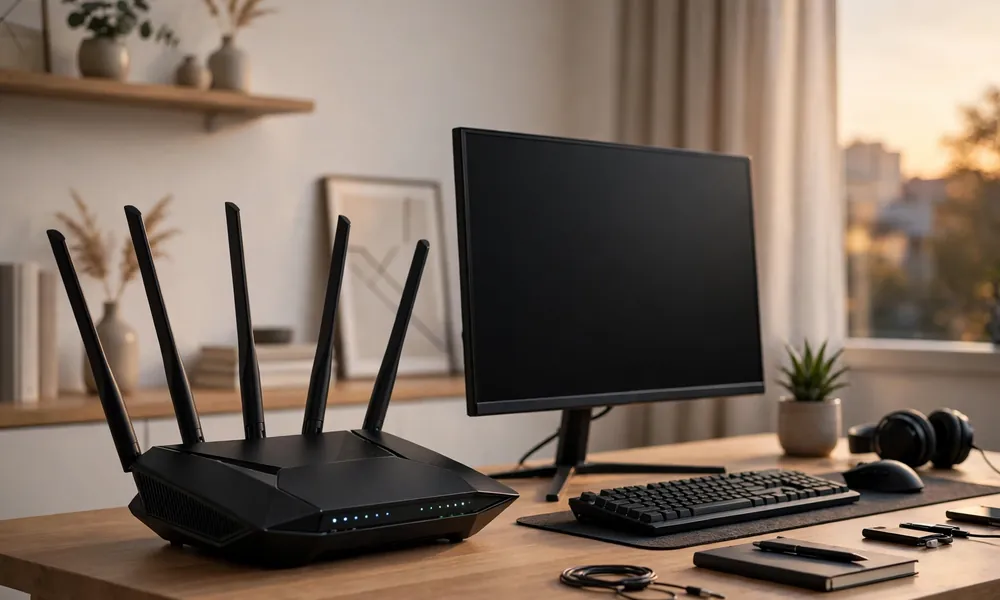
The Nighthawk RS700S is a statement router: tri-band Wi-Fi 7 at BE19000, a 10GbE internet port, a 10GbE LAN port and four gigabit ports. In a single-router home it delivers some of the fastest wireless speeds we have seen, with strong range for open-plan houses and large flats.
It is overkill for basic browsing, and wasted money if your broadband is under 1Gbps. But if you have multi-gig broadband and a home full of Wi-Fi 7 devices, the RS700S is hard to beat. Netgear’s Armor security is included for the first year.
8. Asus RT-AX86U Pro — Best Value Gaming Router
The RT-AX86U Pro proves you do not need Wi-Fi 7 to get a great gaming router. This Wi-Fi 6 model offers AX5700 speeds, a 2.5GbE port and a dedicated gaming port that prioritises whatever console or PC you plug into it.
It also carries AiProtection Pro security free for the life of the product. For homes on broadband up to 1Gbps with a gamer in the family, it delivers most of the experience of routers costing twice as much.
9. TP-Link Deco X55 — Best Budget Mesh System
The Deco X55 is the cheapest way to fix bad Wi-Fi in a larger home. This Wi-Fi 6 mesh kit delivers AX3000 speeds across three nodes covering up to 6,500 square feet, handling 4K streaming and video calls in every room. It lacks Wi-Fi 7 and multi-gig ports, but for broadband up to 1Gbps that rarely matters.
Setup uses the same friendly Deco app as the pricier models, with the same parental controls. If your current router came free from your broadband provider and the back bedroom is a dead zone, the X55 is the most cost-effective upgrade you can make.
How to Choose the Right WiFi Router for Your Home
Start with your broadband speed: gigabit ports are fine up to 1Gbps, 2.5GbE suits faster plans, and 10GbE is for multi-gig connections. Buying a BE27000 router for a 500Mbps line wastes money, while a cheap router on a 2Gbps line wastes the line.
Next, measure your home honestly. A single powerful router suits flats and small houses up to about 2,000 square feet if it sits centrally. Anything larger, multi-storey or built with thick walls calls for mesh, with one node per floor as a rough rule. Count your devices too: a home with 40 or more connected gadgets benefits from Wi-Fi 6E or Wi-Fi 7, which handle crowded airwaves far better.
Think about the rest of your connected home as well. A strong network is the foundation for everything from video doorbells to smart locks, and choosing the best smart locks for home is only worth it if your Wi-Fi reaches the front door reliably. Our pick of the best smart doorbells likewise depends on steady coverage outside, so plan node placement with the doors in mind.
Checklist: Before You Buy a WiFi Router
- Check your broadband speed first, and buy a router whose ports can deliver it.
- Count the rooms and floors needing coverage, and choose mesh if one router cannot reach them.
- Count your connected devices and favour Wi-Fi 7 once you pass 30.
- Make sure each node has a free power socket where it will sit.
- Look for WPA3 security, automatic updates and free threat protection.
- Keep the box and receipt, and test the router for a week before the return window closes.
Frequently Asked Questions
Do I need a Wi-Fi 7 router in 2026?
Not everyone does, but it is the sensible choice for most new purchases: Wi-Fi 7 handles crowded networks better and offers lower latency. If your broadband is under 500Mbps, a good Wi-Fi 6 or 6E router still serves well and costs less.
Is mesh Wi-Fi better than a single router?
For homes over about 2,000 square feet, or with thick walls and multiple floors, yes: mesh spreads the signal evenly and lets devices roam without dropping. In a small flat, a single strong router is simpler, cheaper and often just as fast.
How many mesh nodes do I need?
One node covers a flat, two cover a typical three-bedroom house, and three suit larger homes. Start with the kit size that matches your floor area and add a node later if a room still has weak signal.
Where should I place my router?
Out in the open, at waist height or higher, near the centre of your home and away from thick walls and metal objects. Never hide a router inside a cabinet, behind the television or on the floor.
Will a new router make my internet faster?
A new router cannot make your broadband line faster than the plan you pay for, but it can stop your router being the bottleneck. If your old router caps speeds below your plan, a modern router will make a clear difference.
How often should I replace my WiFi router?
Every four to five years is a good rule: standards move on, security updates eventually stop, and a growing pile of devices strains older hardware. If your router is older than five years and you have dead zones, an upgrade is overdue.
The Bottom Line
For most homes in 2026, the TP-Link Deco BE65 Pro is the best WiFi router for home use: fast, wide-reaching, easy to set up and fairly priced. Large homes with big budgets should look at the Netgear Orbi 970, while anyone wanting the simplest setup will be happy with the Google Nest Wifi Pro or the Eero Pro 7. Match the router to your home size and broadband speed, place it well, and your Wi-Fi problems will mostly disappear.